DETAILED CONTROLS AND GAUGES OPERATION
3-62
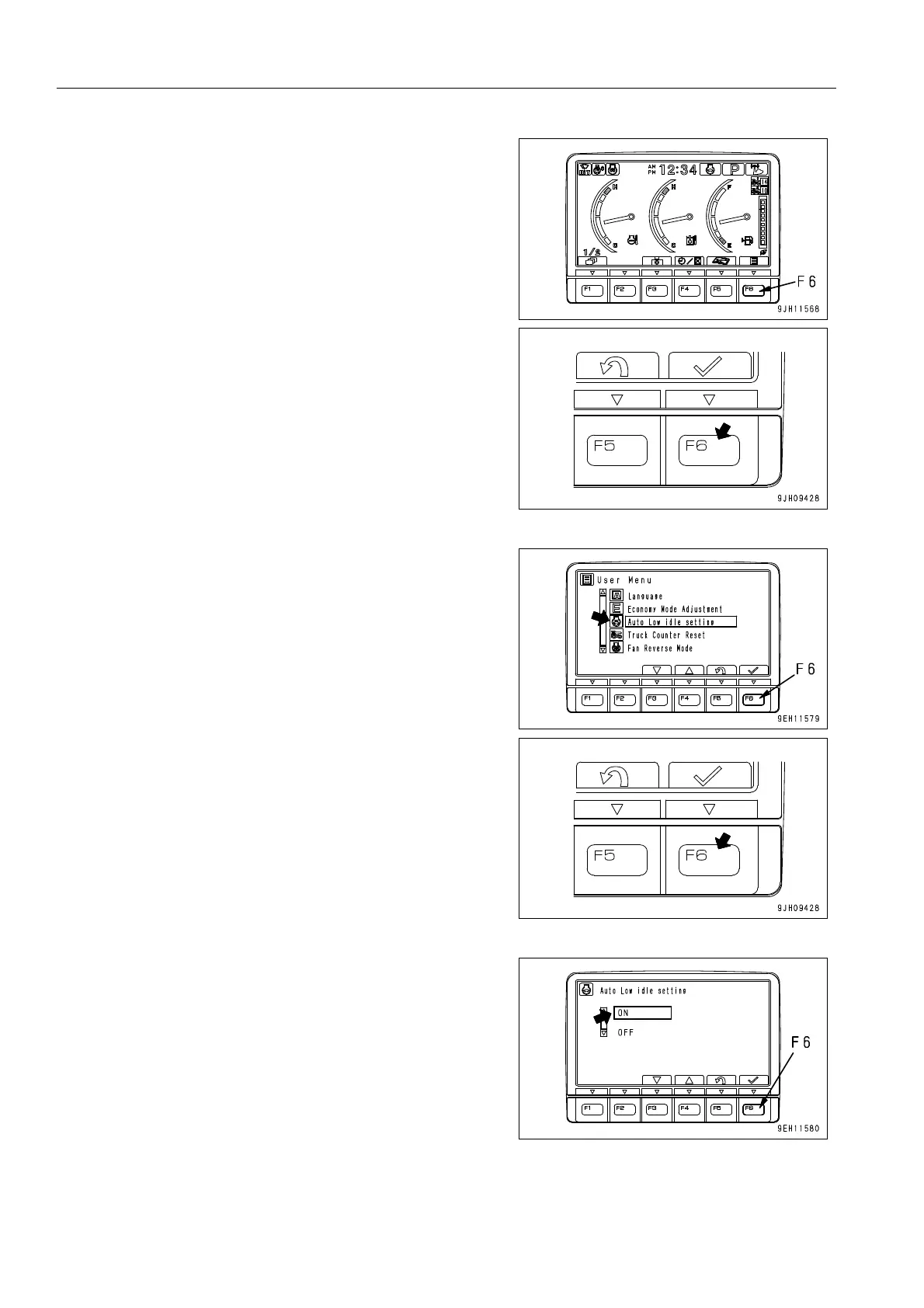
1. Press function switch F6 on the standard screen.
2. Select Auto Low idle setting on the user menu, then press
function switch F6.
The screen changes to the ON/OFF screen for Auto Low
idle setting.
3. Select ON on the Auto Low idle setting screen, then press
function switch F6.
The screen returns to User Menu.











 To Next Page