OPERATION DETAILED CONTROLS AND GAUGES
3-63
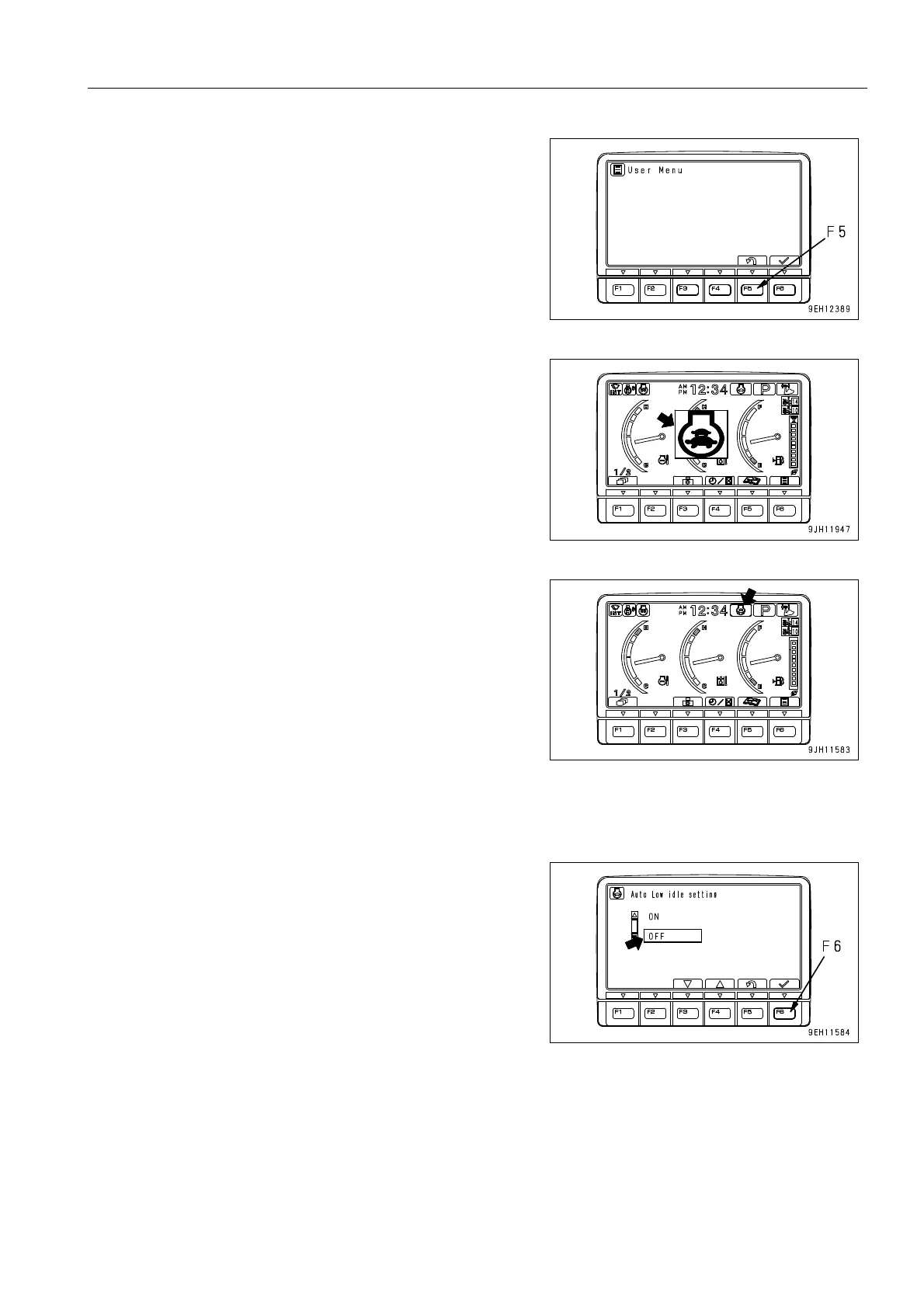
4. Press function switch F5 to return to the standard screen.
5. The auto low idle function is set.
The mode is displayed in the center of the monitor display,
and after 2 seconds, the screen returns to the standard
screen.
6. On the standard screen, the auto low idle monitor lights up.
q When the auto low idle function is ON, after the work
equipment control levers and travel levers are placed
at Neutral, the engine speed automatically goes down
to low idling after approx. 30 seconds has passed with
the lever is at Neutral.
q If it is desired to turn the auto low idle function OFF (cancel), set the mode as follows.
1. Select OFF on the Auto Low idle setting screen, then press
function key F6.
The screen returns to User Menu.











 To Next Page