DETAILED CONTROLS AND GAUGES OPERATION
3-64
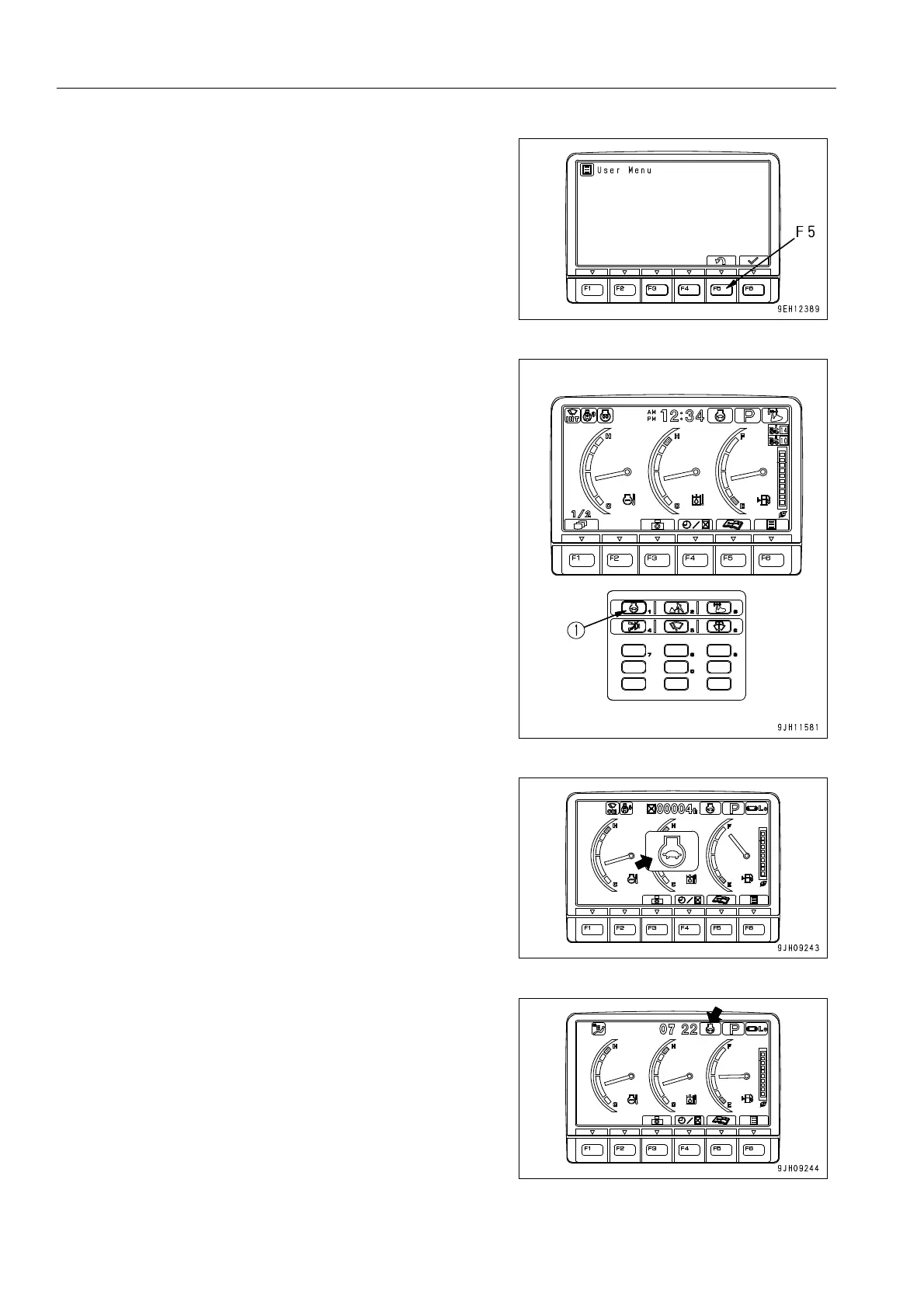
2. Press function switch F5 to return to the standard screen.
1) Press auto deceleration switch (1) to turn the auto decel-
eration function ON.
2) When the auto deceleration function is turned ON, the
mode is displayed in the center of the monitor display,
and after 2 seconds, the screen returns to the standard
screen.
3) On the standard screen, the auto deceleration monitor
lights up. (When the auto deceleration is OFF, the moni-
tor goes out.)











 To Next Page