OPERATION DETAILED CONTROLS AND GAUGES
3-79
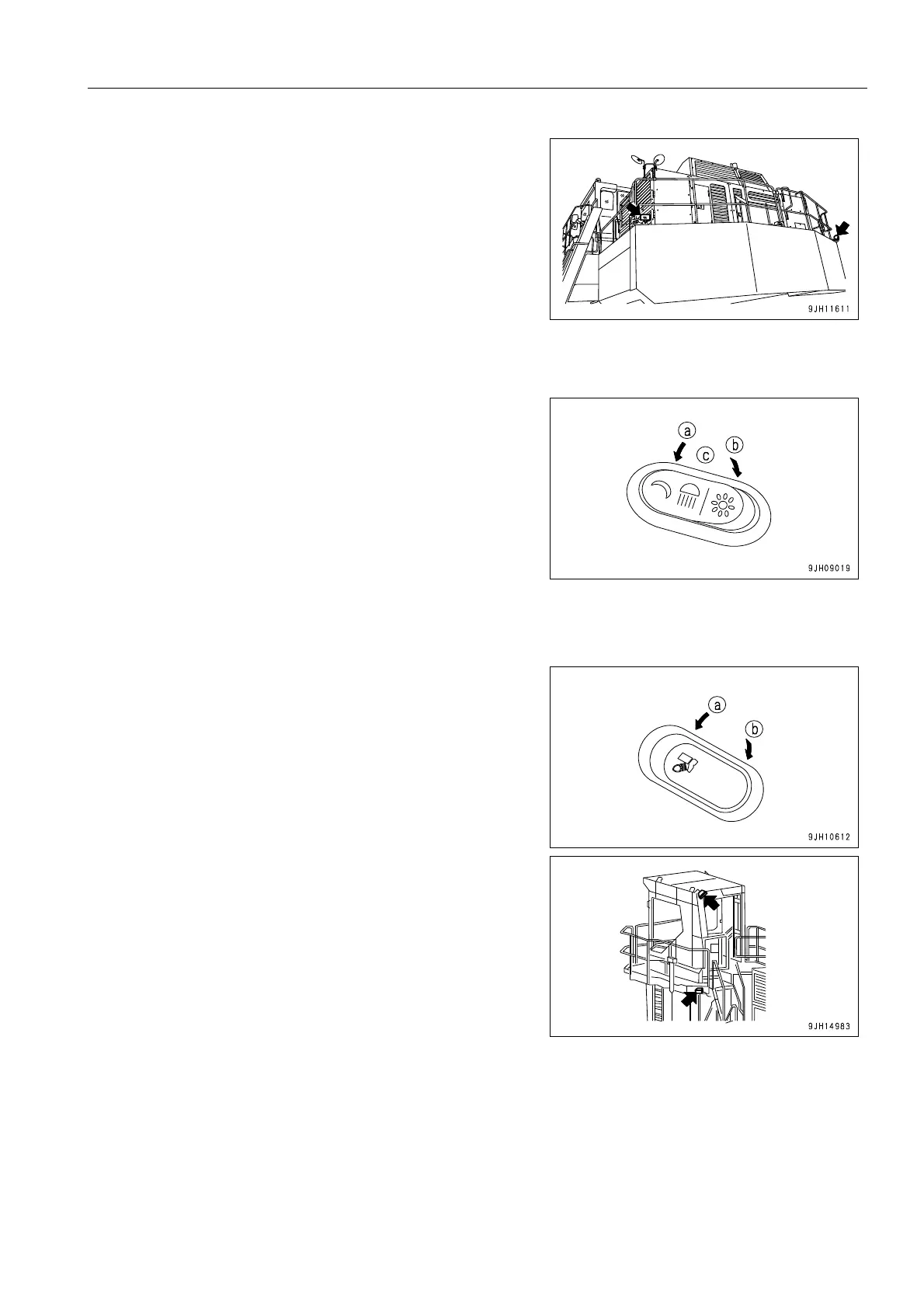
The rear lamp (if equipped) also lights up with the additional
lamp switch.
If a camera (if equipped) is installed to the rear counterweight,
use the rear lamp (if equipped) fortnight lighting.
Working Lamp Switch
Use this switch (7) to light up the front lamps, working lamps,
and monitor illumination.
(a) Night position: Lamps light up, monitor illumination lights up,
monitor screen lighting is dimmed.
(b) Day position: Lamps light up, monitor illumination lights up,
illumination of monitor screen is at normal level.
(c) OFF position: Lamps go out, illumination of monitor screen
is at normal level.
Step Light Switch
This switch (8) lights up the step to ensure safety at night when
getting on or off the machine.
q If the switch is set to ON position (a), the step lamp lights
up.
q If the switch is released, it returns to OFF position (b), but
even after it returns to OFF position (b), the step lights
stays lighted up for approx. 90 seconds.
q Even if the starting switch is at the OFF position, if the step
light switch is set to ON position (a), the step light will light
up for approx. 90 seconds.
q If the starting switch is at the OFF position and the step
light switch is set to ON position (a), there may be a time
lag until it lights up. Keep the switch pressed until the lamp
lights up. (Approx. 1 second)
(a) ON position: Lights up
(b) OFF position: Goes out











 To Next Page