OPERATION DETAILED CONTROLS AND GAUGES
3-115
If the mode is set to auto mode and the temperature setting is set to 18.0 °C or 32.0 °C, the air flow from the fan is
always set to HIGH and does not change even when the set temperature is reached.
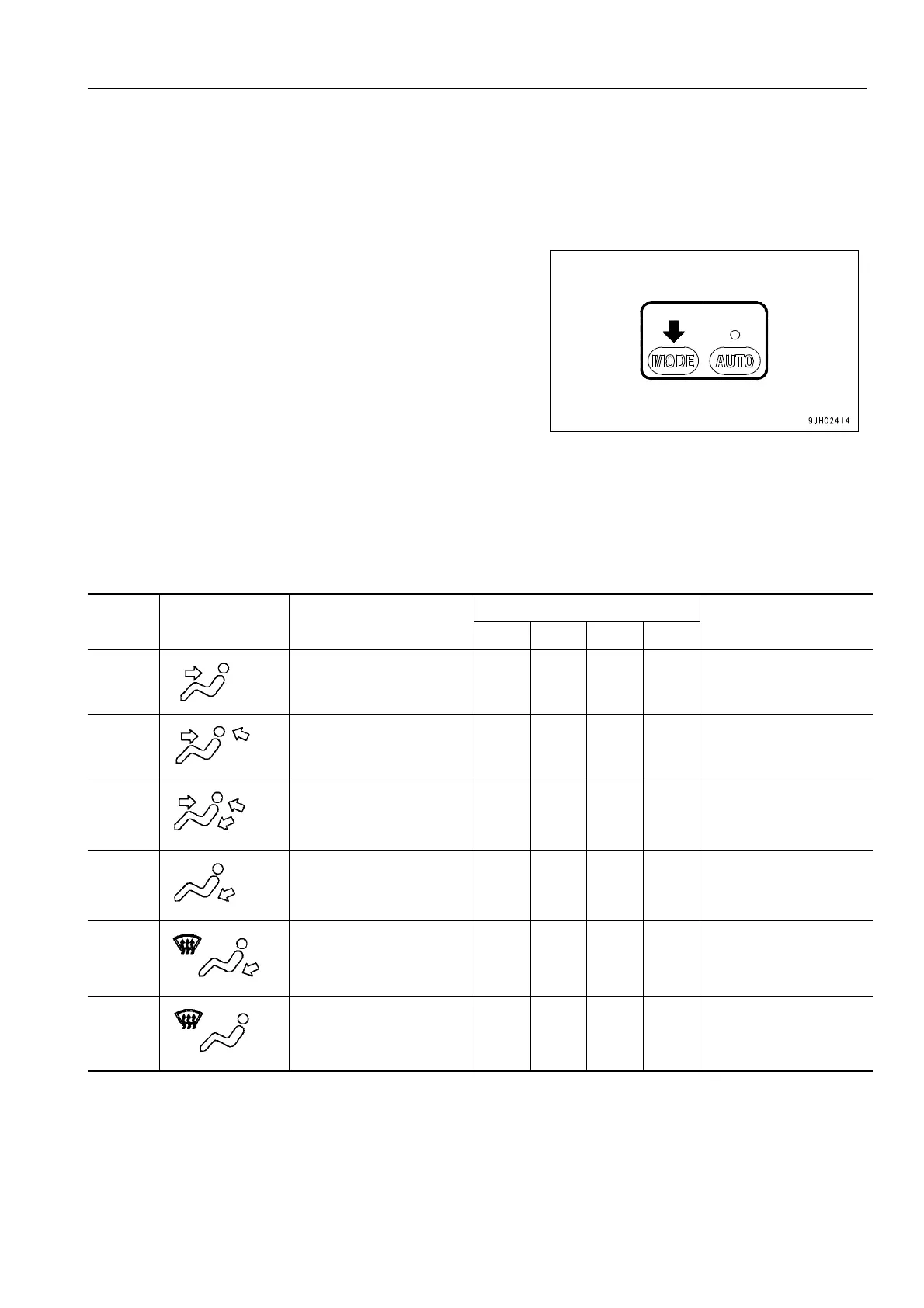
Vent Selector Switch
Switch (4) is used to select the vents.
q When switch (4) is pressed, the display on monitor display
(7) switches and air blows out from the vents displayed.
q During automatic operation, the vents are automatically
selected.
(A): Rear vents (top x 2), (bottom x 2)
(B): Face vents (left x 1), (right x 1)
(C): Foot vents (front x 1), (rear x 1)
(D): Defroster vents (left x 1), (right x 1), (front x 3)
Note 1: Air blows out from vants marked O
No.
Liquid crystal
display
Vent Mode
Vent
Remarks
(A) (B) (C) (D)
(M1) Front vents O
Cannot be selected for
automatic operation
(M2) Front and rear vents O O -
(M3) Front, rear and foot vents O O O -
(M4) Foot vents O -
(M5)
Foot vents
Defroster vents
OO
Cannot be selected for
automatic operation
(M6) Defroster vents O
Cannot be selected for
automatic operation











 To Next Page