OPERATION MACHINE OPERATIONS AND CONTROLS
3-197
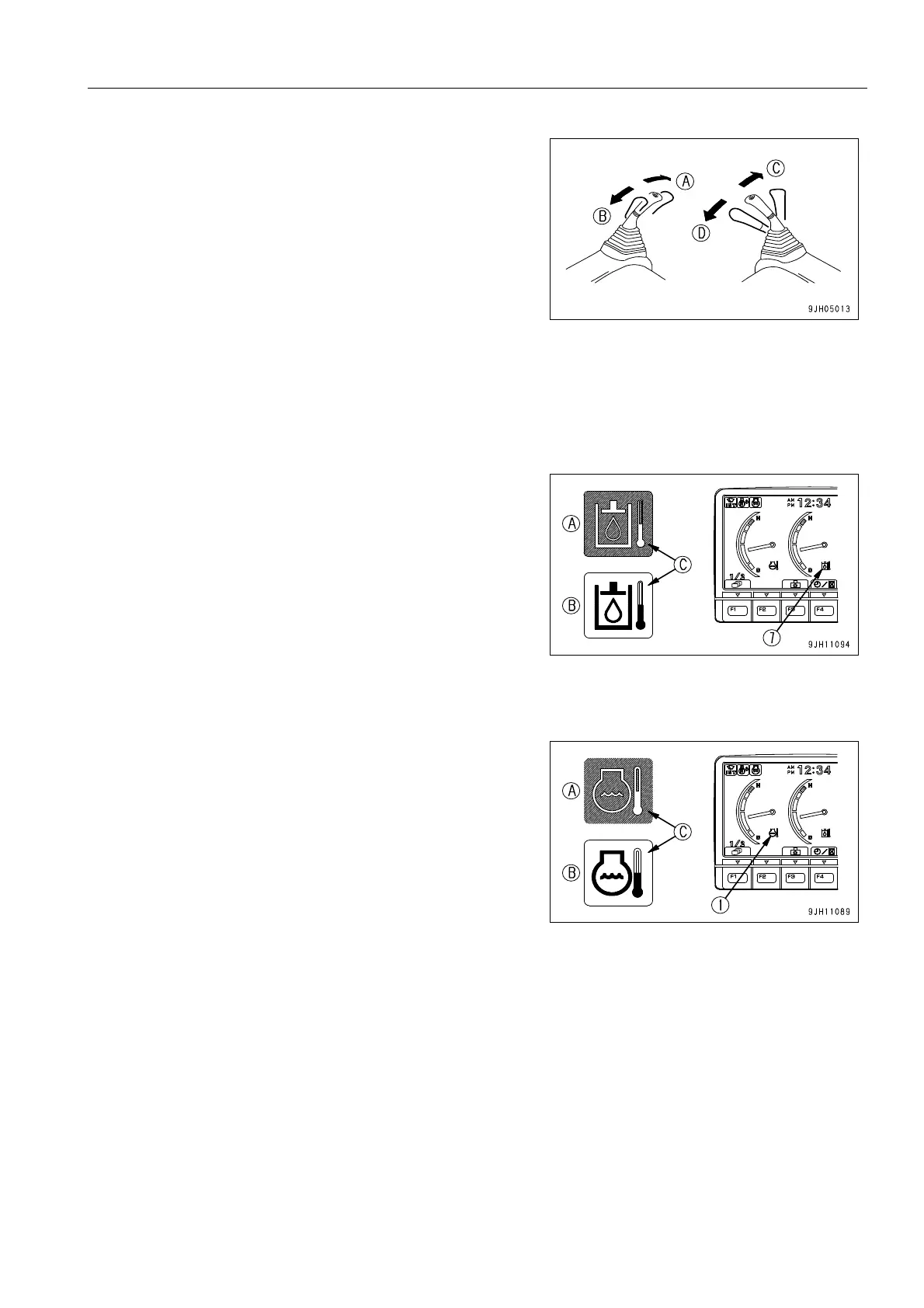
6. Move right work equipment control lever (5) slowly in the
direction to pull in the bucket (D). Operate the lever to the
end of its travel and hold it in position for 30 seconds.
7. Move right work equipment control lever (5) slowly in the
direction to push out the bucket (C). Operate the lever to
the end of its travel and hold it in position for 30 seconds.
8. Next, move left work equipment control lever (6) slowly in
the direction to pull in the arm (B). Operate the lever to the
end of its travel and hold it in position for 30 seconds.
9. Move left work equipment control lever (6) slowly in the
direction to push out the arm (A). Operate the lever to the
end of its travel and hold it in position for 30 seconds.
10. Repeat the operation in Steps 6 to 9 for 5 minutes.
11. Check that hydraulic oil temperature monitor (7) is display-
ing the correct temperature.
If the hydraulic oil temperature monitor is not displaying the
correct temperature (it is displaying low temperature),
repeat Steps 6 to 10 until the display is the correct temper-
ature.
(A) Display when temperature is correct: Monitor back-
ground (C) is blue
(B) Display when temperature is low: Monitor background
(C) is white
12. Check that engine coolant temperature monitor (1) dis-
plays the correct temperature.
(A) Display when temperature is correct: Monitor back-
ground (C) is blue
(B) Display when temperature is low: Monitor background
(C) is white
If it displays low temperature, carry out additional warm up
of the engine until engine coolant temperature monitor (1)
displays the correct temperature.
For details of the procedure, see “Engine Warm Up (3-
193)“.
13. Check that the hydraulic oil temperature monitor and engine coolant temperature monitor are displaying the
correct temperature, then check that all the gauges and caution monitors on the machine monitor are in the
following status.











 To Next Page