MAINTENANCE PROCEDURE MAINTENANCE
4-24
When inserting the element, if the rubber at the tip is swol-
len or the outer element is not pushed in straight, and
cover (3) is assembled by force to hook (2), there is danger
that the hook and air cleaner body may be damaged, so be
careful when assembling.
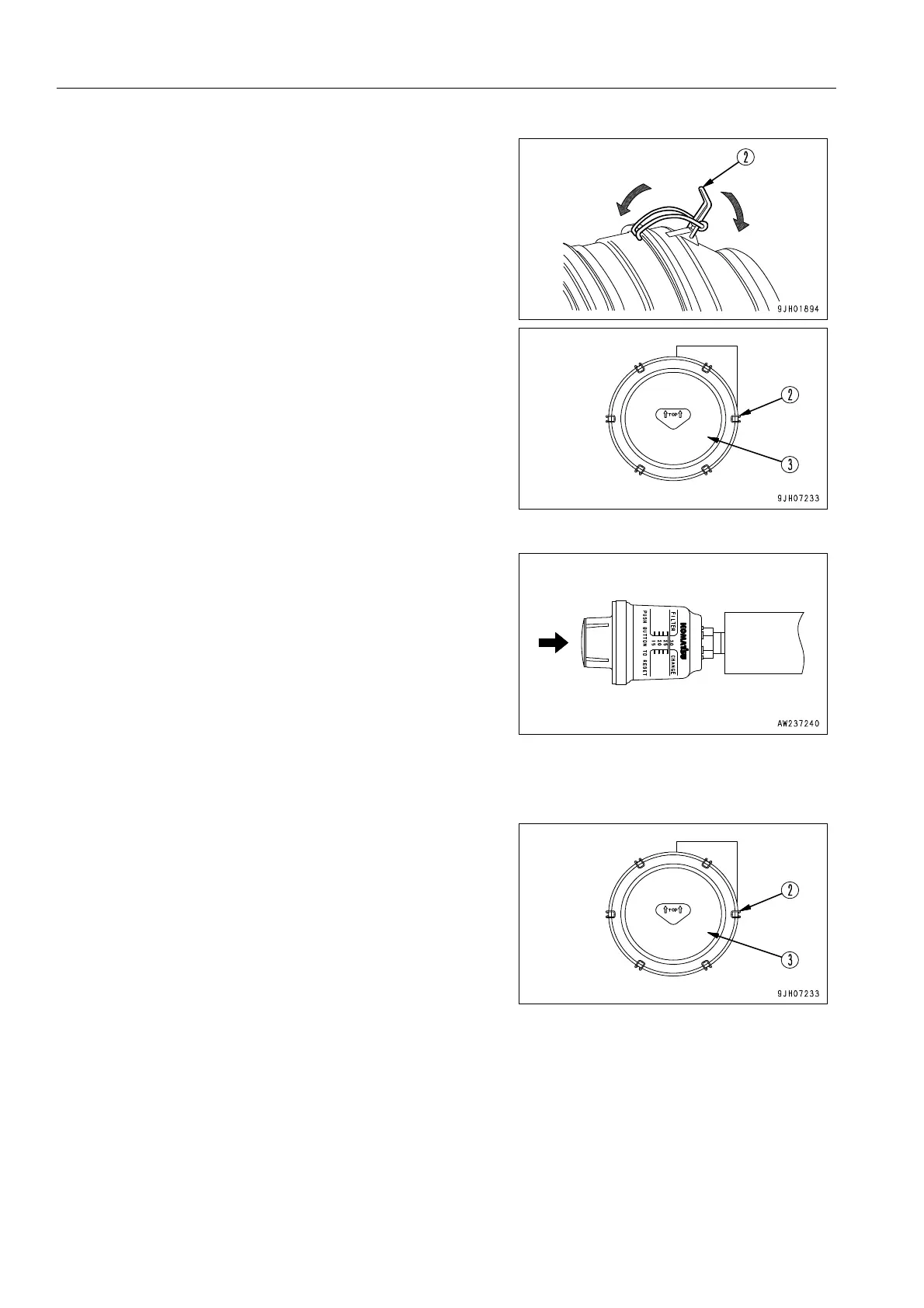
11. Install cover (3) as follows.
1) Align cover (3) with the element.
2) Hook the tip of hook (2) to the protruding part of the air
cleaner body and lock it in position.
3) When locking hooks (2) in position, apply the hooks in
turn on opposite sides (top, bottom, left, right) in the same
way as when tightening bolts.
4) When cover (3) is installed, check that the clearance
between the air cleaner body and cover (3) is not too
large. If it is too large, install again.
12. After cleaning and replacing the element, press the reset
button of dust indicator (4). The yellow piston will return to
its original place.
Replacing Element 4
1. Remove hooks (2) of each air cleaner (6 places), then
remove cover (3).











 To Next Page