OPERATION DETAILED CONTROLS AND GAUGES
3-33
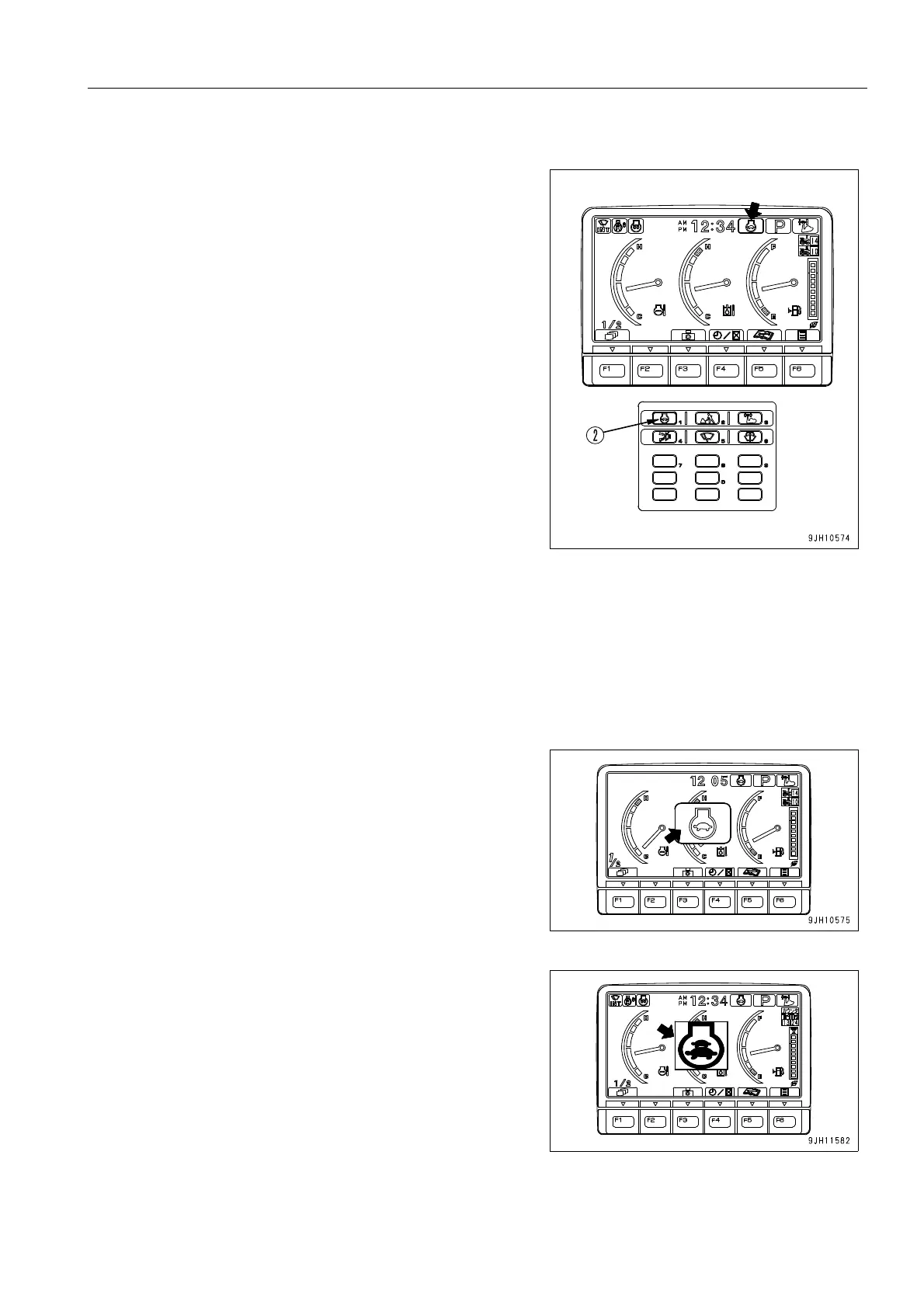
Auto-deceleration Switch
If the control levers are at neutral, this switch (2) automatically
lowers the engine speed and turns on the function to reduce
fuel consumption.
Auto-deceleration monitor ON: Auto-deceleration ON
Auto-deceleration monitor OFF: Auto-deceleration OFF
Each time the switch is pressed, the auto-deceleration is
switched between ON and OFF.
q Auto-deceleration function
When the auto-deceleration function is ON, if the work equipment and travel levers are returned to the N posi-
tion, the engine speed will drop after 4 seconds from the operating speed to idling speed.
This makes it possible to reduce fuel consumption.
If any lever is operated when the machine is in this condition, engine speed will return to the previous operat-
ing speed to make it possible to perform operations.
1. When auto-deceleration switch (2) is pressed and the auto-
deceleration function is turned ON, the mode is displayed
in the center of the monitor display, and after two seconds,
the screen returns to the standard screen.
q When auto low idle function is ON











 To Next Page