Installing in Windows NT 3.51 Networks
Print Server Installation Manual 3-33
Change Network
Settings
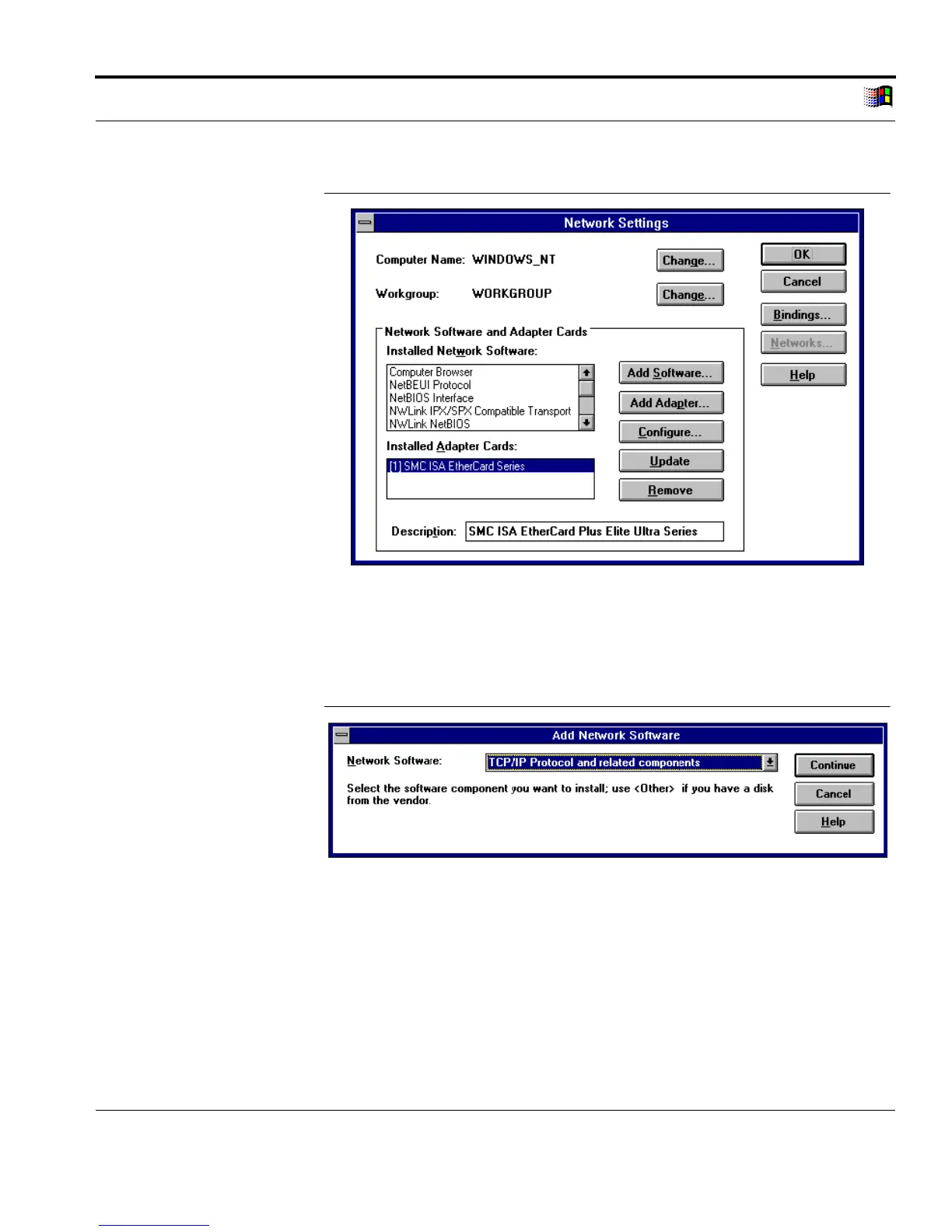
Fig. 3-20: 'Network Settings' window
3. Click 'Add Software...'
The following window appears:
Add TCP/IP Protocol
Fig. 3-21: 'Add Network Software' window
4. Select 'TCP/IP Protocol and related components' in the
'Network Software' box.
5. Click 'Continue.'
The following window appears:



 To Next Page