Installing in Windows NT 3.51 Networks
3-34 Print Server Installation Manual
Select TCP/IP
Network Printing
Support
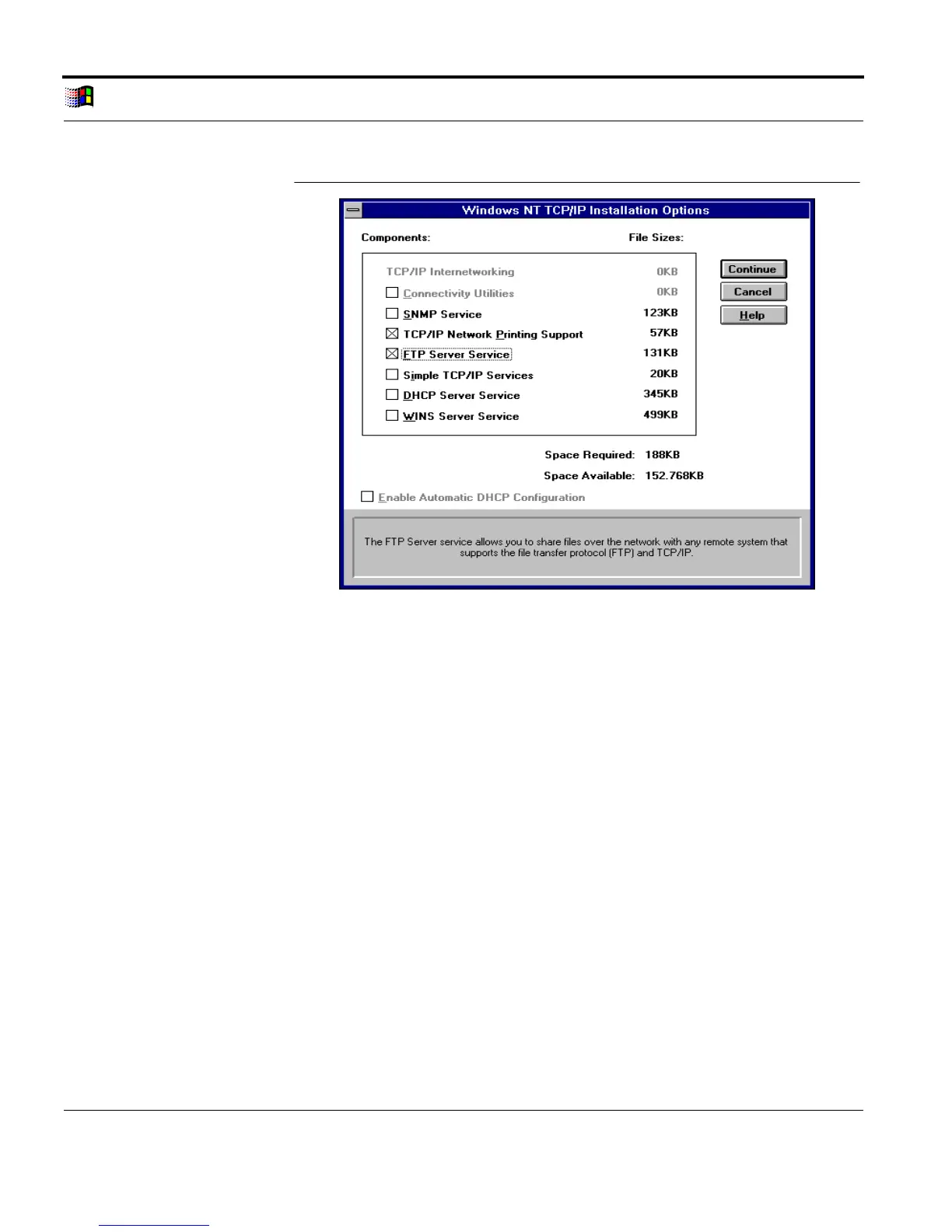
Fig. 3-22: 'Windows NT TCP/IP Installation Options' window
6. Select the 'TCP/IP Network Printing Support' check box.
7. Select the 'FTP Server Service' check box.
8. Click 'Continue.'
Installation Routine 9. Follow the instructions of the installation routine.
The 'Network Configuration' window appears after the
installation routine has been completed.
10. Click 'OK' to confirm.
The following window appears:



 To Next Page