116 X75HD/X75SD Installation and Operation Manual
Chapter 6: Operation via Front Panel Controls
Front Panel Description
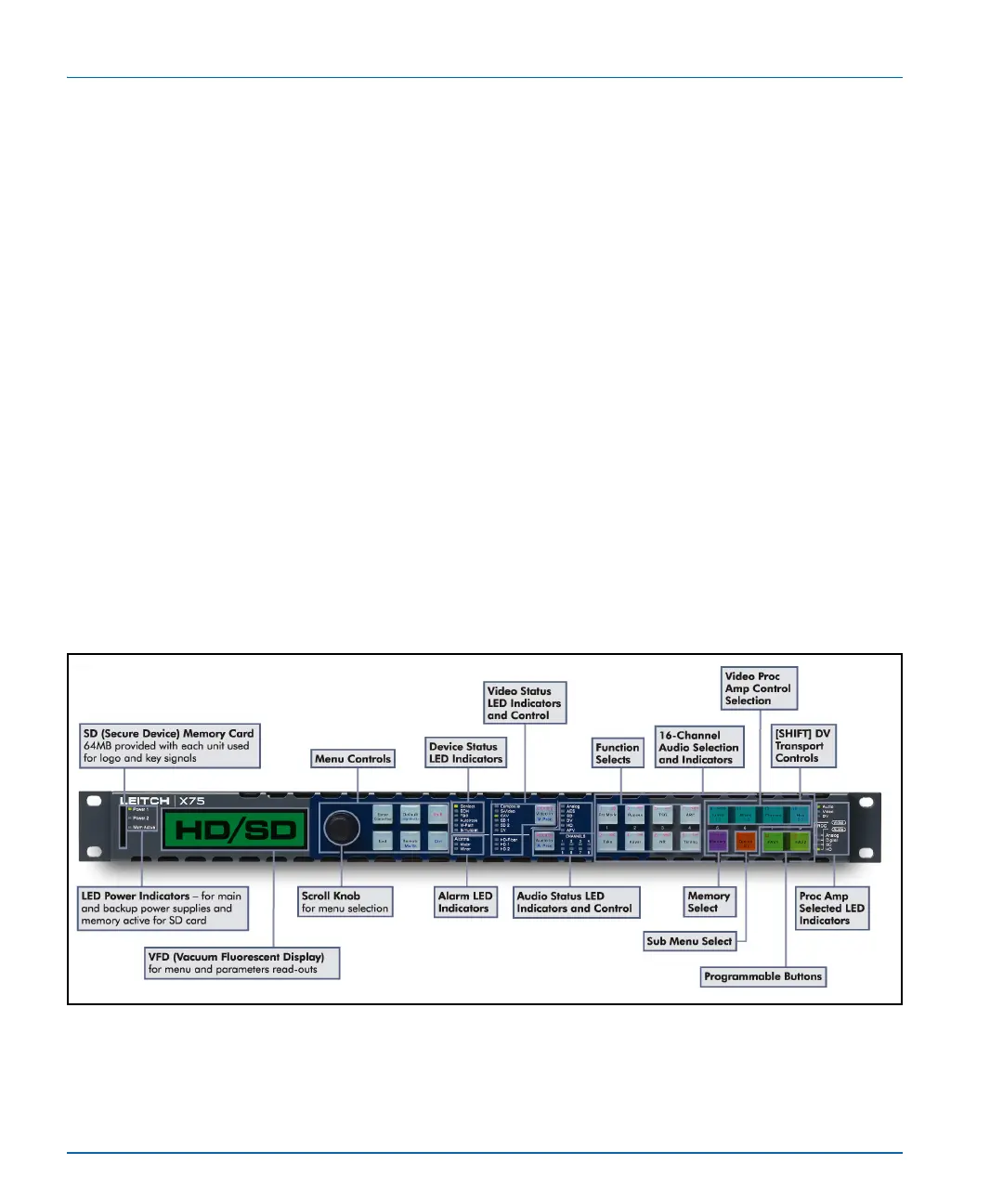
The front panel (Figure 6-1) is divided into several areas for control and
monitoring, including the following:
• VFD screen for viewing menu options, selections, feedback, and
device information
Changes to the display intensity and screen saver functionality can
be made within the Setup submenu (press the Option button) in
order to prolong the life of the VFD
• Control knob and buttons for scrolling, selecting, and setting menu
options
The push and turn shaft encoder (knob) is used for menu navigation
and selection, and for coarse and fine parameter adjustment; the
knob direction can be changed to your preference from within the
Setup submenu (press the Option button)
• Programmable and device-dedicated control buttons
• Status and alarm LEDs for monitoring the current mode and
operating conditions of the unit
Information about each of these areas is available in this chapter.
Figure 6-1. X75HD/X75SD Front Panel


 To Next Page