122 X75HD/X75SD Installation and Operation Manual
Chapter 6: Operation via Front Panel Controls
Getting Visual Feedback:
Status and Alarm LEDs
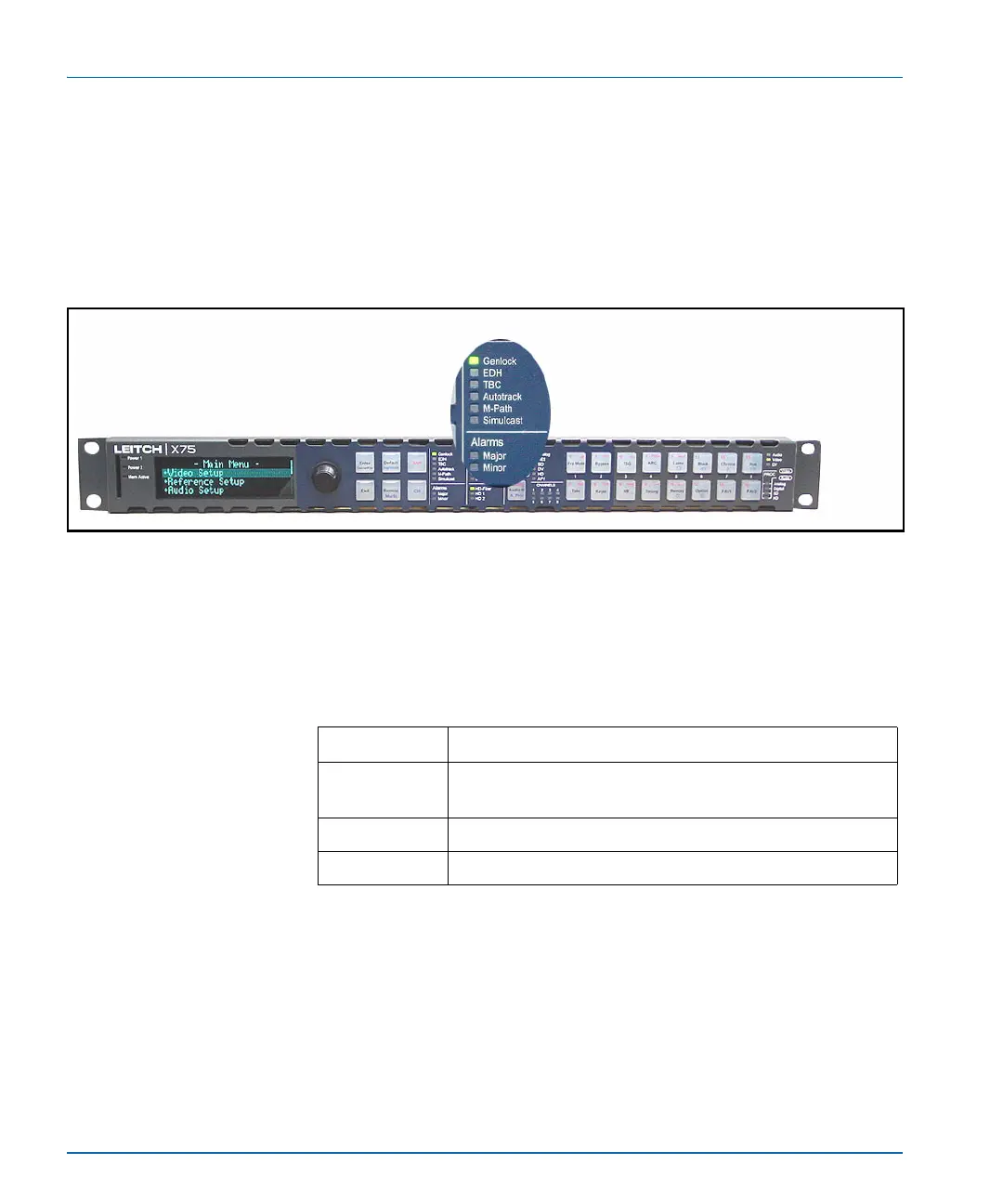
The status and alarm LEDs provide visual feedback on the current
mode and operating conditions of the unit. These LEDs are located
together in the center of the panels, as shown in Figure 6-4.
Figure 6-4. Status LED Area
Genlock Status LED
The Genlock LED indicates the current status of the external genlock
source.
Table 6-2. Genlock LED Status Definitions
LED Status Operating Condition
On The control panel is configured to Auto Genlock and a
stable genlock source is detected.
Off Genlock is not selected.
Flashing The genlock source is not stable or is missing.


 To Next Page