X75HD/X75SD Installation and Operation Manual 247
Appendix B: Troubleshooting
Upgrading Firmware
Software can’t upload
Problem:
Many attempts were made to update the X75HD/X75SD software, but
there are network problems interfering with the procedure.
Solution:
It’s likely that the file system became corrupted. In this case, the frame
can be updated by using both the Fail-safe and Default IP switches.
Follow these steps to correct the problem:
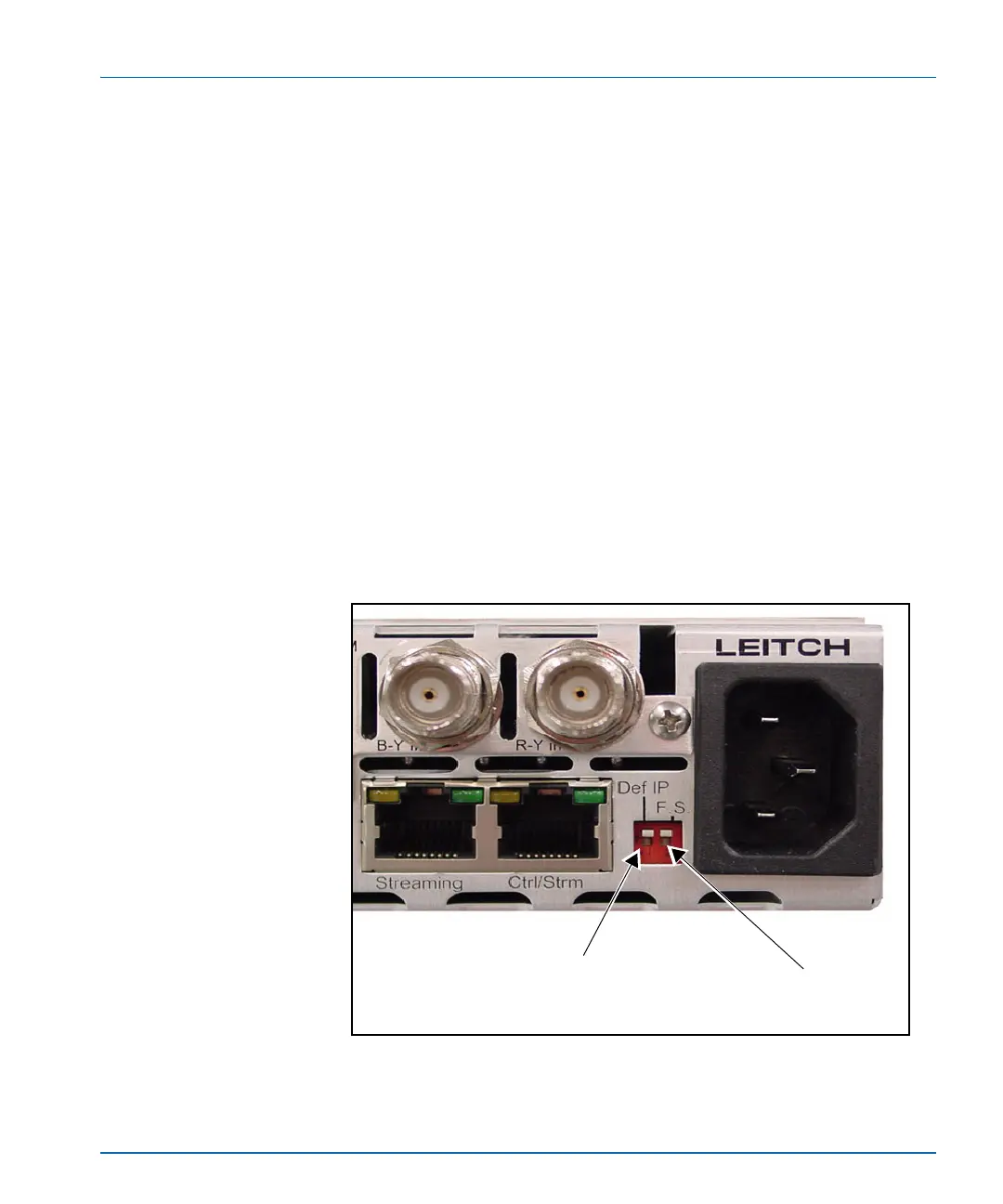
1. Push both Def IP and F.S. (Fail-safe) DIP switches at the back of
the X75 unit to the down position, and then re-power the unit (see
Figure B-11).
(This action sets the unit with the default IP of
192.168.100.250 and opens the FTP port for the file transfer.)
Figure B-11. Location of Def IP and FS DIP Switches
Push this tab down to enter the
Default IP mode
Push this tab down to enter the
Fail-safe mode



 To Next Page