32 X75HD/X75SD Installation and Operation Manual
Chapter 1: Introduction
Simulcast Operation
General Description
Using the Simulcast mode, you can quickly switch between the two
input sources (Input A, and Input B) out of the many possible inputs.
Select the video sources to both Input A and Input B via the following
path: Video Setup>Routing Setup>Simulcast.
The Simulcast Sel parameter switches between the two inputs. This
switching can also be activated from the GPI input. To operate the unit
in Simulcast mode, use the I/P Video Mode parameter in the Routing
Setup menu.
When you enable the Simulcast mode, the X75HD/X75SD can switch
SDTV and HDTV inputs to simultaneous, deterministic SDTV and
HDTV outputs. Use this mode when you need to alternate between both
HDTV and SDTV signals and broadcast them together (for example, if
you have an HDTV satellite feed carrying the programming and an
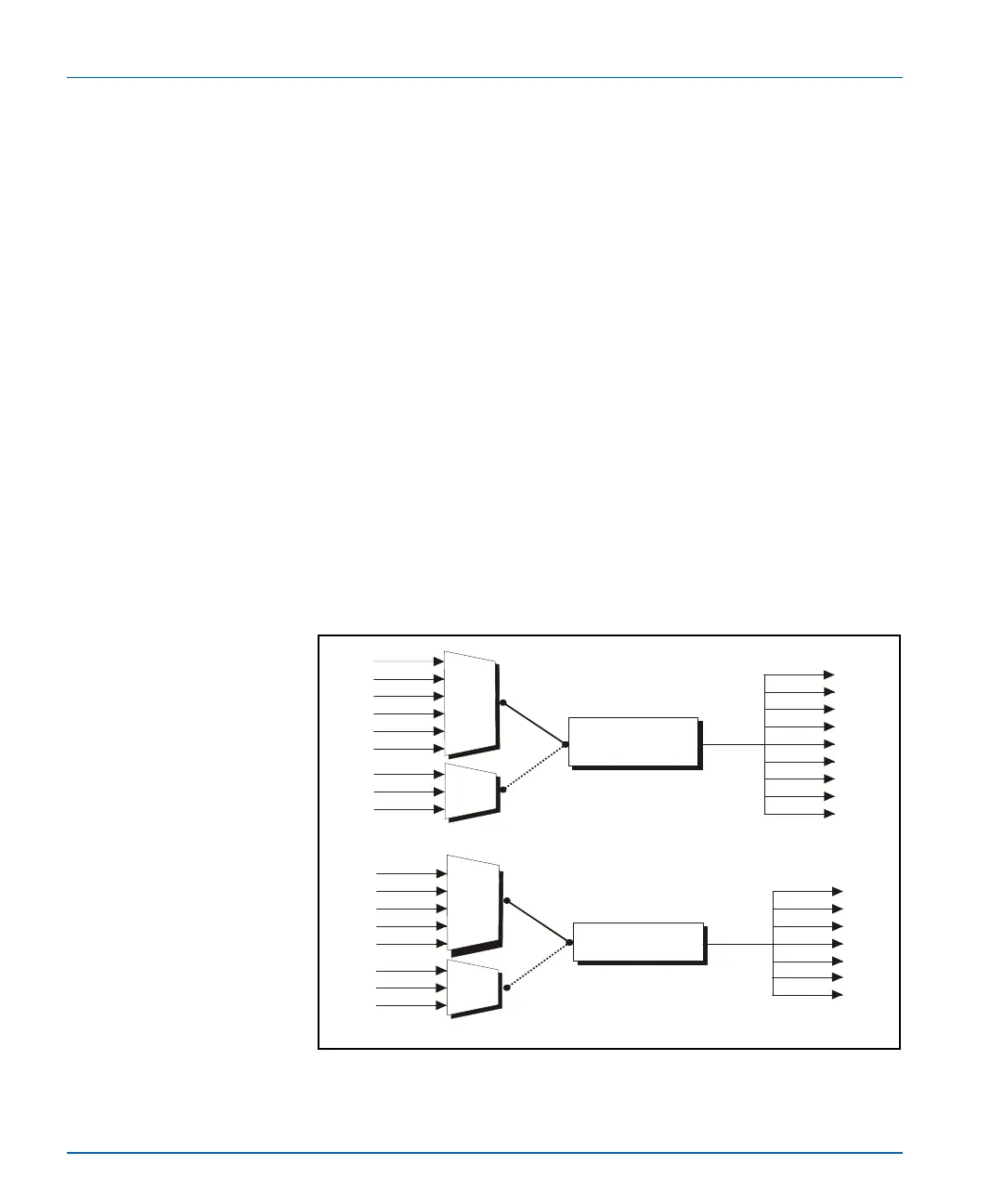
SDTV local feed carrying the advertisements). Figure 1-10 shows a
simplified illustration. For more information on selecting inputs for
Simulcast processing, see “Processing Modes” on page 101.
Figure 1-10. Simulcast Processing
CBVS
SVID
SD1
HD1
HD2
HDF
SD2
DV
CAV
AUX
CBVS
SVID
RGB/S
HD
HDF
SD
DV
CAV
Synchronizer,
up/down/cross
converter
Video
Audio
AA
AA
DV
DV
SD
HD
AES
AES
SD1
SD2
Synchronizer
HD1
HD
HD2
HDF
HDF



 To Next Page