244 X75HD/X75SD Installation and Operation Manual
Appendix B: Troubleshooting
Flash Memory
Flash memory is locked
Problem
The firmware update process was interrupted either by turning off the
unit or breaking from the PC during the file transfer. The flash memory
is now locked up.
Solution
A manual unlock procedure is required. Follow these steps to unlock
the flash memory:
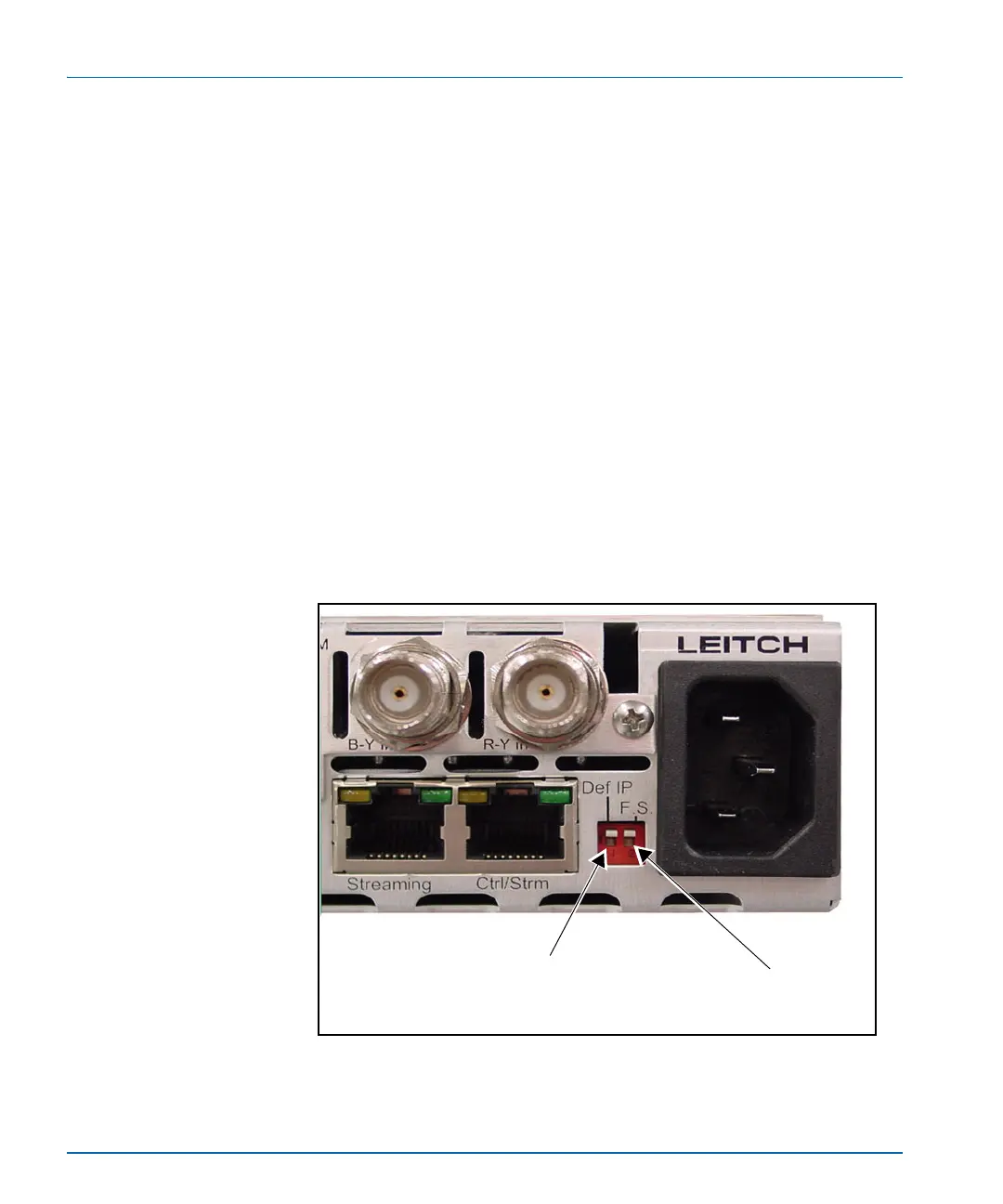
1. Push both Def IP and F.S. (Fail-safe) DIP switches at the back of
the X75 unit to the down position, and then re-power the unit (see
Figure B-10).
(This action sets the unit with the default IP of
192.168.100.250 and opens the FTP port for the file transfer.)
Figure B-10. Location of Def IP and FS DIP Switches
Push this tab down to enter the
Default IP mode
Push this tab down to enter the
Fail-safe mode



 To Next Page