290 X75HD/X75SD Installation and Operation Manual
Appendix C: Servicing
Replacing a Power Supply
This section describes the replacement of a failed X75OPT-PS Power
Supply. To install an additional, redundant power supply, see page 293.
Follow these steps to remove and replace an original power supply:
1. Remove all power from the frame, and then remove the chassis
cover (see “Preparing the X75HD/X75SD for Servicing” on
page 261 for more information).
2. Locate the failed power supply inside the system, at the front of the
unit behind the fan board.
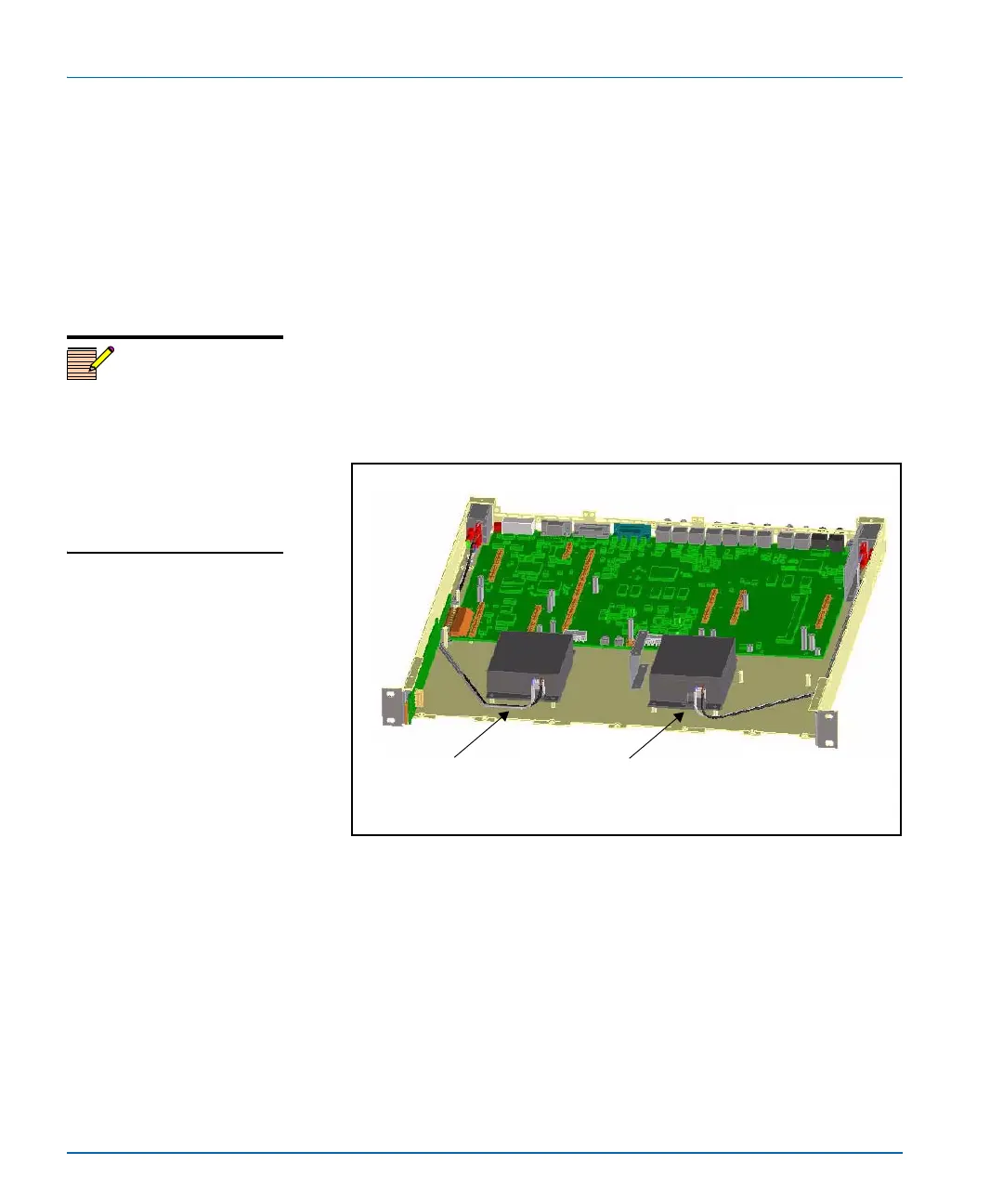
Power supplies are secured to the chassis floor, and connected to
the main board. See Figure C-25.
Figure C-25. Location of Connected Power Supply
Note
The default power supply
shipped with every X75HD/
X75SD system is located on the
left side of the frame (as seen
from the front). An installed
redundant power supply is
located on the right side of the
frame.
Primary
power supply
Secondary (redundant)
power supply
Rear of frame
Front of frame
1
2



 To Next Page