72 X75HD/X75SD Installation and Operation Manual
Chapter 4: System Installation and Connections
Installing Rack Support Brackets and Cable
Relief Bar
Although the front-mounting ears provide the main support for the X75
within a rack, you must install additional brackets and a cable relief bar
at the rear of the unit to support the weight of cabling and frame
stacking. The following procedure describes how to install an
X75HD/X75SD unit in a standard 19-inch rack using the provided
front-mounting ears, rack support brackets, and cable relief bar.
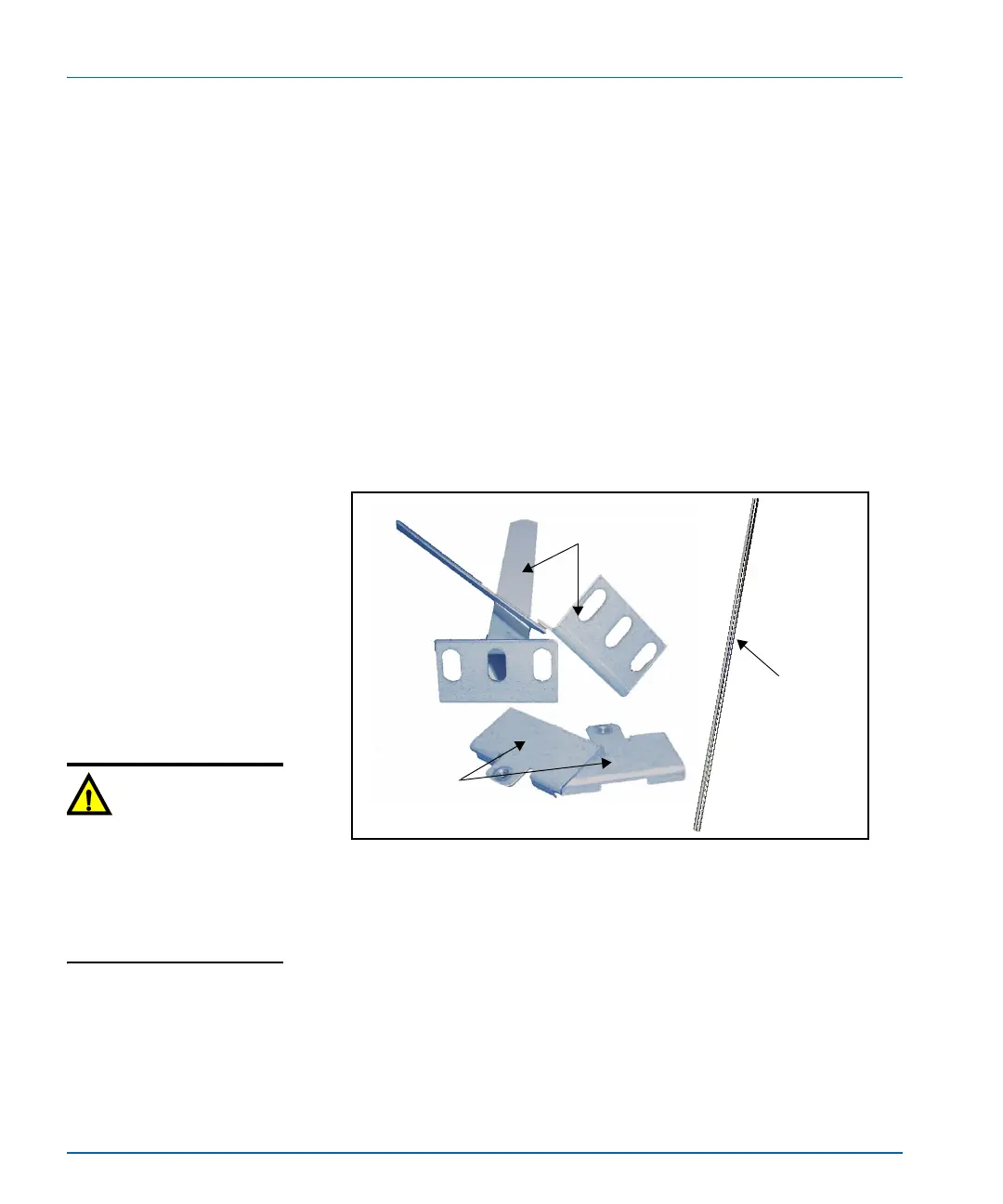
1. Locate two sets of rack support brackets in the packing box, along
with the cable relief bar and the provided screws.
Each support bracket comes in two pieces and requires assembly.
The cable relief bar is a single piece. (See Figure 4-1.)
Figure 4-1. Rack Support Brackets
2. Attach the short rack support brackets to the sides of the
X75HD/X75SD frame using the screws that are provided in the
frame holes. (See Figure 4-2 on page 73.)
Short rack
support brackets
Long rack
support brackets
Cable
relief bar
Caution
Do not use screws longer than
those provided for the rear
support brackets. Five 4-40 x
1/4-inch flat-head screws are
provided for this purpose.
Longer screws could cause
internal damage.



 To Next Page