X75HD/X75SD Installation and Operation Manual 155
Chapter 9: Audio Configuration
Adjusting Audio Levels
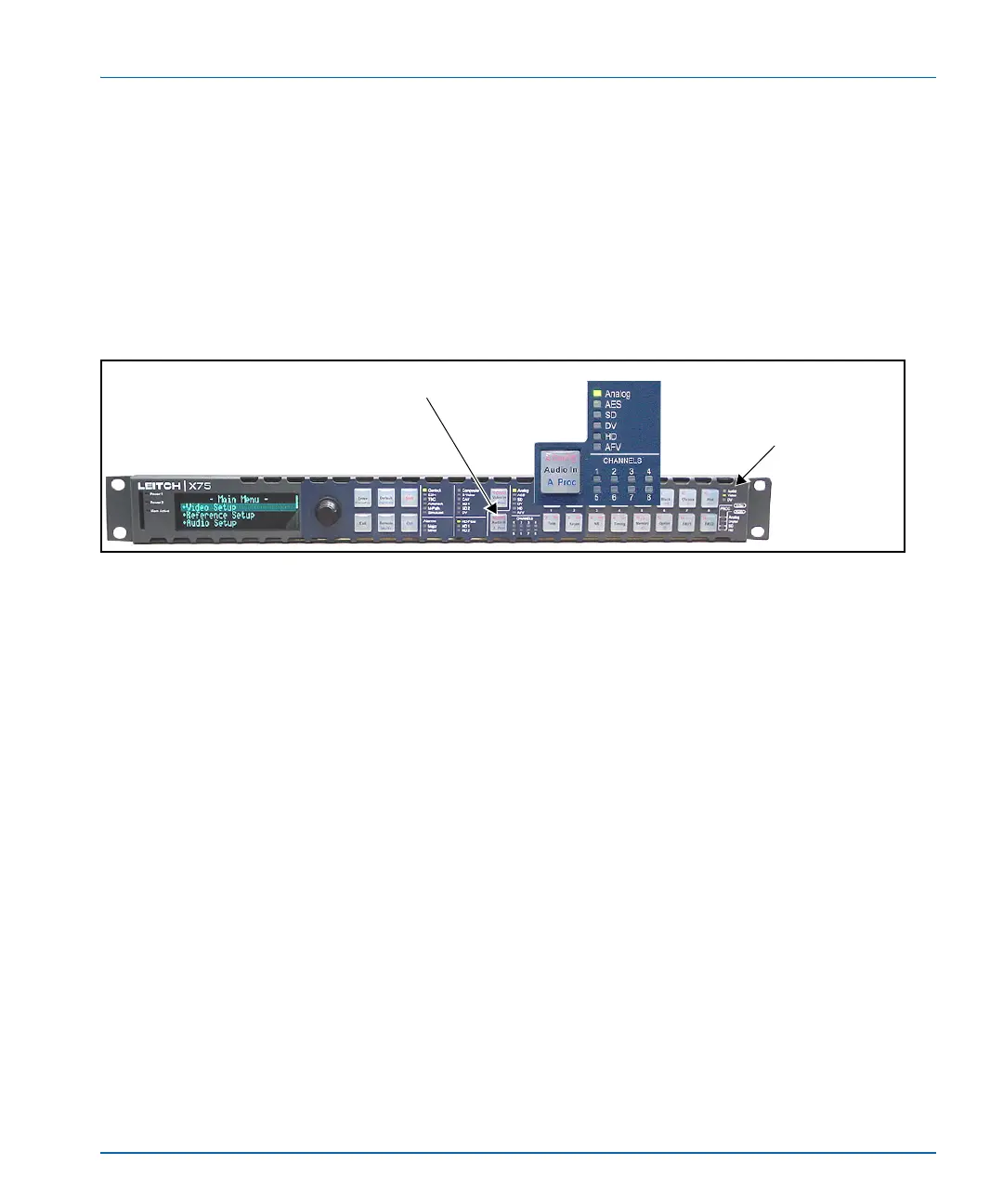
When an audio source group is selected and sent to all outputs, press the
Ctrl and A. Proc buttons to quickly access the audio level controls of
the selected audio input.The selected audio input channels’ gain
controls are mapped to the numbered buttons on the control panel
accordingly. The mapped buttons illuminate during audio proc control.
The Audio Proc LEDs on the lower, right corner of the front panel
indicate which processing block is currently selected.
Figure 9-1. Audio Input Control Area
Press Audio In
The Audio LED lights
when the current
control mode is set to
an audio parameter.


 To Next Page