134 X75HD/X75SD Installation and Operation Manual
Chapter 7: Web Server Software Control
Setting a Selected Value
To set a parameter value, navigate through the required menu and
submenu structure until you reach the desired option. Click the
parameter name from the table to open the corresponding parameter
page and to modify its value.
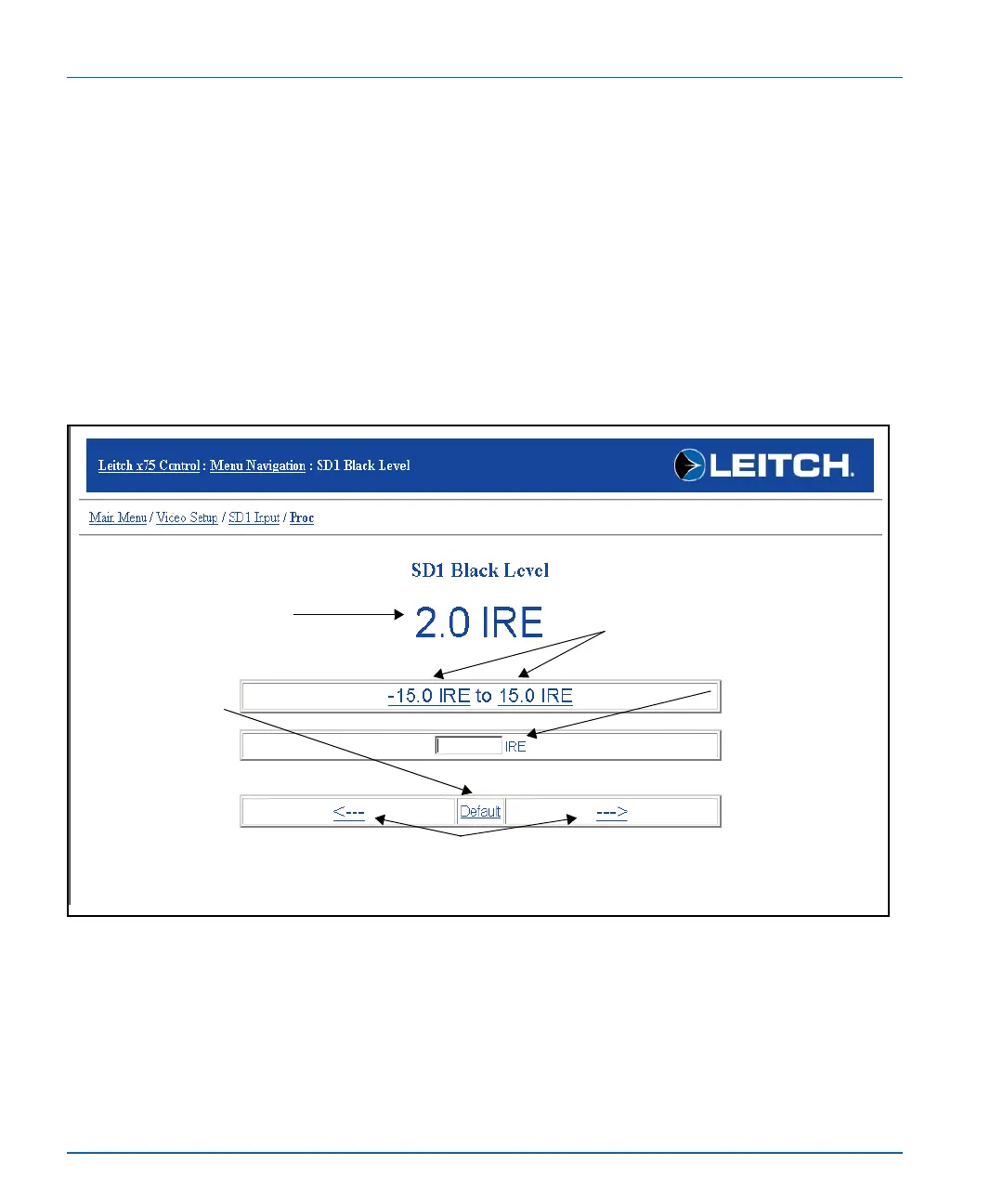
Individual parameter pages show a minimum, maximum, and default
value for the selected option. Click a minimum or maximum value, or
enter a specific value in the provided text field, to change the parameter
setting. Alternatively, you can click the ---
> or <--- arrows to increase or
decrease the values incrementally, or click Default to return the
parameter to its factory setting. (See Figure 7-4.)
Figure 7-4. Setting a Parameter Value (Range)
Incremental value adjustment
Click the arrows to cycle through the
values incrementally.
Default setting
Click Default to
return the parameter
to its factory setting.
Minimum/maximum
value
Click to select a minimum
or maximum value.
Value entry field
Enter a specific
value in the provided
box.
Current parameter setting



 To Next Page