X75HD/X75SD Installation and Operation Manual 133
Chapter 7: Web Server Software Control
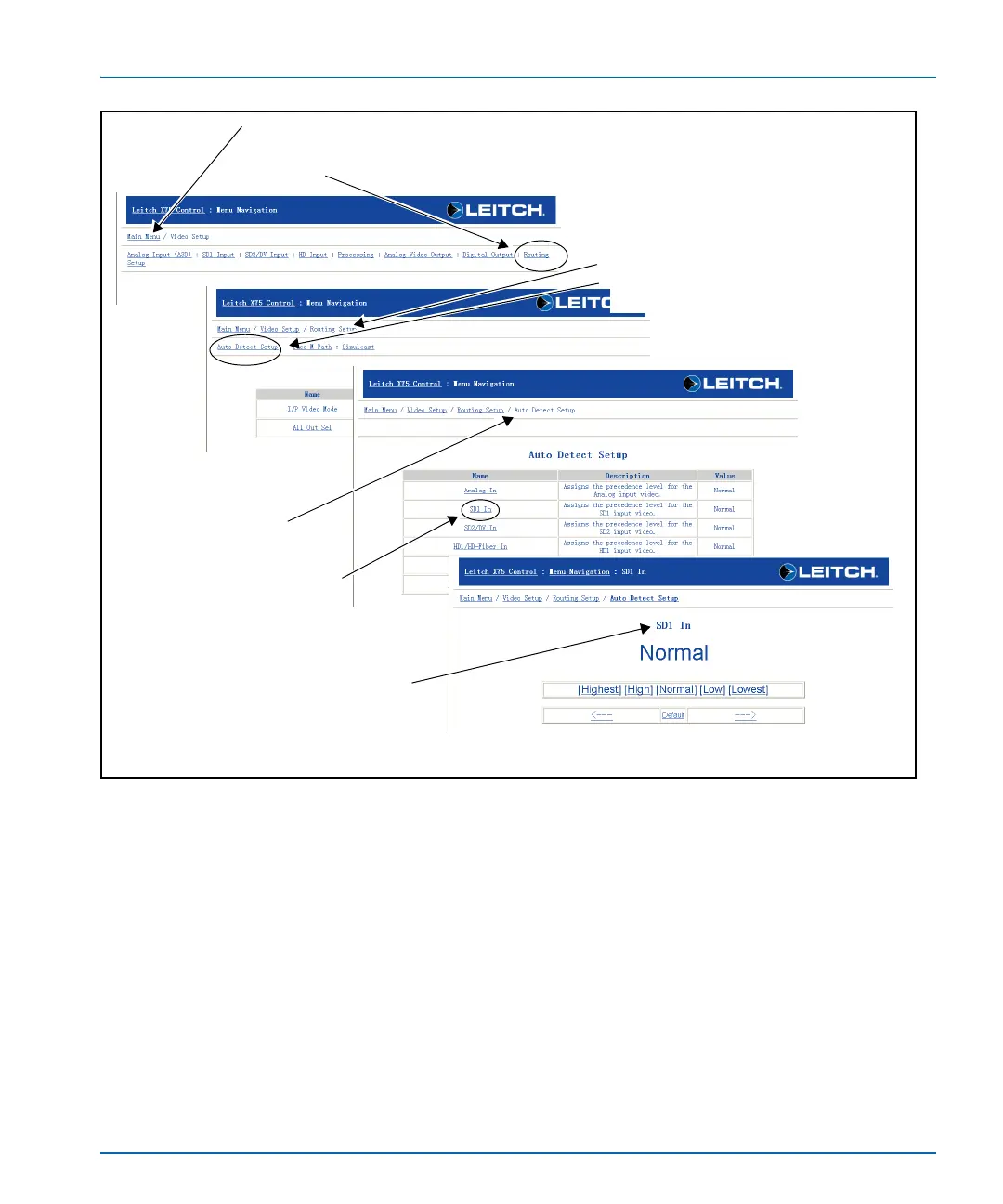
Figure 7-3. Sequence of Pages that Result During Navigation (Example)
1. Main menu page
Click Routing Setup to open the
corresponding menu page.
2. Routing Setup menu page
Click Auto Detect Setup to open the
corresponding menu page.
3. Auto Detect Setup
menu page
Click a parameter name from
the table (in this example, SD 1
In) to open the corresponding
parameter configuration page.
4. SD 1 In parameter configuration
page
Change the parameter (currently set to
Normal); see “Setting a Selected Value”
on page 134 for more information.



 To Next Page