X75HD/X75SD Installation and Operation Manual 269
Appendix C: Servicing
Installing and Removing HDTV Modules
Installing a New Module
If you have ordered a replacement or spare HDTV module, follow these
installation steps:
1. Remove the chassis cover (see “Preparing the X75HD/X75SD for
Servicing” on page 261).
2. Remove the screws from the blank filler plate on the rear panel
where the new fiber connector module is to be installed, and then
remove the plate.
Retain the screws for later use.
3. Remove the packaging from the connector module.
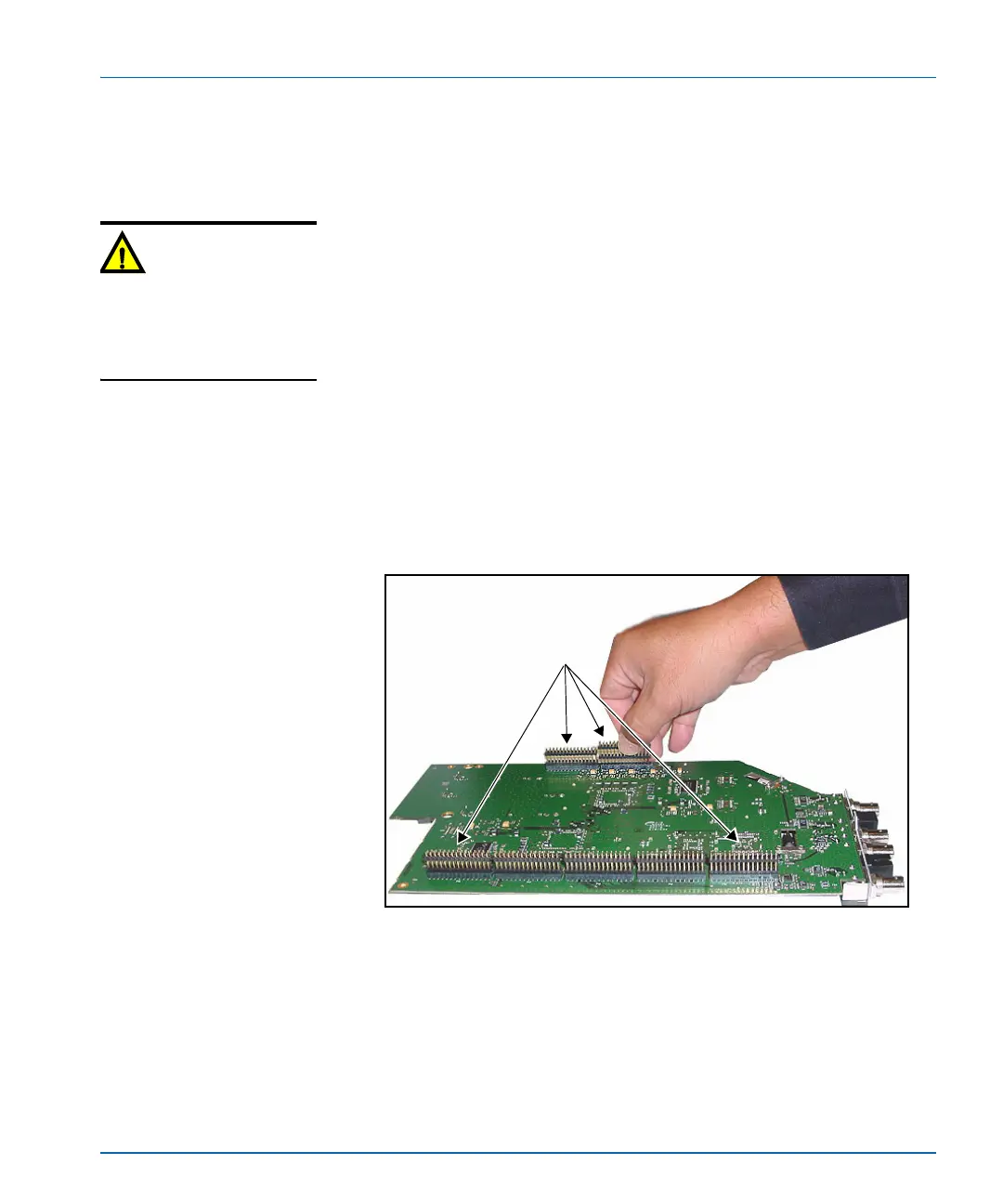
4. Turn the board upside down and insert the seven stackers into the
corresponding connectors on the underside of the board.
See Figure C-10.
Figure C-10. Connecting Seven Stackers to Module
Caution
This module is not
hot-swappable. To prevent
damage, ensure that the power
to the X75 is off before inserting
or removing the module.
Connecting the stackers
Locate the stacker
connection points on the
module, and then push the
stackers into place.



 To Next Page