58 X75HD/X75SD Installation and Operation Manual
Chapter 3: Module and Back Panel Descriptions
X75OPT-A3D
Module and Back Panel
General Description
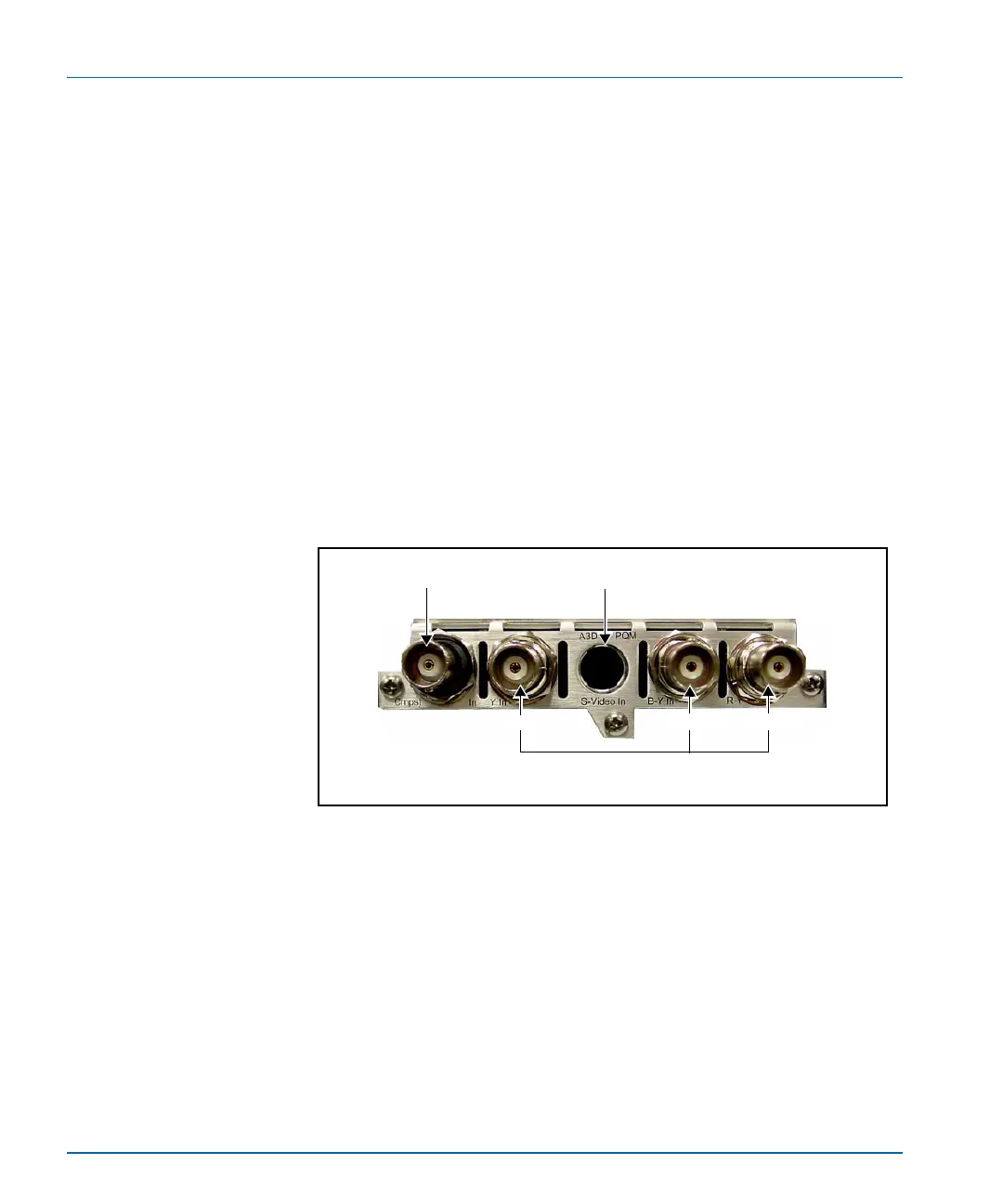
The optional X75OPT-A3D analog video input module and associated
back panel provide selectable analog composite, component Betacam
(CAV), and S-video inputs (see Figure 3-5).
The composite input is processed through a high-performance industry-
leading 3D adaptive comb filter. The TBC mode is always used when
the S-video input is selected. When component analog video is selected
as the input, it is converted to digital and then further processed as
required.
Looking from the rear, this back panel is located in the top, right corner
of the frame, above the dual Ethernet ports.
Figure 3-5. X75OPT-A3D Module Back Panel
To access, configure, and enable the analog video parameters associated
with this module, enter the Video Setup parameter.
Analog composite
video input connector
S-video input
connector
Component Betacam
video input connectors
Y In
B-Y In
R-Y In



 To Next Page