X75HD/X75SD Installation and Operation Manual 315
Appendix D: Software
Modifying an SNMP Trap Destination
To modify a trap destination, follow this procedure:
1. In the Trap Destinations IP Addresses list, click on the item you
would like to modify.
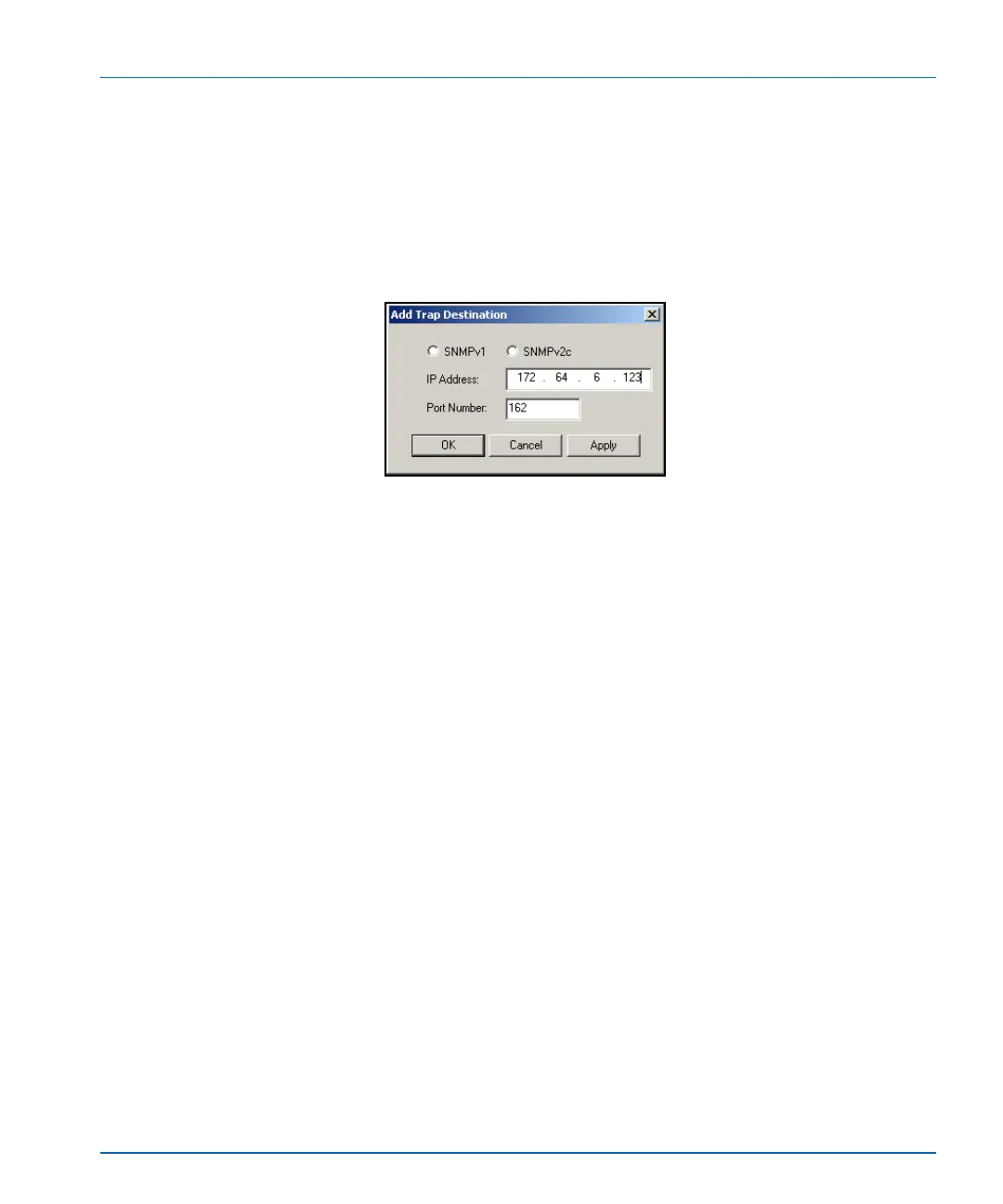
2. Click the Modify button. The Modify Trap Destination window
opens.
Figure D-7. Modify Trap Destination Window
3. Choose the SNMP version of the traps using the radio buttons at the
top of the window.
4. Enter the IP address of that trap destination in the IP Address field.
5. Enter the port number in the Port Number field.
The default value is 162.
6. Click Apply. The selected entry in the Trap Destination IP
Addresses field is updated.
7. Repeat steps 2 through 6 to further update the row.
8. Click OK to close the Modify Trap Destination window.
Configuring Third-Party SNMP Software Control
SNMP is an industry-standard protocol that allows other (non Leitch)
control software to remotely monitor and control the X75HD/X75SD.
Leitch provides MIB files that can be downloaded from the Leitch Web
site. Two general Leitch MIB files (leitch.mib and ccsAlarm.mib) set
up the structure to define parameters and alarms. Once these two MIBs
are installed, you will want to install a MIB for each distinct module for
which you wish to set up third-party software control.


 To Next Page