X75HD/X75SD Installation and Operation Manual 61
Chapter 3: Module and Back Panel Descriptions
Special Control Considerations
Unlike SD-SDI inputs, only a single analog video source can be
auto-detected. Therefore, you must pre-select the desired analog input
video source (composite, S-video, or CAV) in order for the
auto-detection to work across the HD-SDI/SD-SDI/analog inputs. To
select a desired input, follow this path through the menu structure:
Video Setup>Analog Input>Analog Video Source. Additionally, you
must set the I/P Video Mode parameter to Auto Detect.
For more information see “Input Video Modes” on page 102.
Alternate PQM Color Decoding Algorithm (NTSC Only)
The current version of the PQM decoder code provides a superior
separation of luma and chroma for the digital domain (SDI output). In
some cases, however, when the luma and chroma are re-combined in
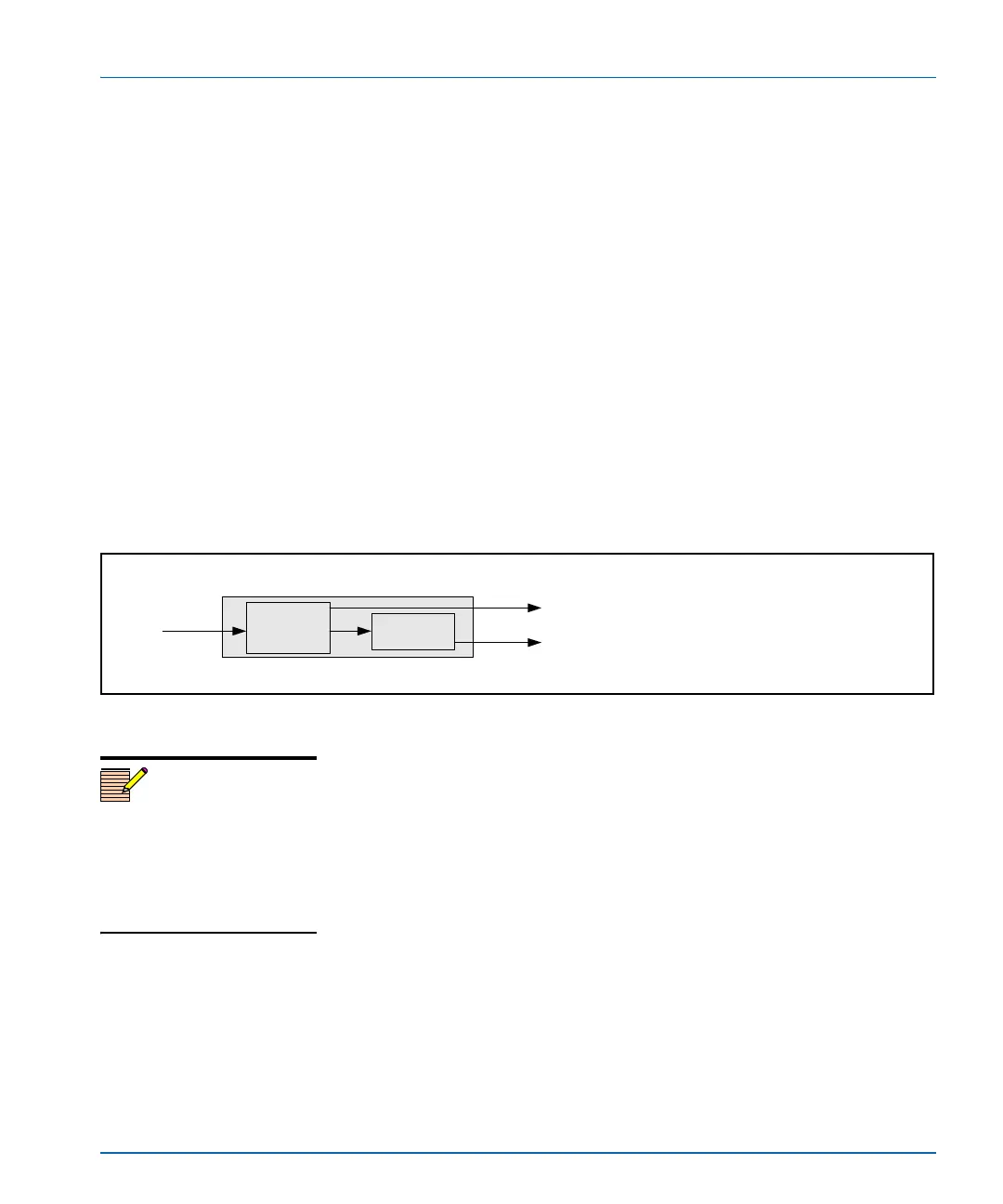
the encoder, the resulting image may appear “soft” (see Figure 3-7).
Figure 3-7. Current PQM Algorithm
When this condition occurs, the X75HD/X75SD has a useful alternate
NTSC decoding algorithm that may provide better results. If an NTSC
output is required (via back-to-back decoder/encoder), you can enable
or disable the alternate PQM algorithm by following this path:
Video Setup>Analog Input (PQM)>Proc>Chroma Bandpass.
NTSC
NTSC (
quality is diminished due to back
-to-back PQM decoder
and encoder depending on output timing or picture position)
Current PQM algorithm
SDI (
PQM decoder separates luma and chroma for a
superior quality in the digital domain)
PQM color
decoder
color
encoder
X75 with X75OPT-PQM
Note
The alternate PQM algorithm
results in diminished quality in
the digital domain. If the SDI
output is not being used, the
alternate can be selected for an
improved NTSC output.



 To Next Page