X75HD/X75SD Installation and Operation Manual 135
Chapter 7: Web Server Software Control
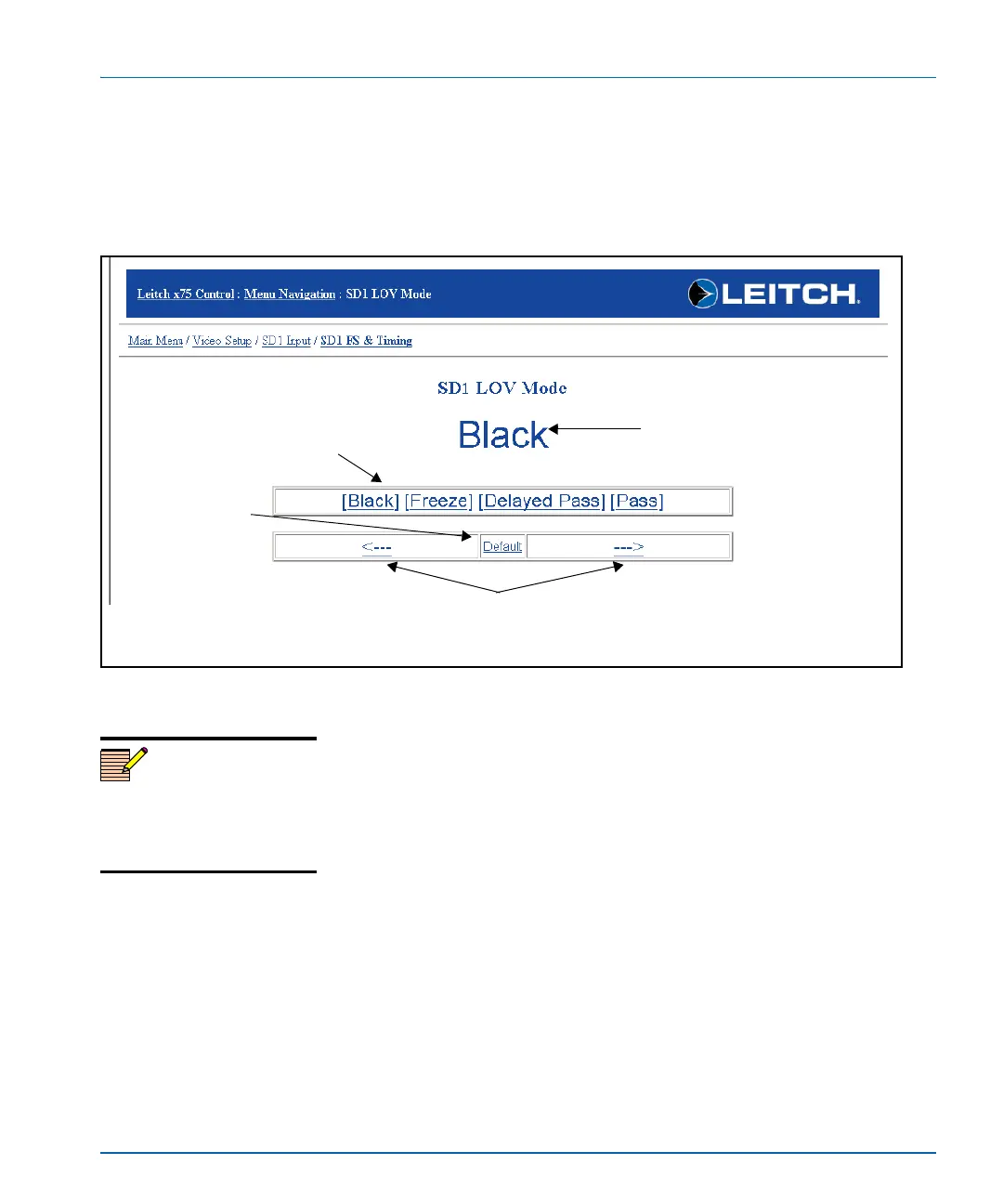
For parameter options with discrete values, all of the available values
are displayed. Click one of the values to set the option for that value.
Alternatively, you can click the ---
> or <--- arrows to cycle through the
values, or click Default to return the parameter to its factory setting.
(See Figure 7-5).
Figure 7-5. Setting a Parameter Value (Discrete)
Some parameters show read-only options that cannot be changed.
Others may be disabled and unavailable for configuration. (See
Figure 7-6 on page 136.) If you require more information about the
read-only function, click Read Only to open a Help page. The Help
page provides general information about read-only and disabled
parameters. See “Getting Help” on page 141 for more information.
Incremental value adjustment
Click the arrows to cycle through
the values incrementally.
Default setting
Click Default to
return the
parameter to its
factory setting.
Current parameter setting
Discrete values
Click a specific value to set.
Note
To ensure that the values shown
on your screen are current, be
sure to refresh the screen on
your browser regularly.



 To Next Page