40 X75HD/X75SD Installation and Operation Manual
Chapter 2: Applications
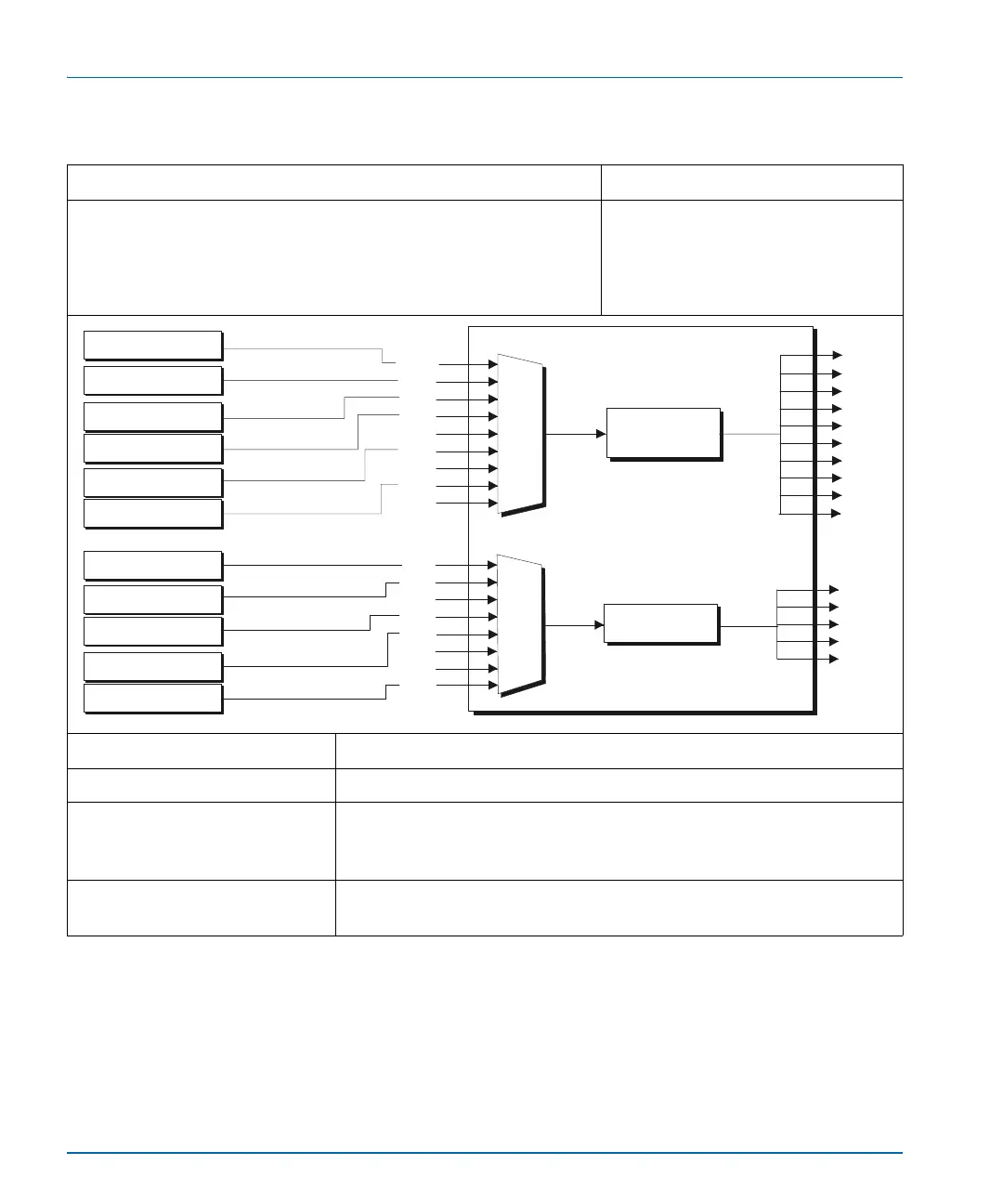
Table 2-3. Input Video Processing for News Production
Description Products
The X75HD selects and accepts inputs from various composite,
SD-SDI or HD-SDI tape machines, and then sends the signal through
the video processing engine to provide multiple types of outputs.
Select and convert any tape format to the required output format.
X75HD-AV with X75OPT-A3D
analog video input option
Required Settings Navigation Path
I/P Video Mode Video Setup>Routing Setup>M-Path (User)
All Out Sel Button Shortcut: Video In
or Video Setup>Routing Setup> Composite/S-Video/CAV/SD 1/
DV/HD
1 (Select one)
Audio In Src Select Button Shortcut: Audio In
or Audio Setup>Routing>Analog, AES, SD,
DV, HD (Select one)
CBVS
VHS, 3/4”, 1”
Betacam
Digital Betacam
S-video
DV (25 Mb/s)
HD 1080I, 720P
Synchronizer,
up/down/cross
conversion
SVID
SD1
HD1
HD2
HDF
SD2
DV
CAV
Analog audio
Embedded audio
Embedded audio
AES
DV
AA
AA
DV
DV
SD
HD
AES
AES
Synchronizer
SD1
HD1
HD2
HDF
SD2
AUX
CBVS
SVID
RGB/S
HD
ENET
HDF
SD
DV
CAV
X75HD



 To Next Page