Chapter 10: Editing Cues and Using Track Modes
Software Version 3.05
117
?
HINT: In any display, you can select the Track mode before
completing a command.
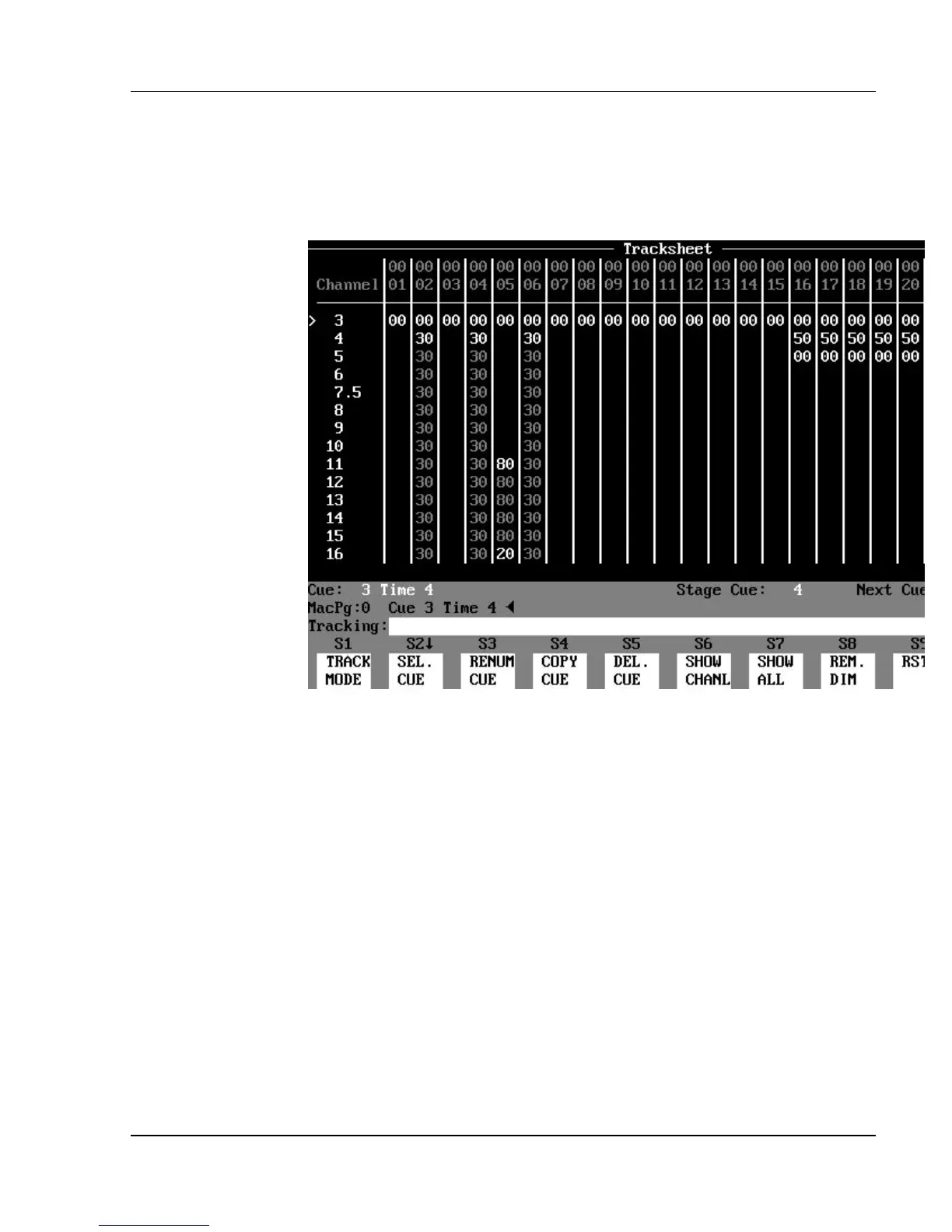
Figure 10.1, Tracksheet Display in Tracking Mode
Tracking Levels
Tracking is a feature that simply allows a level assigned to a channel in one cue
to stay at that same level in the next cue. The level is said to “track into” the
next cue. The tracking level will continue to appear for that channel in
subsequent cues, until a cue assigns a new level to that channel. The tracking
levels allow you to edit that channel’s level in a whole series of cues by editing
it in the first cue.
?
HINT: Tracking is used in theater for basic washes or looks that
remain constant throughout a scene from cue to cue. This allows you to
quickly edit a basic look for all the cues in the scene by editing levels in the
first cue, so that the changes “track into” the following cues.
There are two kinds of channel level values, depending on the level of the
channel in the previous cue. One kind of channel is called a "hard", or non-



 To Next Page