Colortran Encore Control Console
Software Version 3.05
216
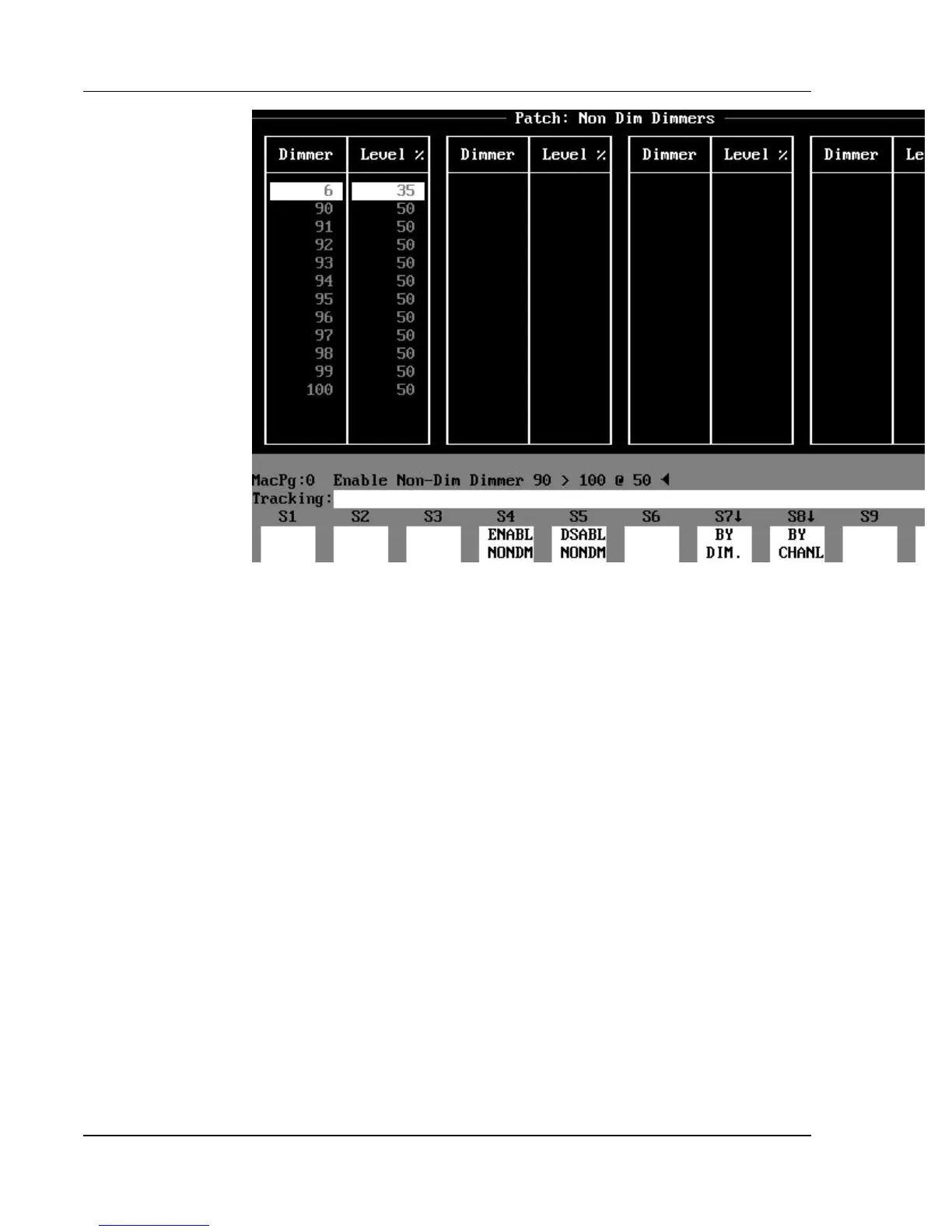
Figure 20.1, Patch: Non-Dim Dimmers Subdisplay
Non-Dim Dimmers (Virtual Non-Dims)
In the Patch: Non-Dim Dimmers subdisplay, you can select any dimmer to
behave like a non-dim dimmer. This means that the actual dimmer output on
stage is zero until the dimmer level in the console reaches a “trigger level,” at
which point the dimmer output immediately goes to Full. This is useful for
practical lighting on your set, such as table lamps, or other lights that actors
may turn on “on cue.”
To access the Patch: Non-Dim Dimmers subdisplay, use the (NONDM DISP.)
soft key found in the Patch display. The Patch display remains in the Non-Dim
Dimmers subdisplay until you use the (BY CHANL) or (BY DIM) soft key to
return to the “regular” Patch display.
? EXAMPLE: To enable the virtual non-dim function for a
dimmer(s) in the Patch: Non-Dim Dimmers subdisplay:
(ENABL NONDM) [DIMMER] [# list] [@] [trigger level] [ENTER]
- or -
(ENABL NONDM)[#][@][trigger level][ENTER] (This enables the
non-dim function for all the
dimmers patched to the specified channel.)



 To Next Page