Appendix E: Remote Video
Software Version 3.05
E-3
7-9012 BNC Barrel Connector
7-9013
BNC 50? Terminator, Grounded
7-9014
BNC 50? Terminator, Ungrounded
Table E-1 ColorNet™ Products for Encore Remote Video
System Wiring
There are two types of system wiring for a ColorNet Remote Video system:
permanent and temporary. If your system was designed at the factory and
installed by a Colortran engineer, it is probably a permanent system with
wiring in conduits inside the walls of your theatre or studio. If you are setting
up your own Remote Video system in an existing facility, it will probably be a
temporary system with exposed cables that will not be left out on a permanent
basis.
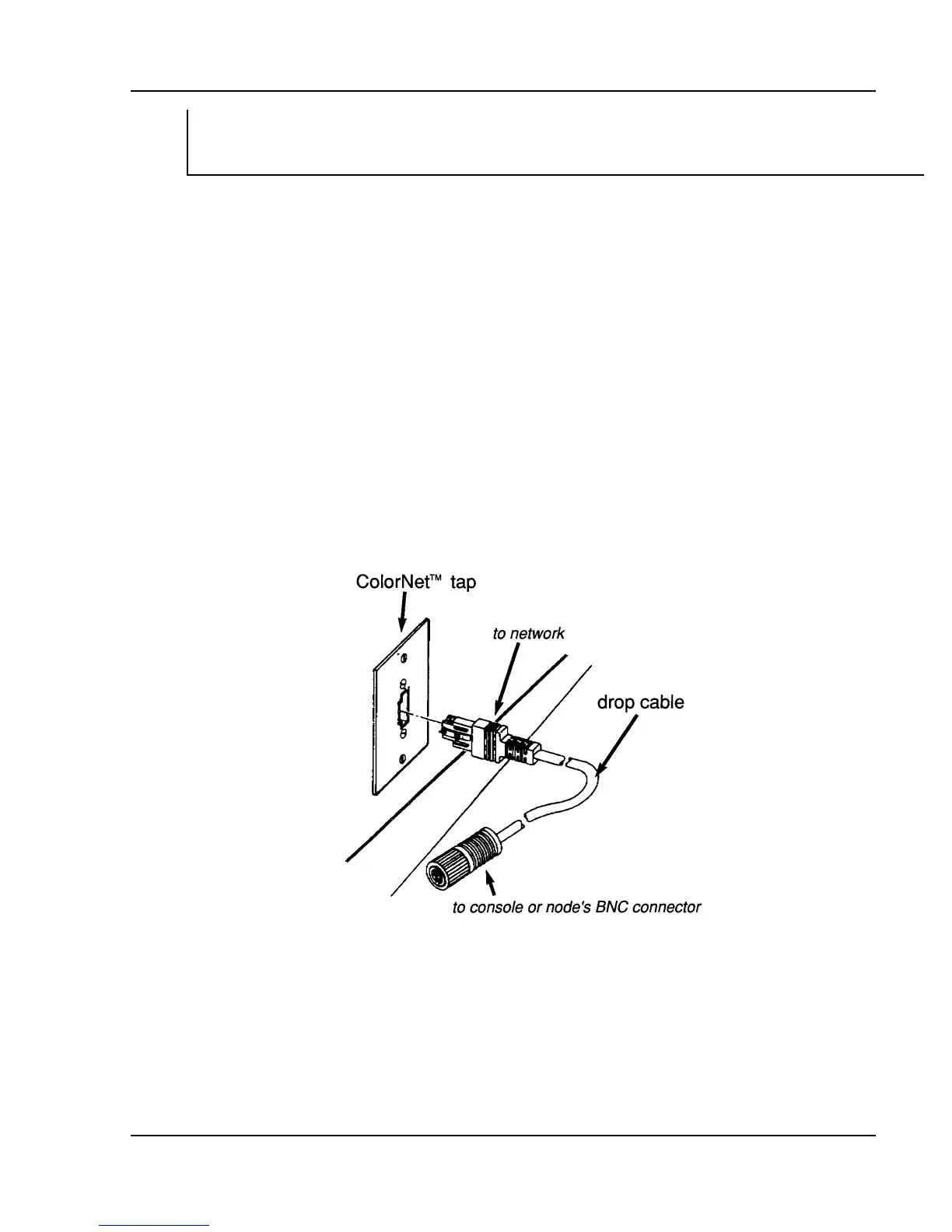
Permanent Systems. Factory-designed and -installed systems use
Network Wall Plates into which you can plug Drop Cables. Network Wall
Plates allow you to connect a console or an Encore Node to the permanently-
wired network at that location. Network Wall Plates are often referred to as
“ColorNet Taps” for this reason. Use
Figure E-1 Network Wall Plate (ColorNet Tap)
a Drop Cable to connect either a console or an Encore Node to a ColorNet Tap.
The Drop Cable has a square plug on one end that plugs into the Network Wall
Plate, and a BNC-type connector on the other end that attaches to the console
or Encore Node’s BNC coaxial connector. You can place your console at a
ColorNet Tap location that is intended for Remote Video in order to connect to
the ColorNet network at that tap. All other tap locations will continue to
support remote monitors, regardless of which tap location has the console.



 To Next Page