Chapter 6: Setting Channel Levels
Software Version 3.05
79
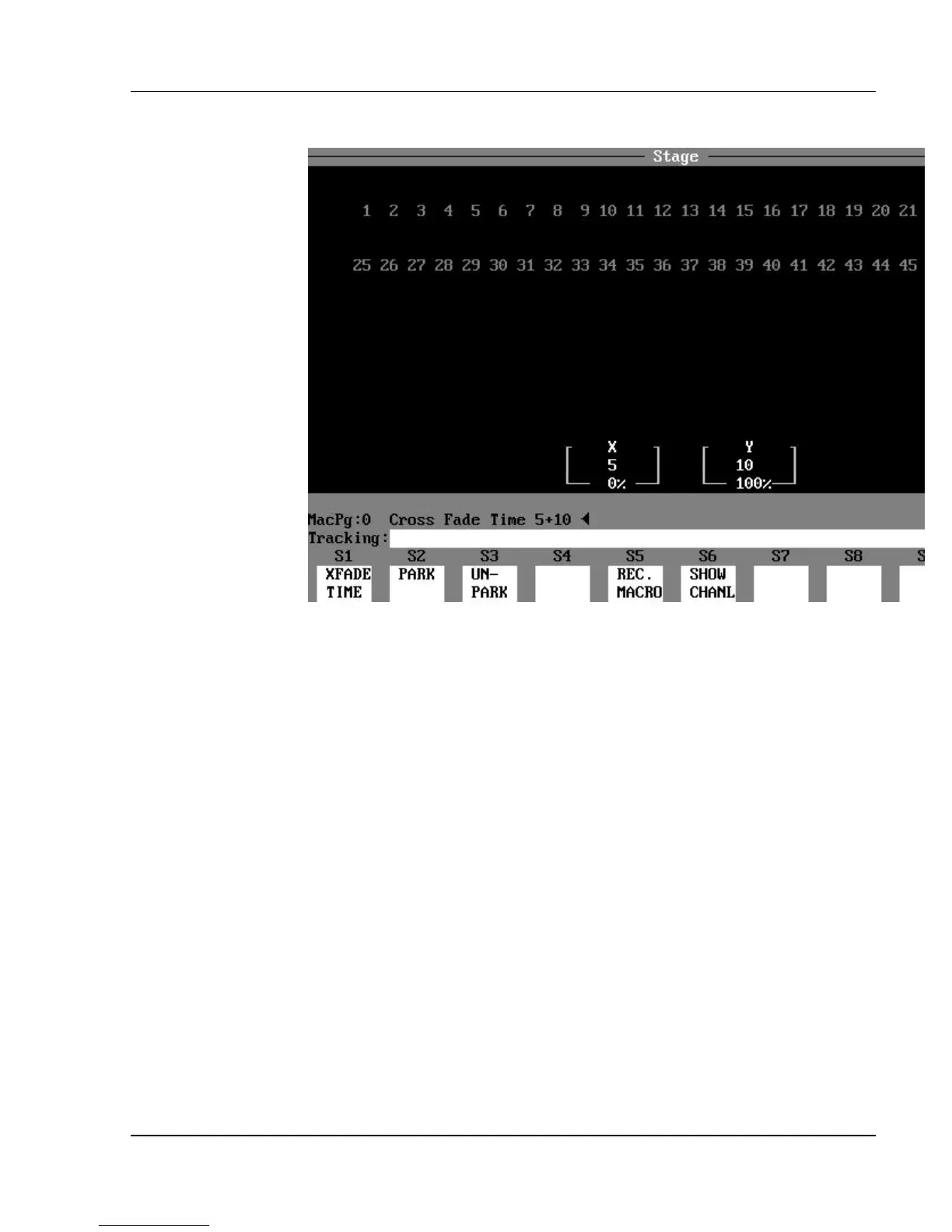
Figure 6.1, Cross Fader Boxes
Crossfader Time*
*(Encore models 24/48, and 48/96 only.
Does not apply to models XL or XL/2.)
The crossfade time is the time it takes for the fade to occur when the crossfader
handle is moved to the end of its travel. The relative crossfader levels (%)
appear in two boxes in the lower part of the display (see Figure 6.1). The
crossfade time (seconds) for the respective crossfaders is also shown in the
boxes. The time can be set differently for each crossfader using the (XFADE
TIME) soft key. You can also control the crossfade time manually.
? EXAMPLE: To set a crossfade time of 5 seconds on the X fader, and
10 seconds on the Y fader:
(XFADE TIME) [5] [+] [10] [ENTER]
? EXAMPLE: To set the crossfaders for a manual crossfade:
(XFADE TIME) [0] [+] [0] [ENTER]
- or -
(XFADE TIME) [ENTER]



 To Next Page