Colortran Encore Control Console
Software Version 3.05
18
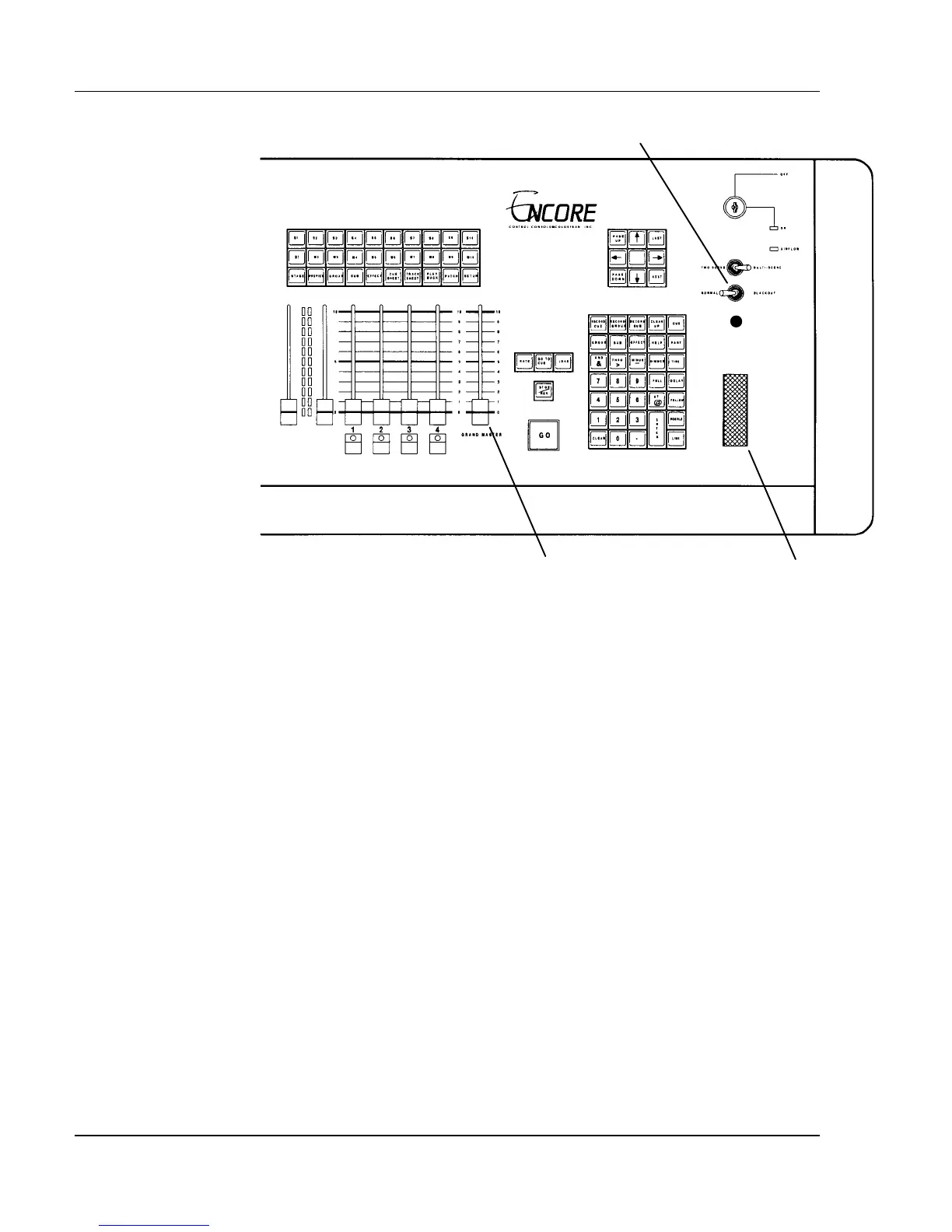
Figure 2.4, Console Wheel, Grandmaster, and Blackout Controls.
Captured Channels / Wheel Control
When you have set channel levels on the Command Line, the channels are
"captured", and are shown in cyan (aqua colored) reverse video. Captured
channels are under control of the wheel. Use the wheel to increase or decrease
the levels of captured channels in a continuous proportional manner. This
means that captured channels at different levels still maintain their proportions
with respect to each other. Captured channels remain "on the wheel" until you
select other channels or press the [CLEAR] key.
The captured channel levels can also be set by entering a new level value with
the Data Entry Keypad. In this case, there is no need to enter channel numbers
because the console automatically assigns the new levels to the captured
channels.
? EXAMPLE: To assign a level of 50% to channels 1 - 10, then change
to 80%:
1. [1] [>] [10] [@] [50] [ENTER]
2. [@] [80] [ENTER]
- or -
Move the wheel until the channels read 80%.



 To Next Page