Chapter 19: Advanced Cues
Software Version 3.05
205
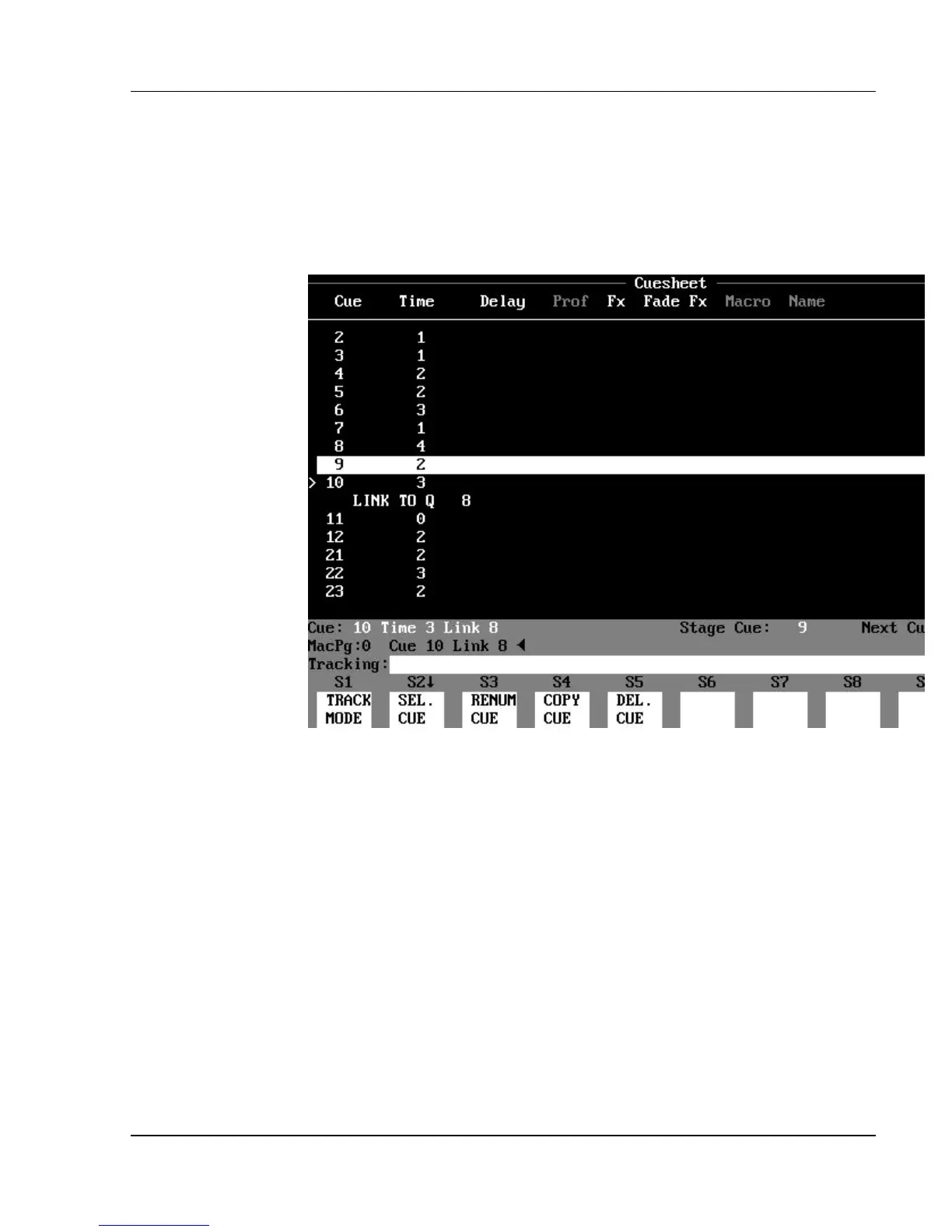
Link Loops and Specifying Repetitions
In the preceding Examples, the Links all have destination cues that have a
higher number than the cue assigned the Link. But what if you link to an
earlier cue? This creates a Link Loop.
Figure 19.5, Cue Link Loop
? EXAMPLE: Using the same Example above, to assign cue 8 as the
destination cue instead of cue 21:
[CUE] [10] [LINK] [8] [ENTER] (Creates loop that runs
indefinitely.)
The cue execution sequence would be: 7, 8, 9, 10(Link), 8, 9, 10(Link repeats),
8, 9, 10(Link repeats), 8, 9, 10(Link repeats), 8, and so on indefinitely.
You can assign a Link Repetitions value to the Link to specify how many times
you want the loop to run before it continues with the normal cue execution
sequence.
? EXAMPLE: Using the Example above, to assign a Link Repetitions
value of 1 to cue 10:
[CUE] [10] (LINK REPS) [1] [ENTER]



 To Next Page