Colortran Encore Control Console
Software Version 3.05
122
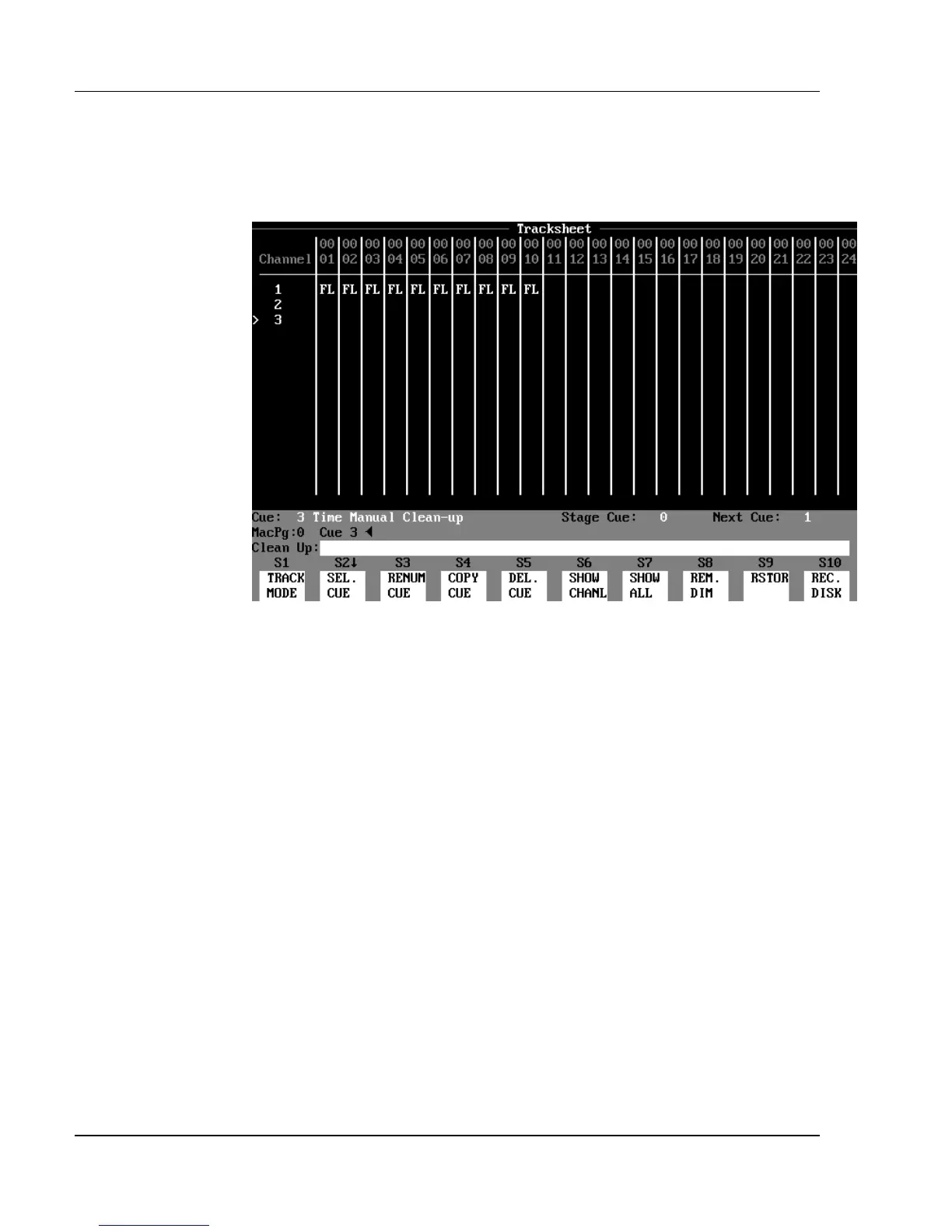
In Clean Up Mode: (See Figure 10.2.c.) Channels 1 - 10 are hard levels at
Full in cue 1. In cues 2 and 3, the channels appear blank while in Clean Up
mode. However if you change to Tracking or Cue Only mode, you will see hard
zeros assigned to all channels in cues 2 and 3.
Figure 10.2.c, Creating Cues Blind in Clean Up Mode
The Clean Up Attribute (Clean Up Cues)
When you are using tracking levels, you sometimes need to stop the tracking
levels from continuing into later cues. Typically, this happens at the end of a
scene when the basic stage look changes to the look of the next scene. To
prevent tracking levels from continuing into later cues, you can assign the
Clean Up attribute to a cue. When you assign the Clean Up attribute to a cue,
the cue levels all automatically become hard levels. In this way it works like a
“wall” that stops all previous tracking levels from continuing into subsequent
cues. In the Tracksheet display, a Clean Up cue can be easily identified by its
appearance - it looks like a wall of zeros (see fig. 10.3). On the far right side of
the Cuesheet and Playback displays there is a special column that identifies
Clean Up cues. This is helpful for you to know where your tracking "walls"
exist.



 To Next Page