Chapter 13: Memory
Software Version 3.05
155
Disk File Management Subdisplay
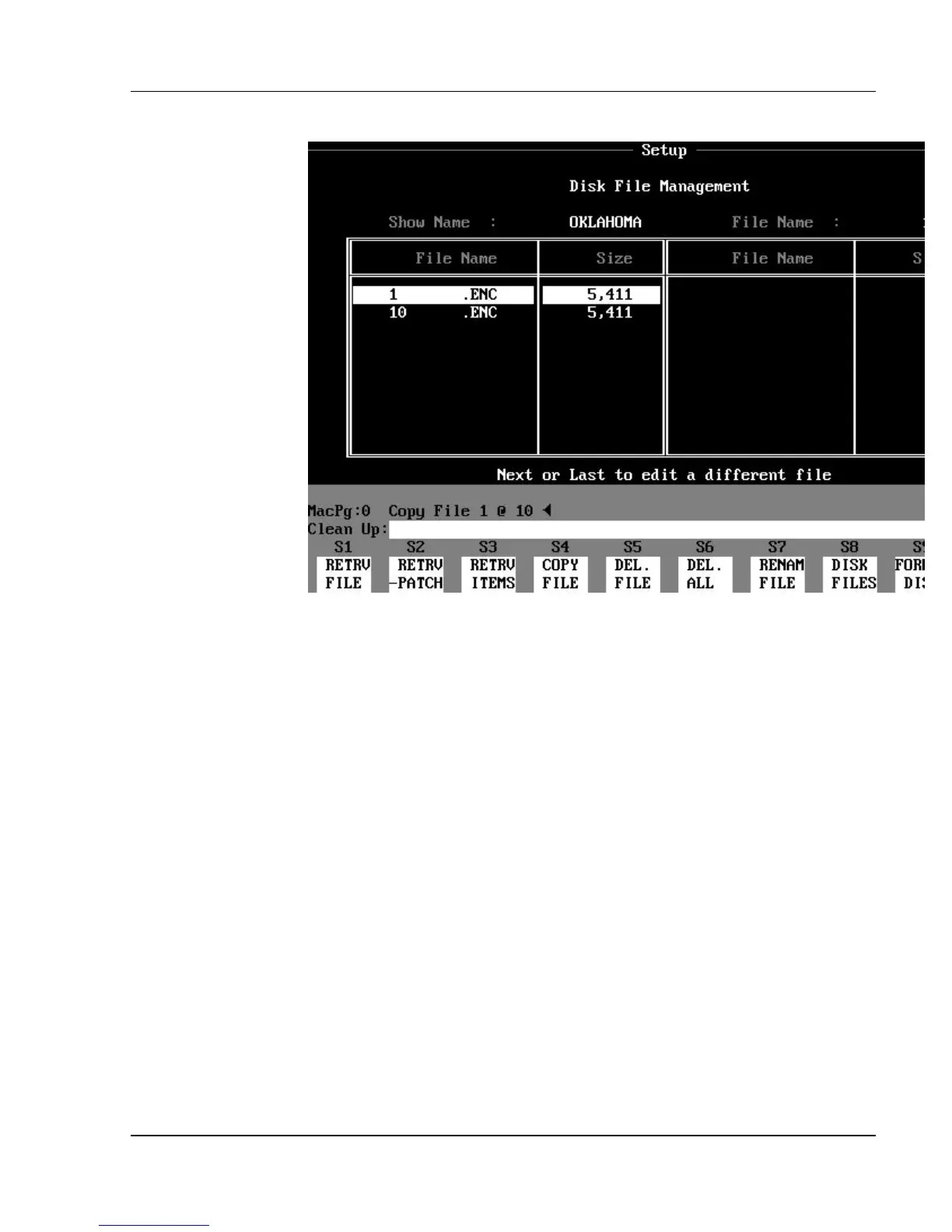
Figure 13.1, Disk File Management Subdisplay
You can use the (DISK FILES) soft key to open the Disk File Management
subdisplay, which is a list of all the show files and other files on the floppy disk
in the console. The (DISK FILES) soft key is available under the (MEMRY
OPTNS) soft key in the Setup display.
When you press the (DISK FILES) soft key, the floppy disk in the drive is read,
and all show file names are shown in a table (along with all other files on the
disk). The size of each file in bytes is displayed to the right of its name. The
first show file in the list appears in reverse video. Use the [NEXT] and [LAST]
keys to select a different show.
You must highlight a file name in reverse video or specify a file name in the
Command Line, before you can manipulate the file. You can use commands in
the Disk File Management subdisplay to manipulate the show files on the
floppy disk through the following soft keys:
?? (RETRV FILE) = Retrieve file from floppy disk.
?? (RETRV -PATCH) = Retrieve file minus patch from
disk.
?? (RETRV ITEMS) = Retrieve specific items: cues,
effects, subs, etc.
(Reveals another level of soft
keys.)
?? (COPY FILE) = Copy show file to another show
file name.



 To Next Page