Colortran Encore Control Console
Software Version 3.05
70
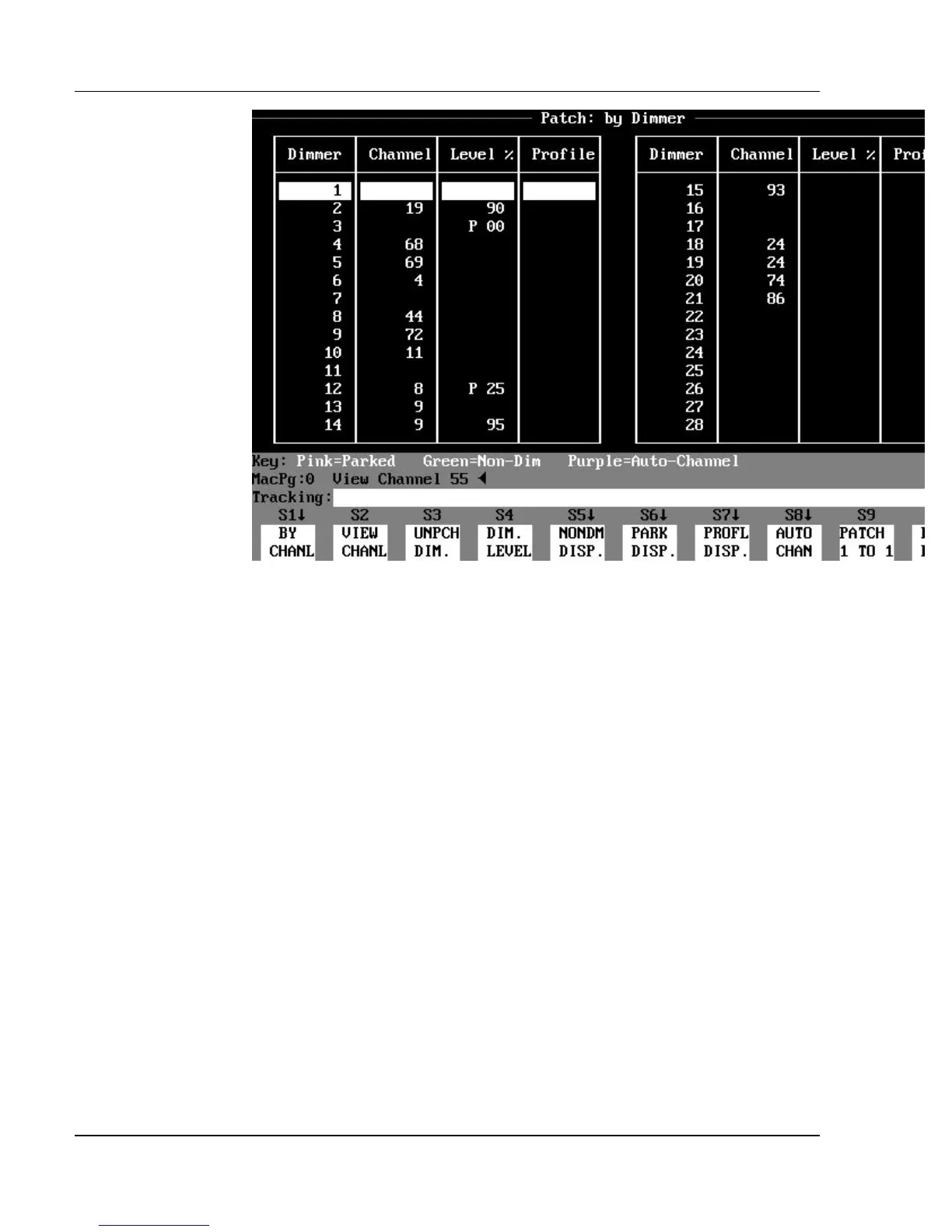
Figure 5.3, Patch: By Dimmer Display
Patch: By Dimmer Display Mode
The Patch: By Dimmer display lists the patches in dimmer order in the first
column, and the channel assignments in the second column. If a given dimmer
is not patched to a channel, there is a blank in the channel column next to the
dimmer number. The dimmers are always shown in gray on the display, unless
they are assigned as Non-Dim dimmers.
?
ADVANCED TOPIC: See the Non-Dim Dimmers topic in Chapter
20, Advanced Patching Options.
Other Patch Display Modes
There are two other Patch display modes: the Patch: Parked Dimmers
subdisplay, and the Patch: Non-Dim Dimmers subdisplay. Press the (PARK
DISP.) soft key to access the Patch: Parked Dimmers subdisplay. Press the
(NONDM DISP.) soft key to access the Patch: Non-Dim Dimmers subdisplay.



 To Next Page