Baker DX User Interface Overview
megger.com 25
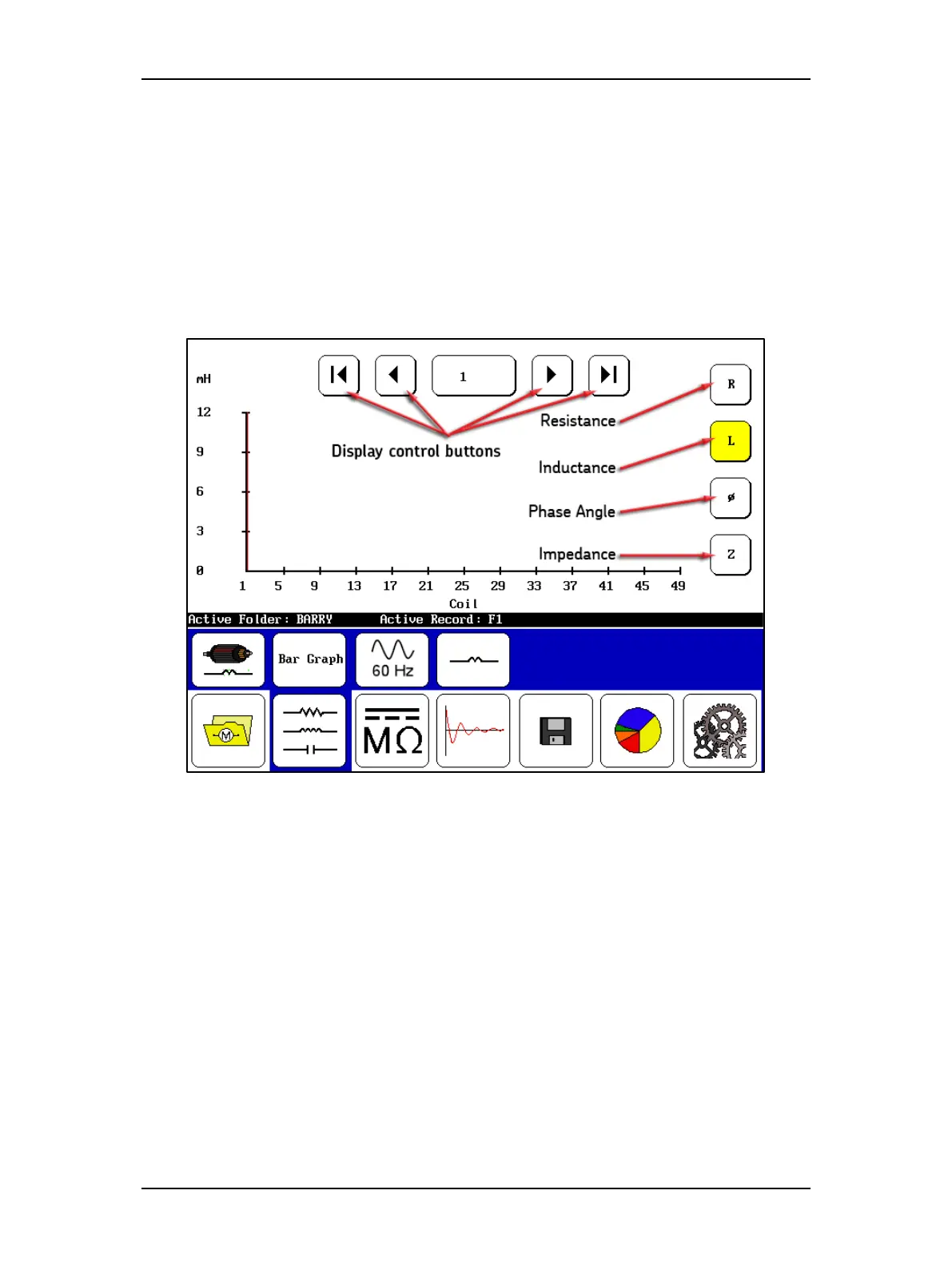
The following example shows controls that allow you to dynamically move through the tests
being conducted.
At the top of the Display Area, a set of display control buttons are used to facilitate movement
from test measurement to test measurement; in this example, the buttons move you from coil to
coil, and the X axis shows which coil measurement you are currently viewing.
The far left and far right buttons move you directly to the first and last measurements
respectively, while the inner buttons move you to previous and next results.
The center button shows you which measurement (coil in this case) you are currently viewing.
You can touch this button and select a specific measurement to jump to directly.
Figure 27. Display control buttons and test selection controls.
The buttons along the right side allow you to select the type of test results to view. In this
example, the inductance tests are selected, which is indicated by the yellow highlighting.



 To Next Page