Setting up Fixtures, Test Accessories, and Lead Connections
megger.com 53
Armature Surge Test Accessory Setup
Some customers could still be using the older bar-to-bar surge test accessory. The following
instructions guide you in using this tool.
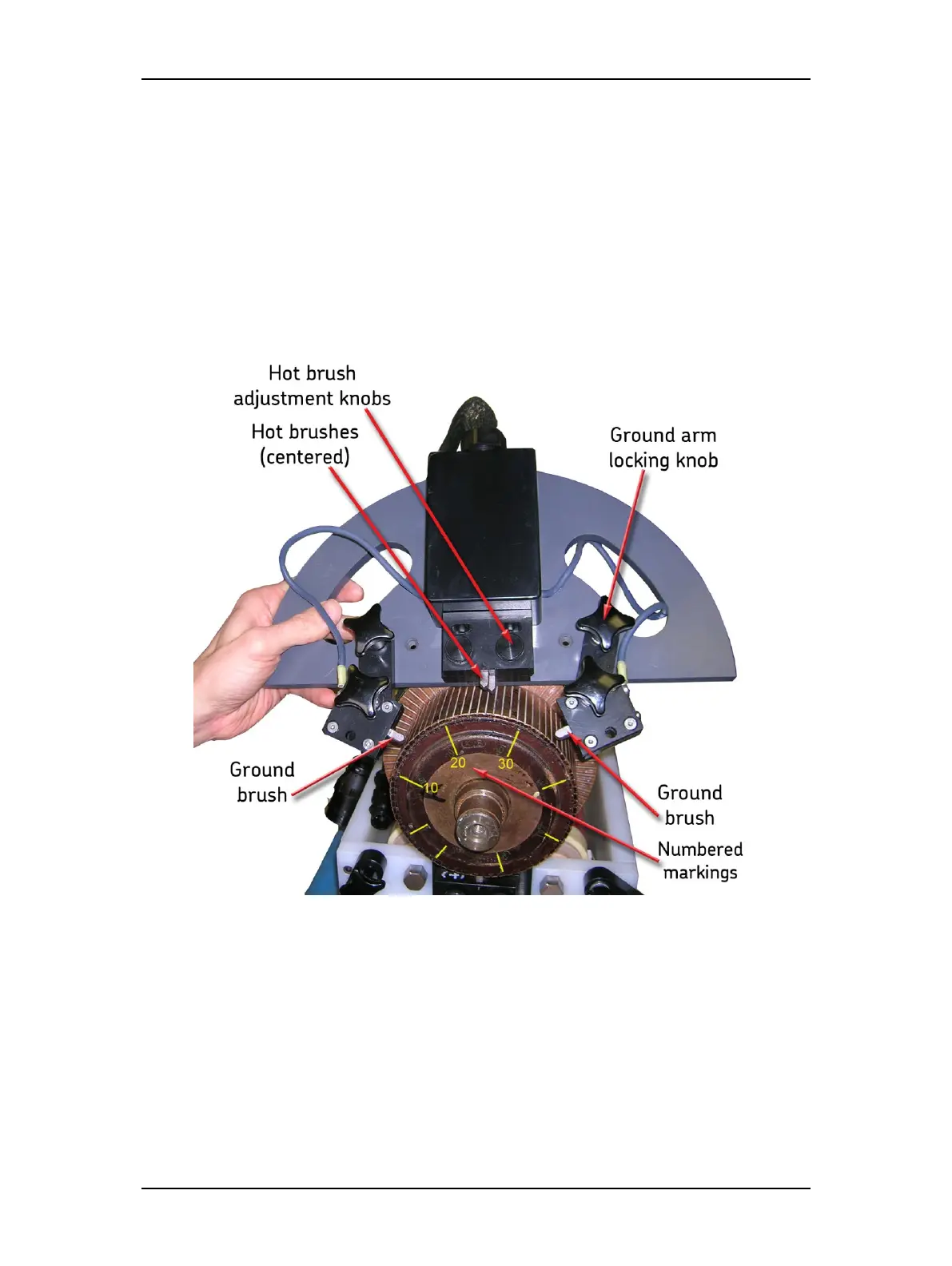
1. Mark and number the armature face as shown to help identify current testing location.
2. Position the armature fixture on the armature at a selected starting point. Use the Hot
brush adjustment knobs to adjust contact for bar-to-bar spacing. Center the brushes
on the selected bars.
3. Center the ground brushes on the selected bars by adjusting the ground arms then lock
the arms in place with the Ground arm locking knobs.
Figure 55. Positioning the surge test accessory on the armature.



 To Next Page