Procedures for Testing with the DX Host
118 Baker DX 71-030 User Guide EN V10 www.megger.com
Rotor Influence Check (RIC) Tests Using the DX Host
The rotor influence check (RIC) test checks the influence of the rotor on the test measurements
taken with respect to moving the rotor to different positions.
The RIC test is a set of stator impedance measurements made at incremental rotor shaft
positions; for example, every five degrees. A plot of inductance measurements is made with
respect to shaft positions, and is then interpreted with the goal of identifying rotor problems.
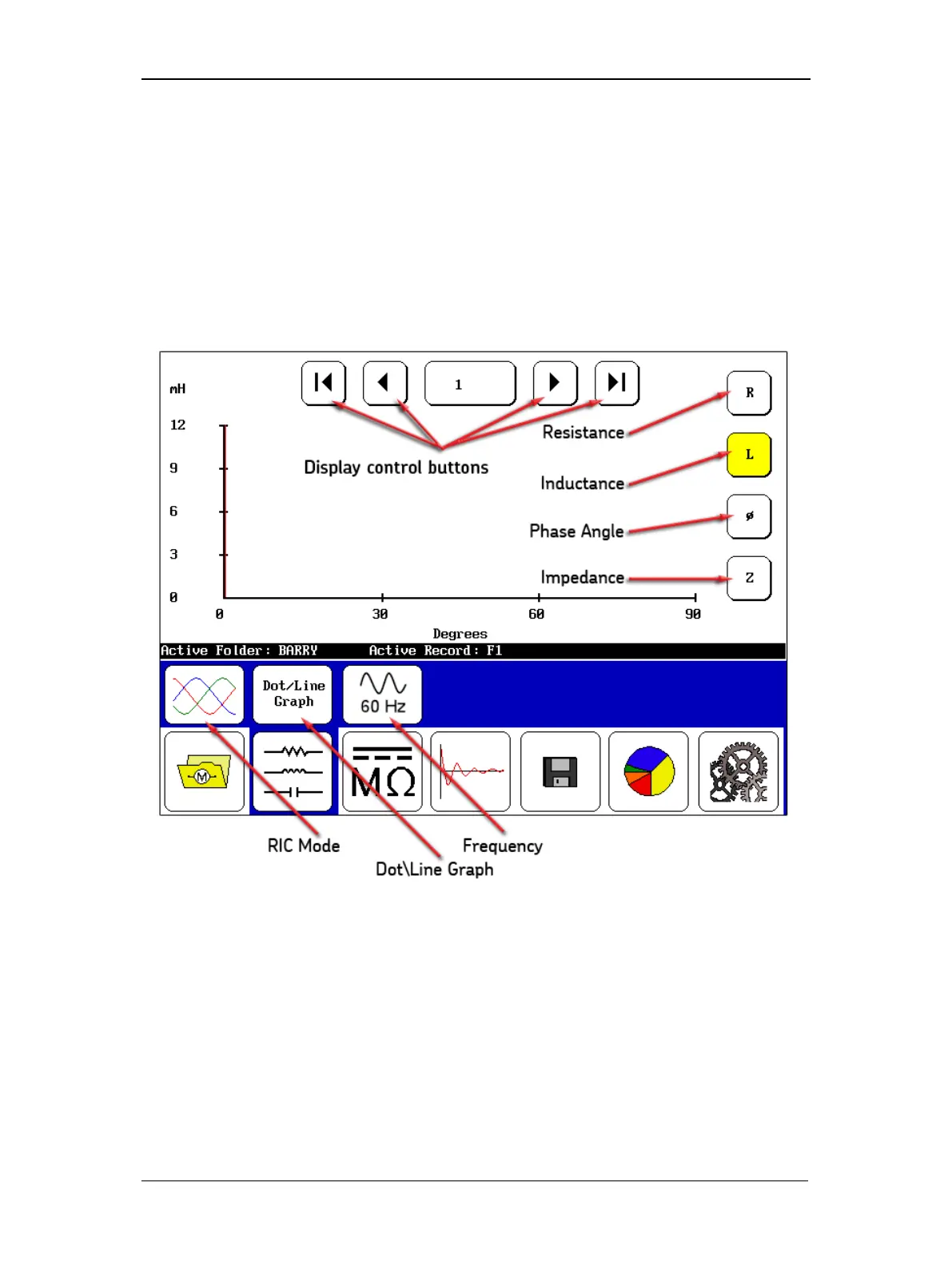
The display control buttons at the top move you through which rotor position measurement you
want to see. The buttons along the right edge are used to select the type of test measurement
you want to plot.
Figure 132. RIC test screen elements.
In the submenu, the first icon from the left—the RIC Mode icon—shows you that you are in RIC
test mode. The Dot\Line Graph icon identifies the display format selected. Touching the icon
allows you to change the type. The frequency displayed is shown by the next icon, which again
can be changed by touching the icon.
Across the bottom of the display, the X-axis is shown in degrees. The X-axis starts with 0–90
degrees and auto-scales as needed to fit in all rotor shaft angles measured. As you conduct your
test, you will move the rotor to the next position and do a measurement, move the rotor again
and do another measurement, and so on through all test positions. The DX will plot the
measurements over the rotation of the rotor, which helps identify rotor defects.



 To Next Page