Procedures for Testing with the DX Host
76 Baker DX 71-030 User Guide EN V10 www.megger.com
1. Touch the Fast or Slow icons as needed to set the ramp rate.
2. Use the Voltage Output Control knob to set the voltage to the desired DC HiPot
voltage level (2000 volts for this example).
3. Touch the DC HiPot icon to program/set a 60-second test.
4. Continue with steps 5–7 as described above.
NOTE: The Ramp test is a variation of the HiPot test in which you would ramp to the target test voltage more
slowly to evaluate the linearity of the charging current. Otherwise, the process is the same as conducting a
conventional DC HiPot test.
When ramping the test voltage, be sure to increase the voltage slowly and consistently, and do not stop
ramping until you reach the target test voltage.
Viewing Test Results
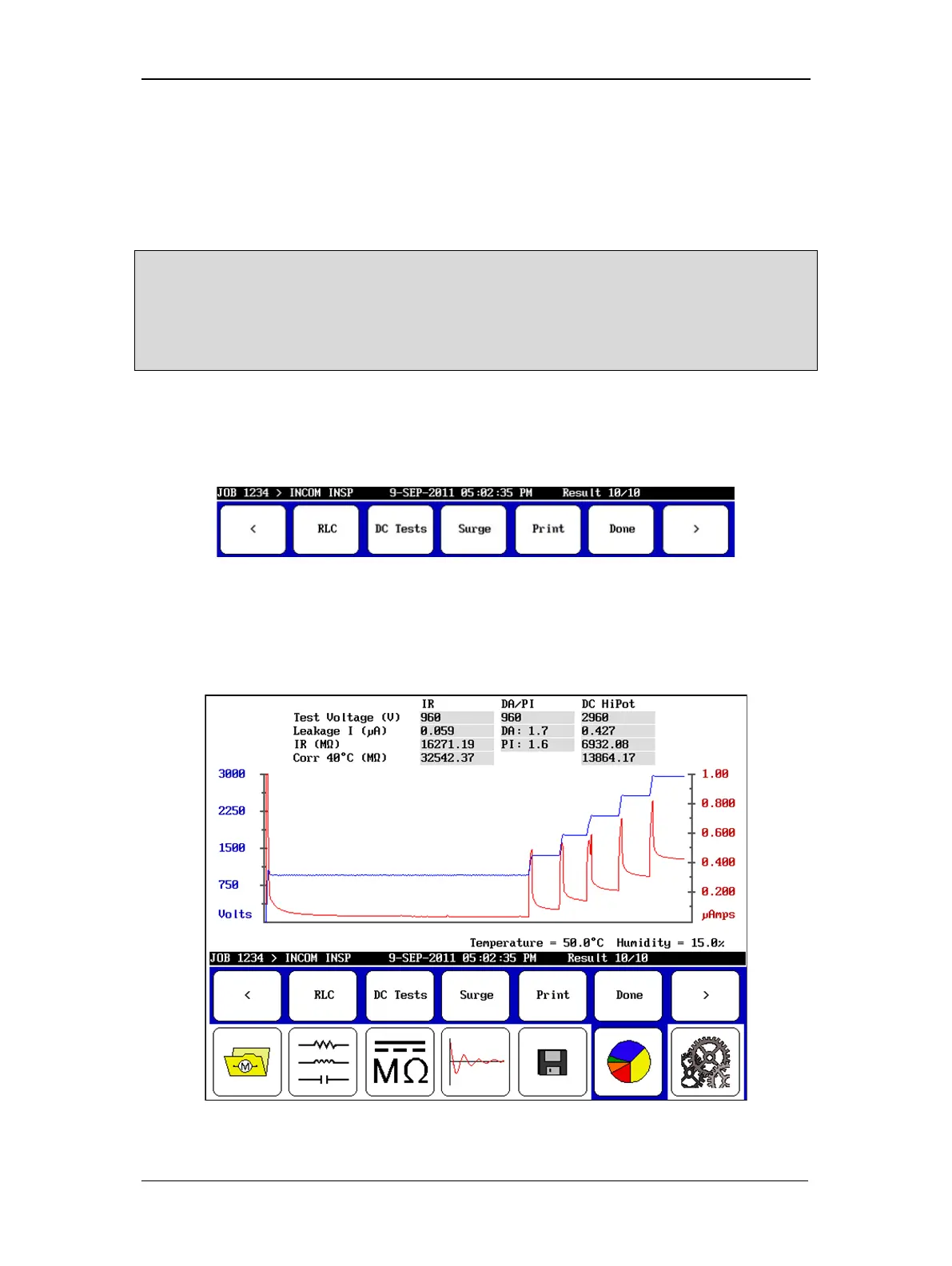
1. View the test results by touching the Report, Display, and DC Tests icons.
2. Use the submenu icons to find and view results.
Figure 81. Report results submenu icons.
Each of these demonstrated DC tests were chained together in a recommended best-practice
approach, but you may separate and perform them individually or in other combinations as
required or preferred.
Figure 82. DC Tests results screen.



 To Next Page