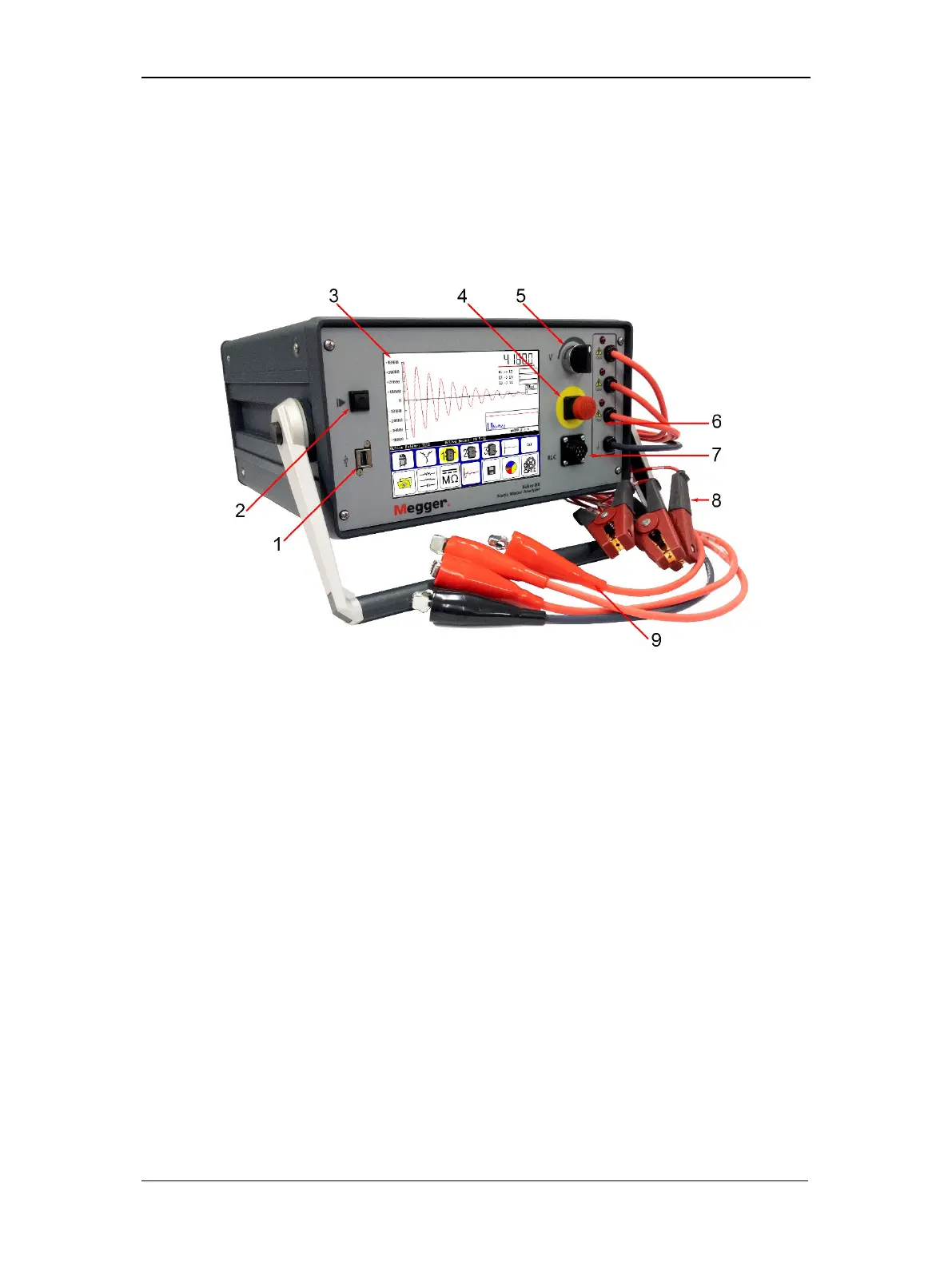
Baker DX Instrument Overview
8 Baker DX 71-030 User Guide EN V10 www.megger.com
Front Panel Controls
All Baker DX Series testers feature a large, 8-inch touch screen with a graphical user interface.
The interface features a logical layout of large touch icons that improve ease of use, even with
electrical gloves. The units come with a push-to-test (PTT) lock button that conveniently holds
voltage during DC tests, a variable Voltage Output Control knob to quickly apply voltage
during coil and DC motor tests, and an easily accessible push-button Equipment power shut-off
switch.
Figure 5. Front panel controls.
1. USB printer port
The industry standard USB port is accessible from the front panel for connections to a printing
device, and data storage and retrieval devices.
2. Start or Push-to-Test (PTT) button
The start or Push-to-Test (PTT) button works whether the unit is in standalone mode, attached to
a power pack, or operated with an auxiliary Baker ZTX unit. The PTT operates with a single
touch. A second touch of the button ends a HiPot test when the PTT lock is active. When high-
voltage testing is under way, the PTT conveniently enables voltage discharge of the high-voltage
leads. For tests that require repetitive starts or long duration, an optional foot-operated switch is
available.
3. Touch screen
A high-resolution VGA color touch screen is the main user interface. Large, intuitive icons allow
you to select and configure test types, and display and store test results. The screen also
presents instrument configuration and report printing menus.
4. Equipment power shut-off
This large, highly visible red button is easily pressed on the front panel for Equipment shut-
downs. It cuts all power to the unit swiftly and safely.



 To Next Page