Using Baker DX Non-Test Functions
megger.com 37
Defining Report Header Information
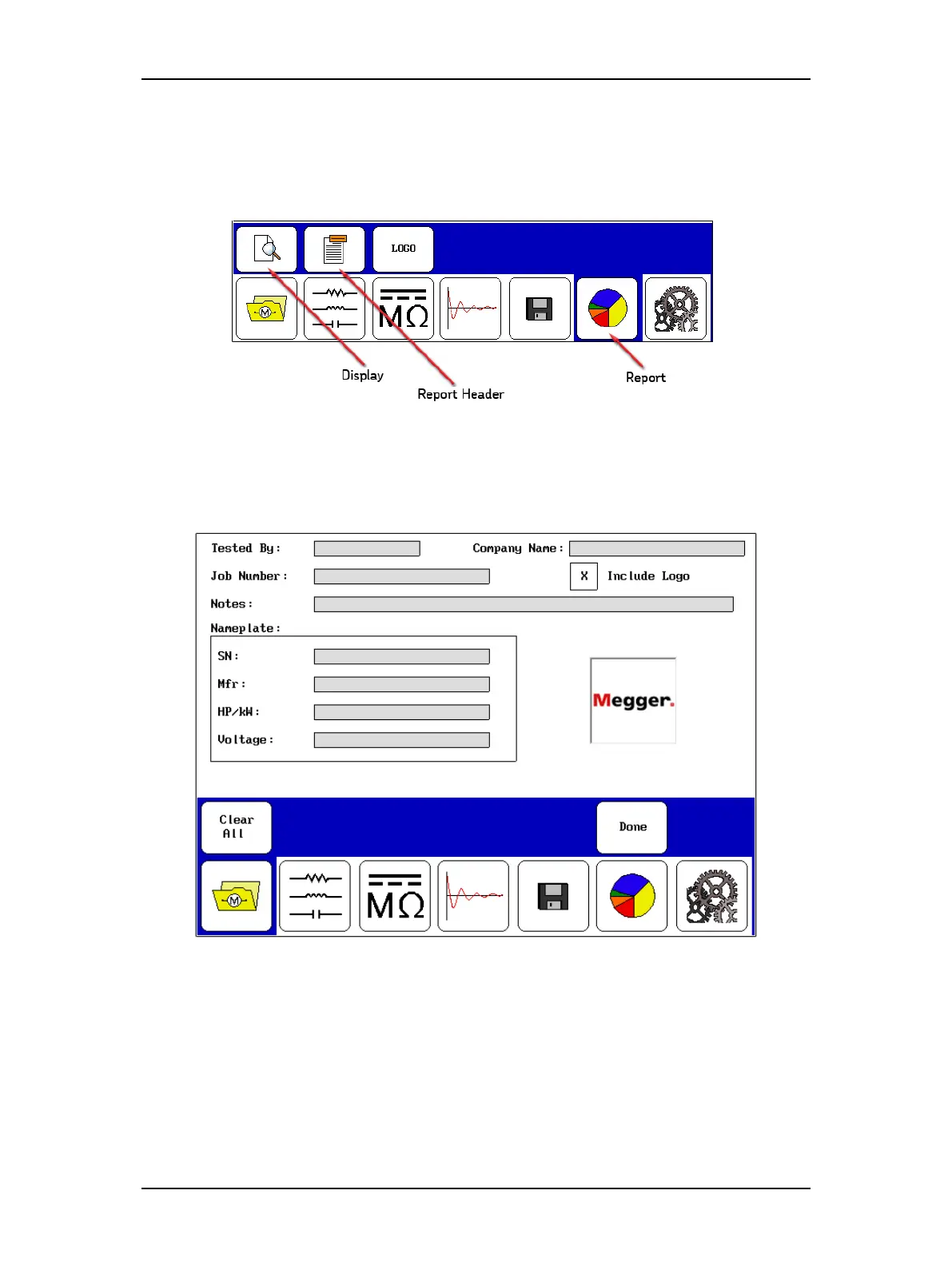
1. To define the information that will appear in the header of your reports, touch the
Report icon then the Report Header icon when the Reports submenu changes as
shown below.
Figure 39. Starting reports mode.
2. This opens a form like the one shown below, which you will use to define the
information you want to include in your reports.
Figure 40. Report header form.
3. You can also include a logo in the printout if you like by checking the Include Logo
box. Loading a logo is addressed in the preceding section.



 To Next Page