Procedures for Testing with the DX Host
72 Baker DX 71-030 User Guide EN V10 www.megger.com
DC Test Procedures
1. If you haven’t already done so, disconnect and lay aside the low-voltage resistance test
leads when performing DC tests. Connect the high-voltage test leads to the motor
under test as described in chapter 7 —“Setting up Fixtures, Test Accessories, and lead
connection.”
2. Ensure that the Active Folder and Active Record show the locations where you want
to save the DC tests data.
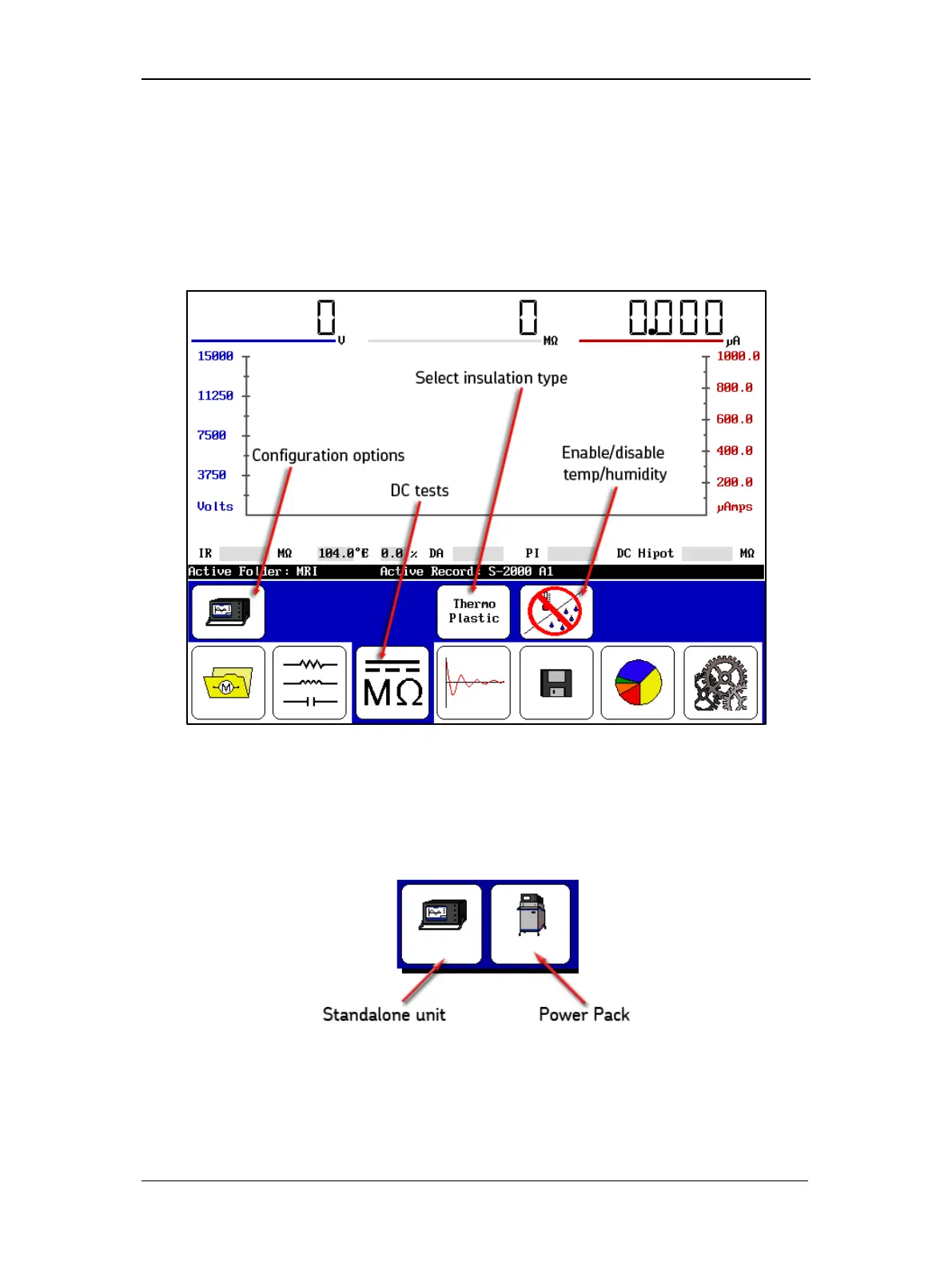
Figure 74. DC Tests start screen.
3. Touch the DC/MegOhm icon then the Configuration Options icon when it appears in
the submenu. Icons for installed options will appear in a popup menu, presenting a
choice of operation as a standalone unit or power pack unit.
Figure 75. Configuration Options popup menu.
4. For the following example, touch the Standalone Unit icon.



 To Next Page