Using Baker DX Non-Test Functions
megger.com 33
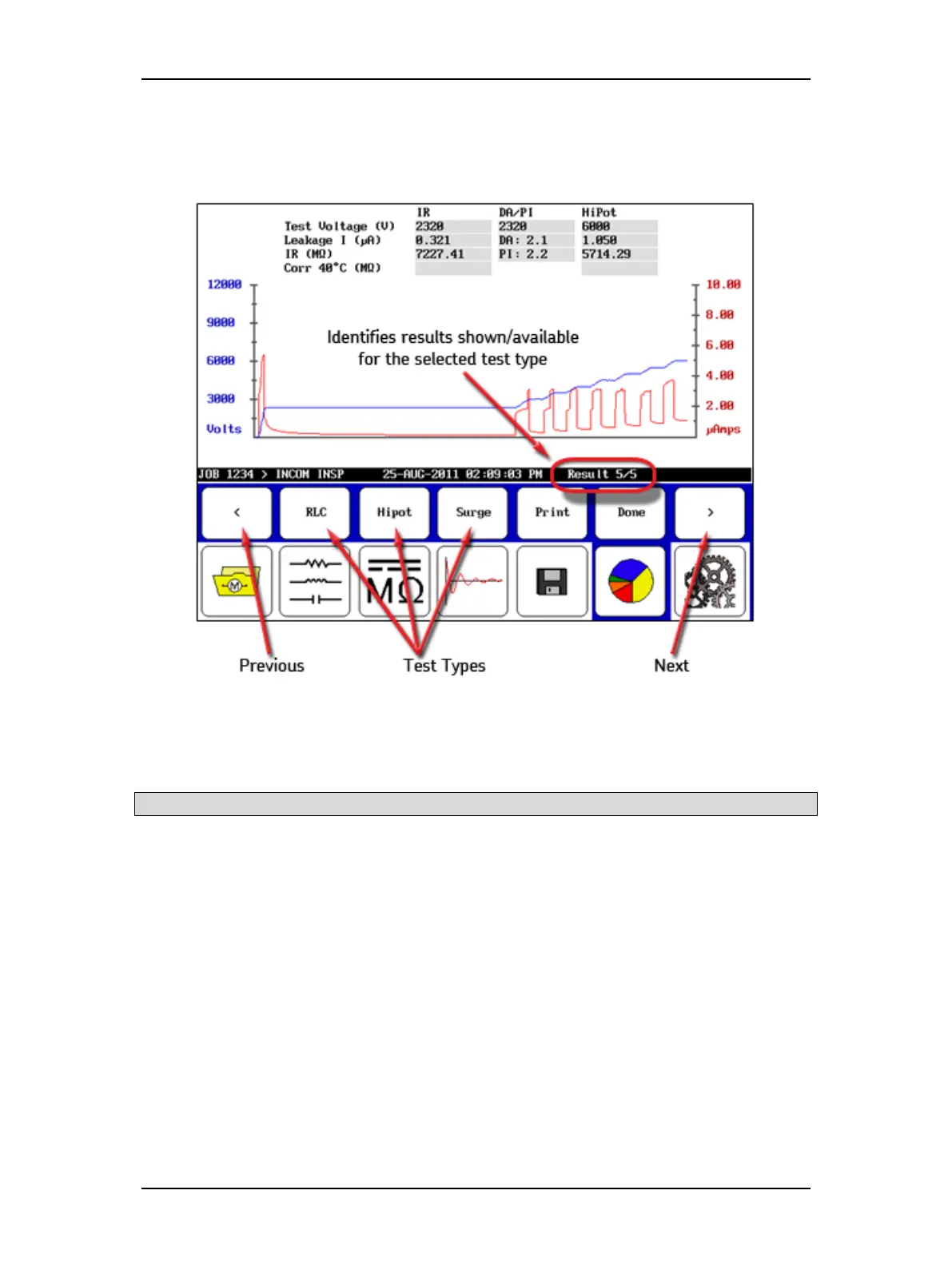
4. When you touch the Display icon (functions like a print preview), submenu items
appear that allow results shown in the Display Area to be viewed according to test
type, or to be printed.
Figure 35. Display submenu icons.
5. The Previous and Next arrows allow you to go through the results that are available for
the selected test type.
NOTE: The test type selection icons are located just above their corresponding icons in the Mode Menu.
6. An entry on the right side of the Status Bar shows you which result is displayed out of
the total number of available results.
7. Touch the Print button to print your report to a printer attached to the USB port.
8. Touch the Done button to return the Display Area to the report panel.



 To Next Page