Procedures for Testing with the DX Host
84 Baker DX 71-030 User Guide EN V10 www.megger.com
7. Observe the new relative positions of the PD signal and the threshold line. If the two are
not at an equivalent level, enter into maintenance mode again and re-adjust the user
setting PD threshold (mV).
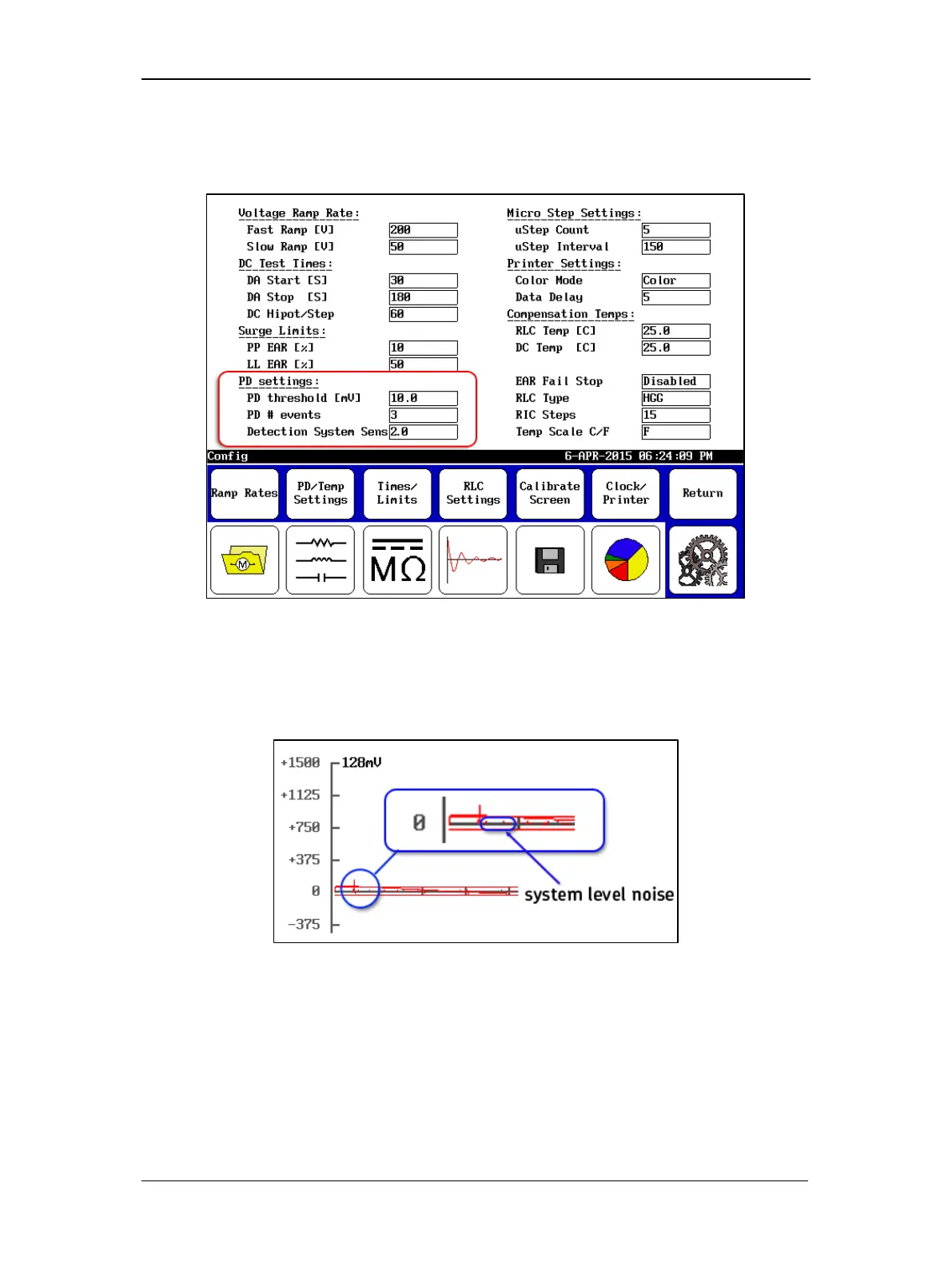
Figure 91. User Settings screen, PD settings.
8. Record the level of the threshold in the Detection System Sens user setting—this is the
system level noise. You will likely notice this noise as small points registering just under
the waveform (within the threshold bars) as shown in the example excerpt below.
Figure 92. Example of system level noise.
9. This information will be reported with partial discharge tests that are saved along with
the date the sensitivity was last recorded. Press the PD/Temp Settings button then the
Detection System Sensitivity button in the popup menu to change this value.
10. If needed, re-adjust the PD threshold (mV) so that it is above the detected noise floor
so that only PD will trip the event indicator. The DSS value must always be lower than
the PD threshold value.



 To Next Page