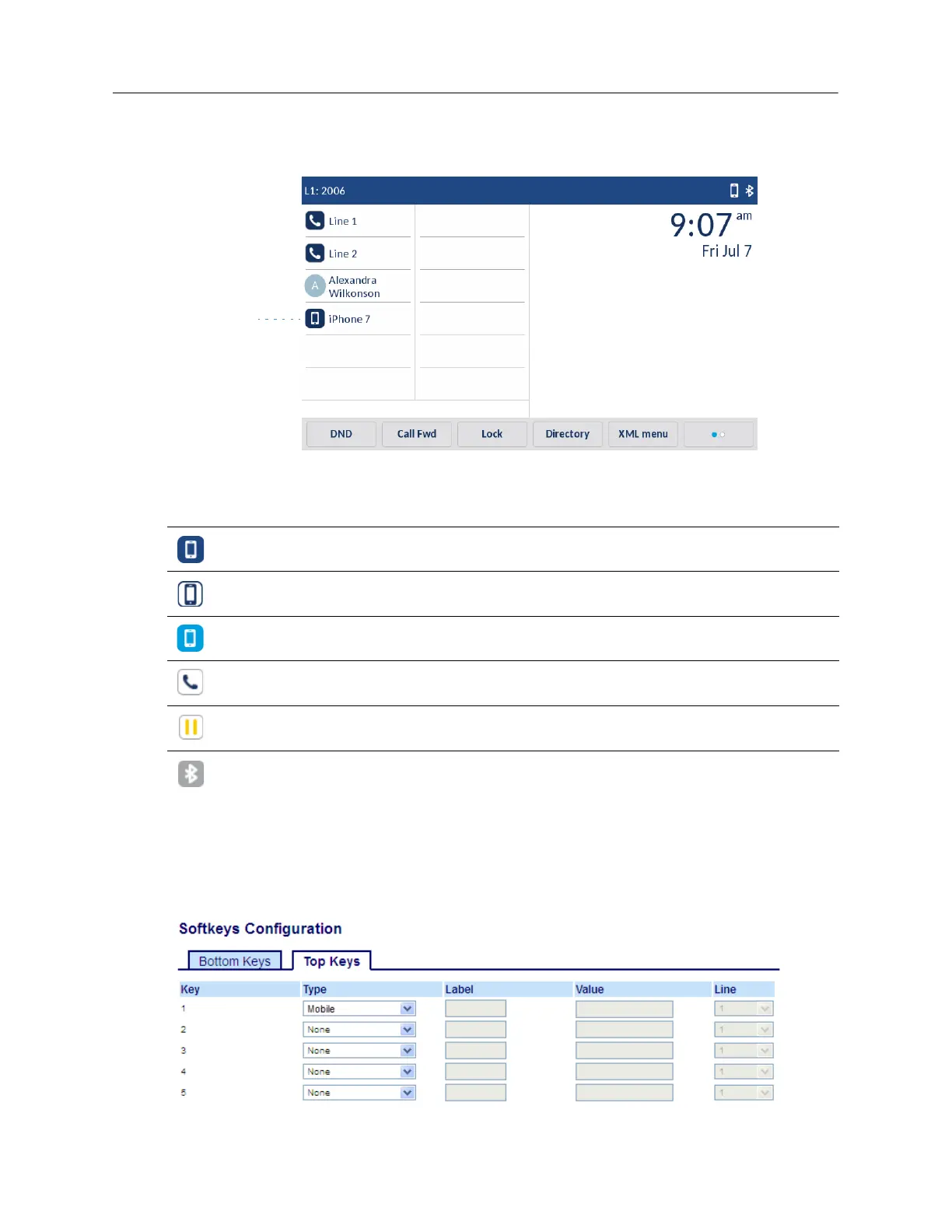
• Answer a mobile phone call using your Mitel 6940 IP phone.
• Move mobile call audio between the Mitel 6940 IP phone and your mobile phone.
The
Mobile Line
key icon changes to reflect the status of the line as per the following table.
Configuring a Mobile Key Using the Mitel Web UI
1.
Click on
Operation > Softkeys and XML
.
or
Click on
Operation > Expansion Module <N>
.
Icon Description
Indicates the mobile line is connected with a mobile phone and is idle.
(Blinking) Indicates the mobile line is ringing due to an incoming call on your mobile
phone.
Indicates the mobile line is busy.
(Blinking) Indicates an ongoing call with active audio on the mobile phone.
(Blinking) Indicates the call on the mobile line is on hold.
Indicates the mobile phone is not connected.



 To Next Page