Mitel 6940 SIP Phone User Guide
Pairing a mobile phone using Bluetooth
For instructions on how to pair your mobile phone with your Mitel 6940 SIP IP phone, see “Pairing
a Bluetooth Device” on page lxvi.
Syncing mobile contacts
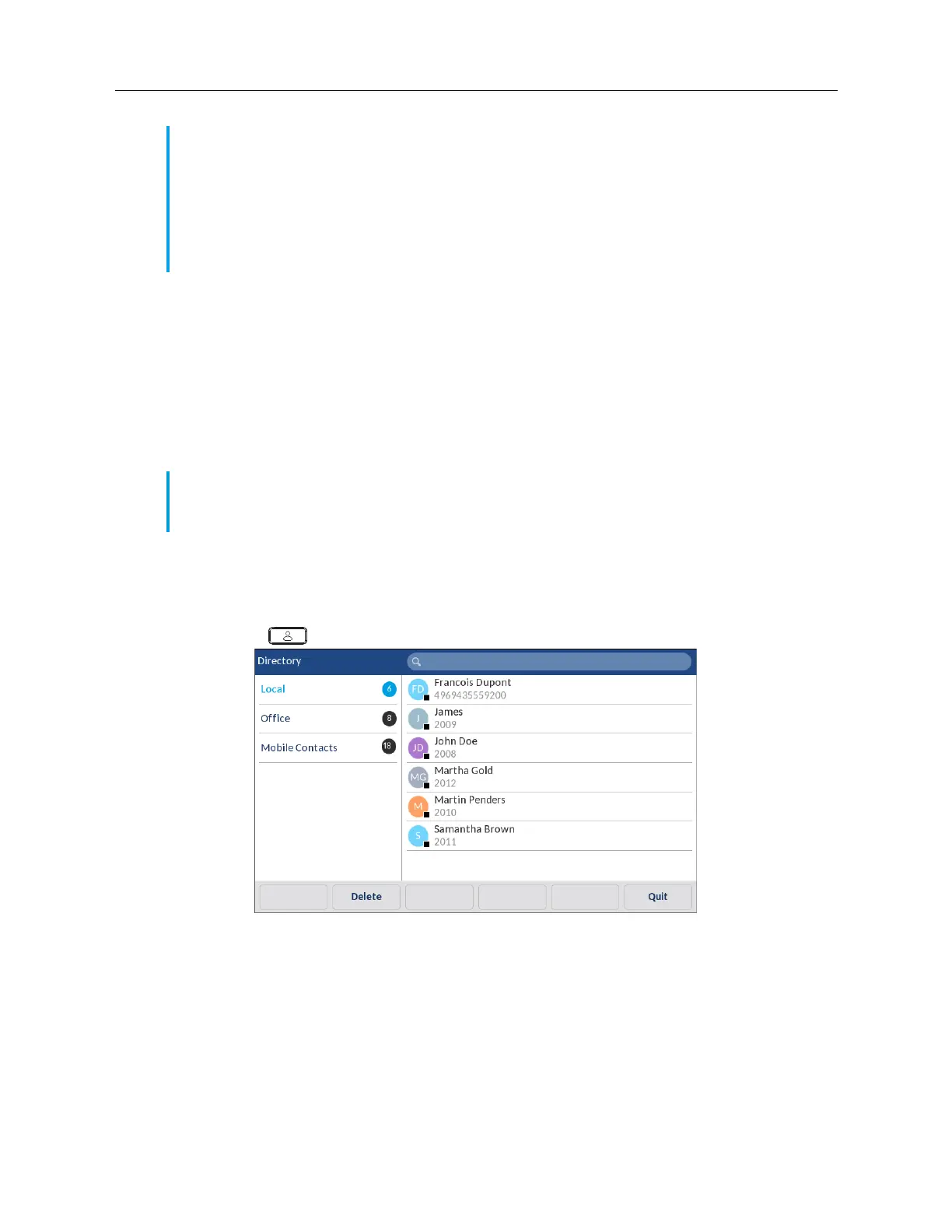
When pairing and connecting a mobile phone for the first time, the Mitel 6940 IP phone automatically
attempts to sync your mobile contacts to the
Directory
application.
To manually update your mobile contacts:
1.
Ensure you have paired your mobile phone with your 6940 IP phone. See “Pairing a Bluetooth
Device” on page lxvi.
2.
Press the
(
Directory
) key.
Note:
1.
Additional Bluetooth devices connected to your mobile phone (e.g. smartwatches,
headsets, etc...) may impede or alter the behavior of the MobileLink feature. It is
recommended to disconnect any additional Bluetooth devices from your mobile phone
when using the MobileLink feature on your Mitel 6940 SIP IP Phone.
2.
Mobile integration with the SIP desktop phones does not support any softphone client
application on the mobile phones.
Note:
Your initial mobile contact list will remain in the
Directory
application even if you connect
to a secondary mobile phone. To update your mobile contacts so that they are aligned with the
secondary mobile phone, you must manually synchronize your mobile contacts.



 To Next Page