• Español (Spanish)
• Deutsch (German)
• Italiano (Italian)
• Português (Portuguese)
• Русский (Russian)
• Nordic
• ελλη
ν
ικ
ά
(Greek)
3.
Click
Save Settings
.
The change is dynamic. The phone and the Mitel Web UI allow you to enter text and characters
in the language you selected.
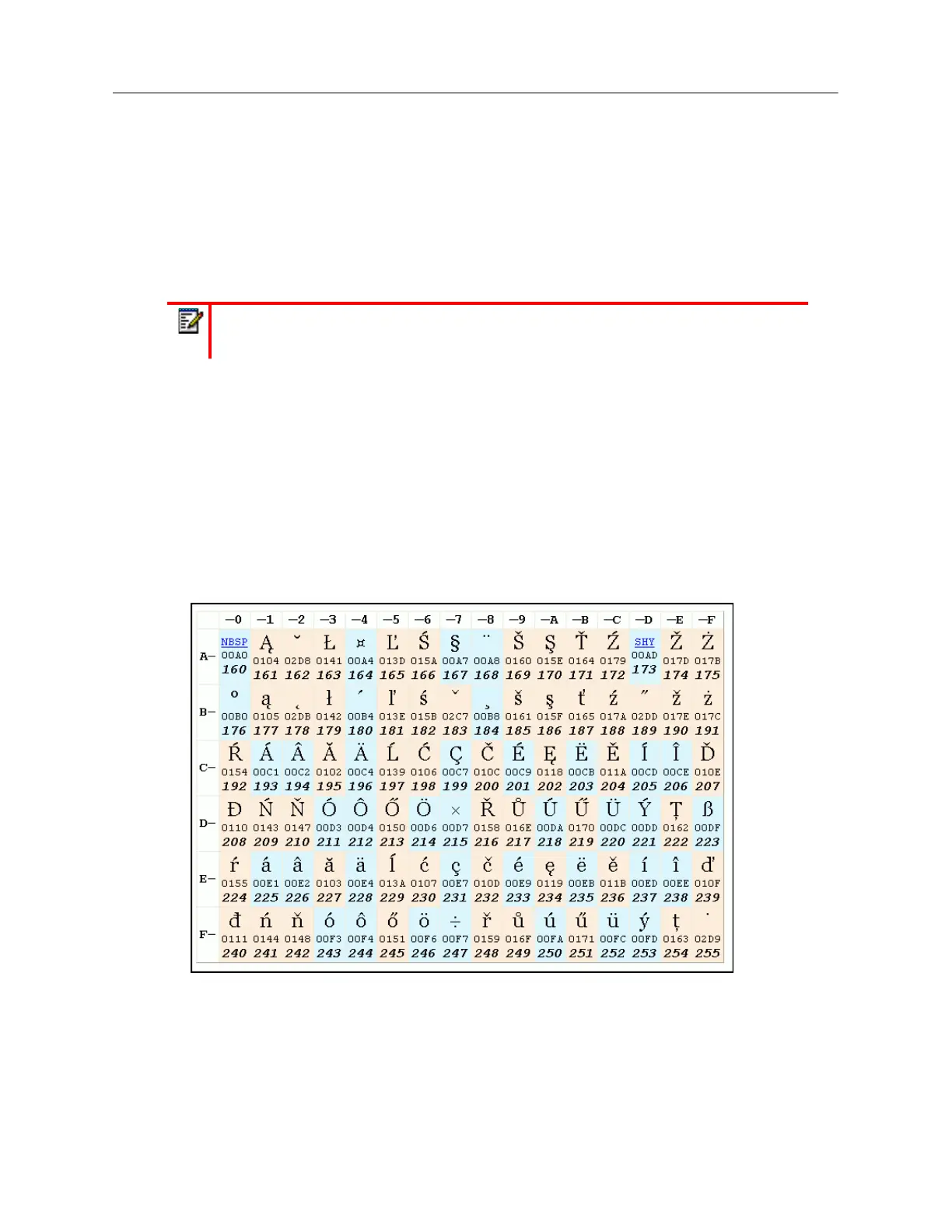
Latin 2 Character Set
The 6940 includes support for ISO 8859-2 (Latin2) of multi-national languages when displaying and
inputting in the IP phone UI and the Mitel Web UI. UTF-8 is also compatible with XML encoding on
the IP phones.
The following table illustrates the Latin 2 character set used on the 6940 IP phone.
Time and Date
On the IP phones, the following time and date sub-options are available to be configured:
•Settings:
-Time Format
Note:
All languages may not be available for selection. The available input languages
are dependent on the configuration enabled by your System Administrator.



 To Next Page