Mitel 6940 SIP Phone User Guide
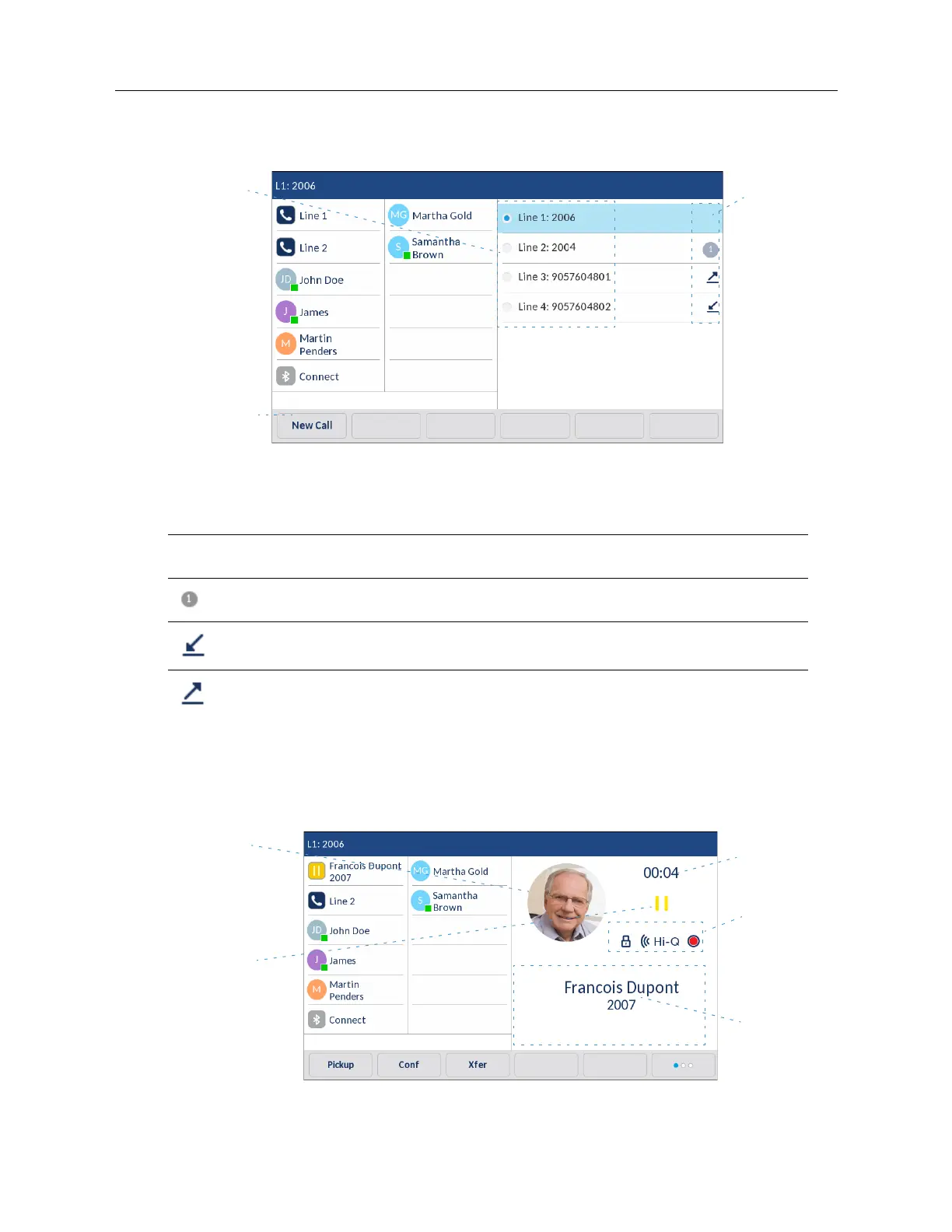
To select a line, on the
Home
screen swipe the screen to the left. A list of available lines for the
phone appears on the screen.Tap the line you want to use.
The following table identifies and describes the line usage indicators on the
Line Selection
screen.
Detailed-View Call Screen
The
Detailed-View Call
screen brings into focus all the information available for a specific call. It is
the default screen displayed for all active point-to-point calls.
Indicator/Ic
on Description
N/A No icon denotes that no calls are associated with the line and the line is available to be
used.
The number denotes how many call appearances are being utilized on the respective
line.
Indicates a call is incoming on the respective line.
Indicates a call is outgoing on the respective line.
Line Usage
Indicators
Available
New Call/
Pickup Key
Lines
Call Timer
Call Feature
Indicators
Caller ID
Picture ID
Call Status
Indicators



 To Next Page