Mitel 6940 SIP Phone User Guide
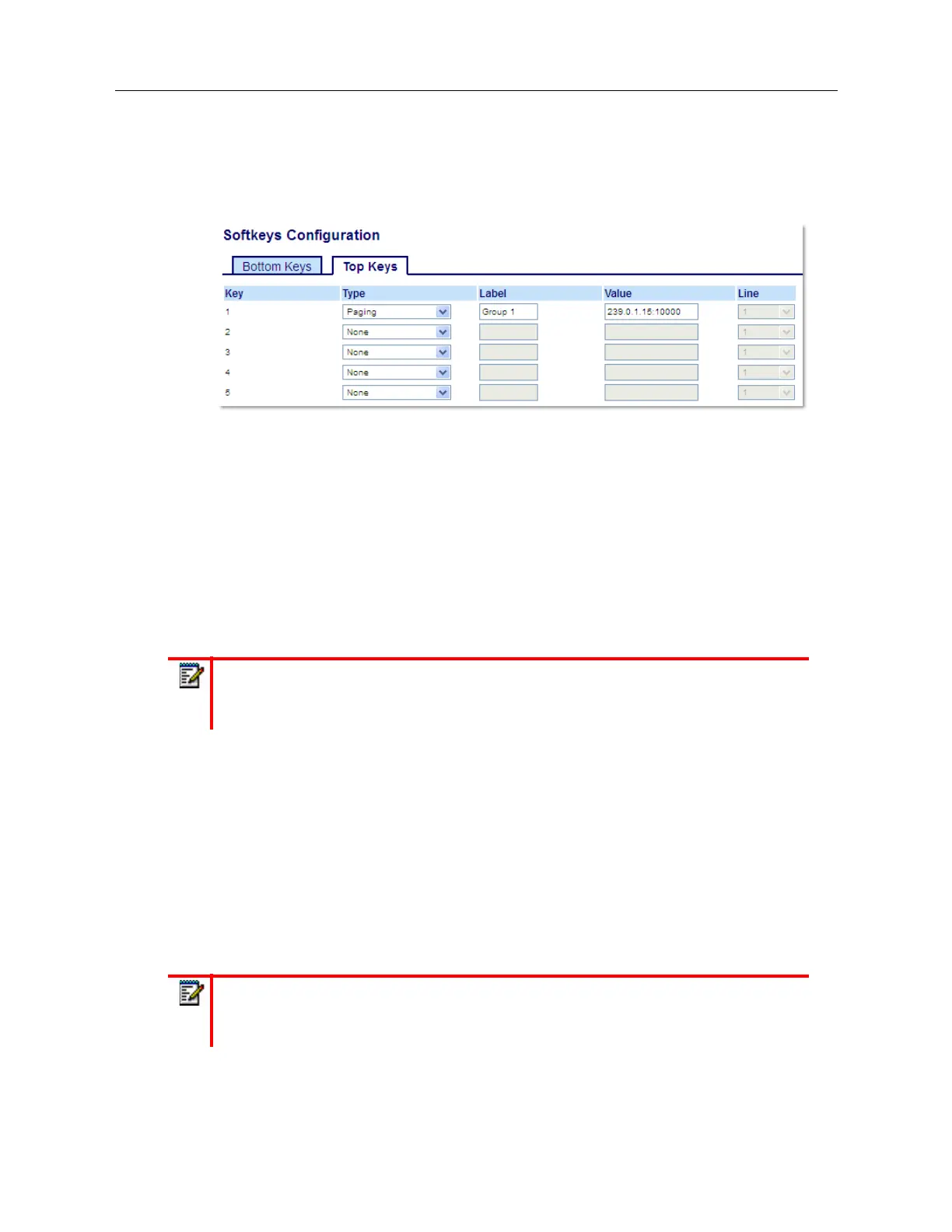
Configuring a Paging Key Using the Mitel Web UI
1.
Click on
Operation > Softkeys and XML
.
or
Click on
Operation > Expansion Module <N>
.
Softkeys
2.
Select from
Key 1
through
Key 48
on the Top keys.
or
Select from
Key 1
through
Key 30
on the Bottom keys.
3.
In the
Type
field, select
Paging
.
4.
In the
Label
field, enter a label to apply to this key.
5.
In the
Value
field, enter a multicast IP address and a port number for the
Paging
key. When
you press this key, the phone initiates an outgoing multicast RTP session to the specified address
using the specified port (e.g. 239.0.1.15:10000).
6.
To receive RTP steams for group paging, you must also configure the
Paging Listen Addresses
parameter at the path,
Basic Settings > Preferences > Group Paging RTP Settings
. For more
information about setting this parameter, see “Group RTP Paging” on page ccxvi.
Expansion Module Keys
7.
Select from
Key 1
through
Key 84
(M695).
8.
In the
Type
field, select
Paging
.
9.
In the
Value
field, enter a multicast IP address and a port number for the Paging key. When you
press this key, the phone initiates an outgoing multicast RTP session to the specified address
using the specified port. (For example, 239.0.1.15:10000).
Notes:
1.
When you select
Paging
for the
Type
field, the
Line
field is disabled.
2.
The
Value
field allows for one multicast address entry only.
Notes:
1.
When you select
Paging
for the
Type
field, the
Line
field is disabled.
2.
The
Value
field allows for one multicast address entry only.



 To Next Page