Mitel 6940 SIP Phone User Guide
For 6940 SIP phone, the default “bluetooth” value is set to 1 and hence Bluetooth is always enabled.
The Bluetooth connectivity is retained on the phone even after a factory reset.
Enabling and Disabling Bluetooth Functionality
1.
Press on the phone to enter the Options List.
2.
Press the
Bluetooth
icon.
3.
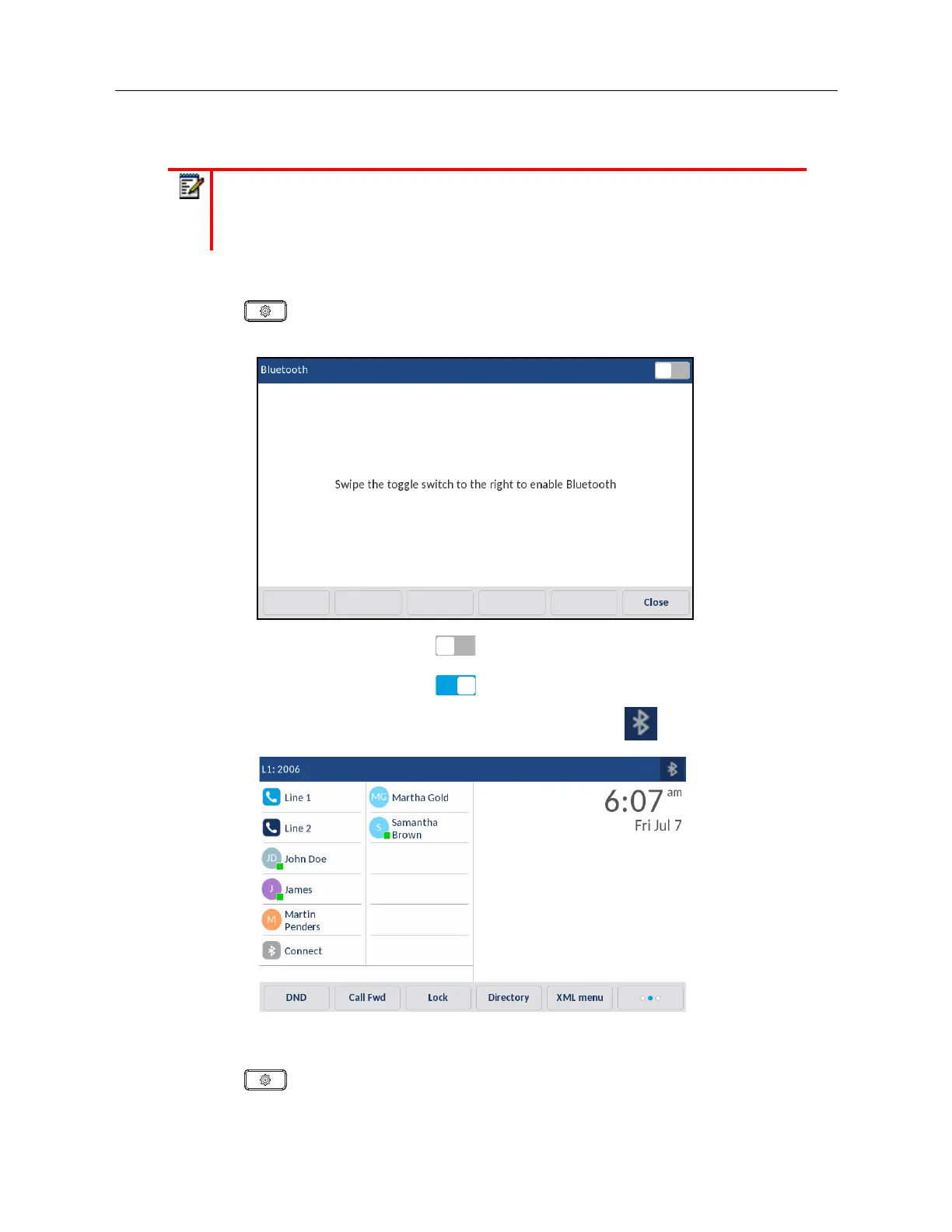
Swipe the Bluetooth toggle switch
to the right to enable Bluetooth functionality.
or
Swipe the Bluetooth toggle switch to the left to disable Bluetooth functionality.
When Bluetooth functionality is enabled, a Bluetooth enabled icon appears in the status bar
on the
Home
screen.
Pairing a Bluetooth Device
1.
Press on the phone to enter the Options List.
2.
Press the
Bluetooth
icon
.
Note:
When the default (Speaker) audio mode is being used, if Bluetooth is enabled
and a Bluetooth headset is paired, the phone automatically switches the audio mode to
Headset/Speaker. For instructions on how to manually override the audio mode, see
“Audio Mode” on page lxxviii.



 To Next Page